

Laptop Screen Repairs
Cracked, black, flickering, or showing lines? These three checks can help you describe the fault before booking a repair.
- MacBook and every PC brand
- Panel matched on six specs
- 6-12 month warranty
Three Checks to Run Before You Pay Anyone
No tools or disassembly. These checks offer clues, not a diagnosis. Skip them if the laptop is wet, swollen or visibly damaged.
-
Plug In an External Monitor
Use a compatible cable and monitor, select the correct input, then enable the external display on your laptop.
- External picture is fine
- This points towards the built-in display or its connections, but does not rule out a fault in the circuitry that drives it.
- External picture is broken too
- Check the monitor input, cable and display settings first. If both displays still misbehave, diagnostics can distinguish software, connection and hardware faults.
-
Look for Visible Damage
Look at the screen and hinge area without pressing or flexing them. Do not move a damaged or separating hinge.
- Cracks, dark patches or a separating frame
- These suggest physical damage. Send us a photo and the model number; avoid pressing the affected area.
- No visible damage
- A display, cable or power fault can still be present. The outside alone cannot tell us which part needs repair.
-
Notice When the Picture Changes
If the hinges move normally, notice whether the picture changes during ordinary lid movement. Stop if you feel resistance; do not repeatedly flex it.
- It works at some angles only
- A display cable, connection or hinge-related fault is possible. We check these before recommending a replacement screen.
- It is the same at every angle
- This does not isolate the fault. The panel, cable and display circuitry may still need testing.
One more, for a screen that looks dead: shine a torch at it without pressing the screen. A faint image can point to the backlight or its power supply; testing is needed to identify the failed part.
Tell us what you noticed. It helps us choose the right checks before recommending a repair.
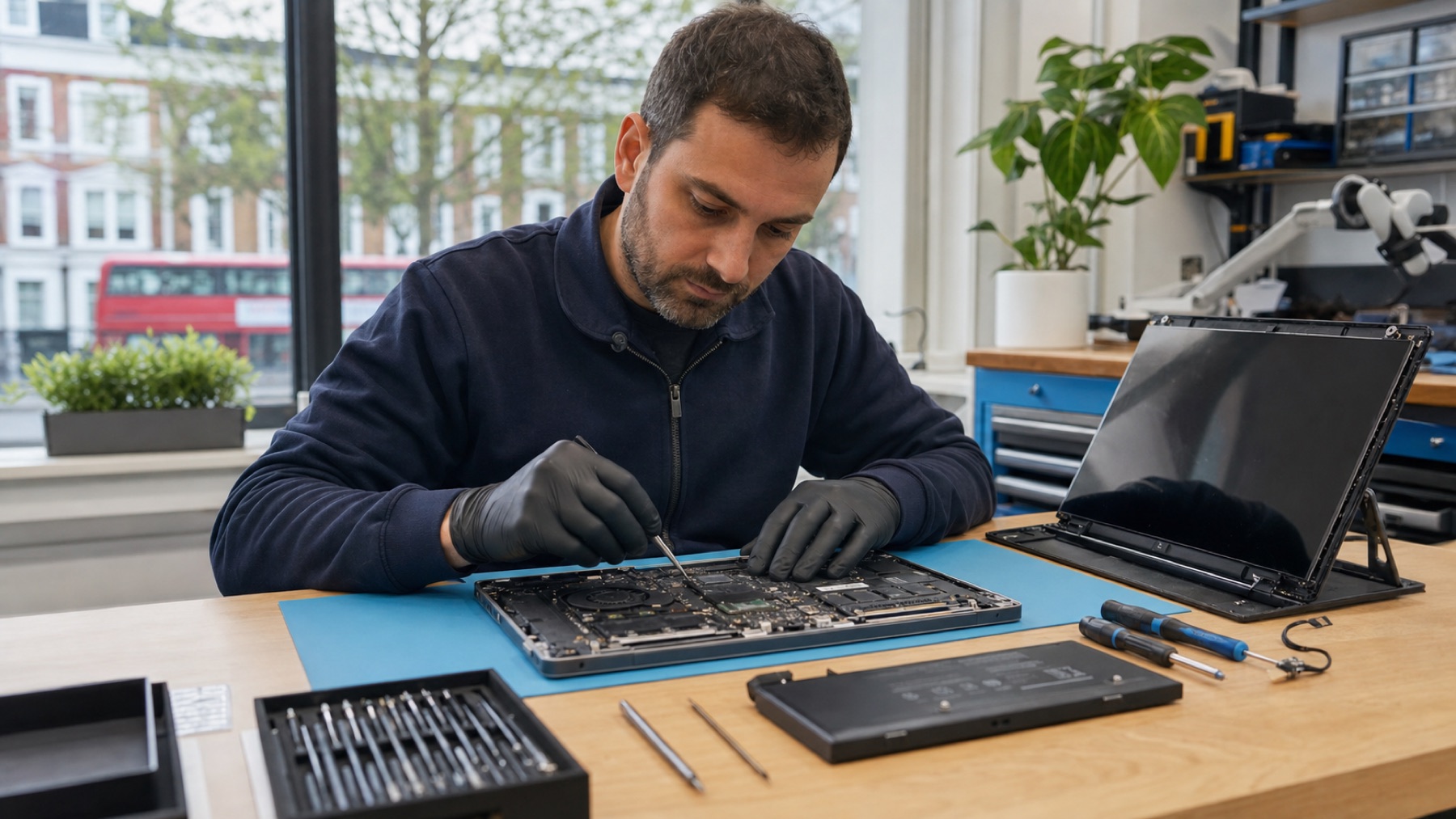
How Laptop Screens Actually Break
Direct impact is the rare one. Most of what reaches our bench arrives one of these three ways - and all three are avoidable once you have seen the shape of them.
The One-Sided Lift
Opening the lid by one corner twists the panel across its diagonal. We see the result weekly: a crack starting at the corner somebody habitually opens their laptop from, running inwards.
Instead: lift from the middle of the lid, or with a hand at each side.
The Keyboard Sandwich
Closing the lid on something. A pen, earbuds, a USB stick, a folded charging cable - the lid is a lever and the panel is what gives. This one usually cracks the LCD under intact glass, which is why the damage can look like it came from nowhere.
Instead: a glance at the keyboard before it shuts. That is the whole trick.
The Bag Squeeze
An overpacked bag applies steady pressure rather than a sudden blow. It starts as a small mark that nobody worries about, then spreads into a web over weeks as the stress finds its way through the layers.
Instead: the laptop compartment, empty, with the hard-edged things elsewhere.
What the Symptom Is Telling You
Screens fail in recognisable ways. This will not replace a proper look, but it will tell you roughly what you are dealing with.
Small Black Dots That Never Light Up
Dead pixels. Each pixel has three sub-pixels, and each is driven by its own transistor; when one fails the dot is permanently dark. They do not spread and they do not heal - the panel is the only fix.
Vertical or Horizontal Lines
Usually the connection between the panel’s driver board and the panel itself, or the cable feeding it. Think of a road with lanes closed. Mention any visible damage or changes with normal lid movement before assuming the panel.
Light Leaking From the Edges
Backlight bleed. The films that spread light evenly behind the panel have shifted or been damaged, usually by pressure. Mild bleed is normal on cheap panels; bleed that appeared suddenly is not.
Very Dim, but the Image Is There
The backlight, not the panel. Modern laptops run LEDs along the edge of the display; when those or their power circuit go, the picture stays and the light goes. Often the cheaper repair of the two.
Pink, Yellow or Uneven Tint
Ageing backlight LEDs shift colour as they wear. Heat accelerates it, which is why laptops used on beds and sofas - vents blocked, brightness at 100% - age their screens years early.
Flicker
The one symptom that is genuinely worth trying software first: graphics drivers cause plenty of it. If a driver update and a different refresh rate change nothing, look at the power circuit behind the panel.
A Screen That Fits Is Not the Same as the Right Screen
Two panels can be the same size, mount in the same holes and still be wrong for your laptop. This is where cheap screen repairs go wrong, and it is why we quote against your exact machine rather than its screen size.
The failure mode is not dramatic. The laptop works. It is just that the picture is softer than it was, or the colours are off, or the lid no longer sits flush, or the thing runs at 60Hz when you paid for 144Hz. People often do not realise for weeks.
Resolution
HD, Full HD, QHD or 4K. A lower-resolution panel physically fits and visibly does not belong.
Connector
30-pin, 40-pin, eDP variants. Wrong connector means no picture, or worse.
Backlight
LED position and voltage. Mismatched and the brightness is wrong or the panel does not light at all.
Surface
Matte or glossy. Cosmetic, but you will notice every day for the rest of the laptop’s life.
Mounting
Bracket positions move between revisions of the same model. Forced fitting cracks new panels.
Refresh Rate and Features
144Hz+ panels need the right controller. Touch and HDR have to match what the machine expects.
Why the Quote Down the Road Is Half the Price
Sometimes it is a leaner business with lower rent, and that is fair enough. More often it is one of these two - so ask, and listen to how the answer comes back.
“What resolution and panel type is going in?”
The classic cheap repair is a Full HD screen replaced with an HD one. It fits, it mounts, it turns on, it costs a lot less - and the laptop is permanently worse in a way that is hard to name until you put it beside another one.
“Was the cable tested?”
Replacing a panel is quicker than diagnosing why the picture flickers. Skip the diagnosis and the fault comes back a month later, because it was in the hinge all along.
Any shop worth using answers both without being defensive. On our quotes both answers are there before you agree to anything.
How the Repair Runs
Laptops usually stay with us rather than being done while you wait - there are more screws, more variation between models, and the testing at the end is the part that matters.
-

Diagnosis, Not Assumption
Cable continuity tested wire by wire, backlight voltages measured, external output checked, and the panel examined under magnification for hairline cracks that are invisible head-on.
-

Panel Matched on All Six
Resolution, connector, backlight, finish, mounting and features - checked against your exact machine and revision, not against its screen size.
-

Fitted Clean
Dust trapped between the layers becomes a permanent shadow, so the work happens in controlled conditions with plastic tools and every screw mapped back to where it came from.
-

Tested Properly
Solid red, green, blue, black and white to hunt dead pixels. Grey to find bleed and dim zones. Open-and-close cycles to prove the cable seats. Colour calibration where the work needs it.
The Models That Need Extra Care
MacBook
Retina displays are usually a whole top assembly - panel, glass and lid as one unit. It changes the price and the conversation, so we say so upfront.
Surface
Glued with industrial adhesive across the whole face. Heat, patience, and a real chance of breaking the glass on the way in - which is why Surface work is priced differently.
Gaming Laptops
144Hz and above need the matching controller. Fit a standard 60Hz panel and everything stutters, which is a repair that technically worked and practically did not.
Ultrabooks
No margin anywhere. One over-tightened screw cracks a brand new panel, so torque matters as much as the part.
Which Panel Your Laptop Has, and Why It Matters
Mostly this decides the price. On an older machine it can decide whether the repair is worth doing at all.
LCD With LED Backlight
The large majority of laptops. “LED screen” describes the backlight, not the display - underneath it is an LCD panel lit from the edge.
- Widely available and affordable to replace
- Well understood, and a spare usually exists
- Narrower viewing angles
- Some backlight bleed is normal
IPS
An LCD variant with far better angles and colour. Common in anything sold on its screen, and in most business machines from the last few years.
- Colour holds up off-axis
- Even brightness across the panel
- Dearer part than a basic LCD
Worth repairing even at the higher price if you work with colour - replacing an IPS panel with a basic one is the downgrade people notice most.
OLED
Each pixel makes its own light. No backlight to fail, but the panel is the expensive part of the laptop and there is no cheap tier beneath it.
- True blacks, no bleed, no backlight faults
- Much dearer, with far fewer sources
- Burn-in is possible with static interfaces
On an older OLED laptop this is where we usually stop and talk about whether the repair still makes sense.
Touch
Adds a digitiser layer bonded to the panel, so the assembly is one part and the price sits above the non-touch version of the same machine.
- Replaced as a unit, so touch comes back calibrated
- A non-touch panel will fit and cost less - and you lose touch permanently
If a quote for a touch laptop looks surprisingly cheap, this is the question to ask.
Laptop Screen FAQ
My screen changes when the lid moves. Do I need a whole new screen?
Not necessarily. The cable, its connections or the display assembly may be involved. Do not press the screen or force the hinge. We check the cause before quoting for a replacement.
Can I use a screen from a different laptop model?
Sometimes, and only after checking. Panels that look identical differ in connector, resolution, backlight voltage, mounting points and refresh rate, and the wrong one either does nothing or takes something else with it. We keep a compatibility record for safe substitutions, which matters most on older machines where the exact original is no longer made.
Why do some shops charge so much less?
Usually the specification. The classic is a Full HD screen replaced with an HD one: it fits, it mounts, it turns on, and the laptop is permanently worse in a way that is hard to name. The other is skipping the diagnosis and selling a panel when the fault was in the cable - cheap until it comes back. Ask what resolution and panel type is going in, and whether the cable was tested.
Is it worth repairing the screen on an older laptop?
Often yes, and we will tell you when it is not. On a three-to-five-year-old machine with a decent processor and enough memory, a screen is usually the cheapest way to buy several more years. Where it stops making sense is an OLED panel on a laptop worth less than the part, or a machine that is also slow, hot and short on storage - at which point a screen is money spent on the wrong problem.
How long should a laptop screen last?
Five to eight years of normal use, and heat is what shortens it. Working on a bed or sofa blocks the vents, and running at full brightness all day ages the backlight LEDs faster - which is why tinting and dimming turn up early on laptops that live in soft places.
Can a screen be saved after a spill?
Sometimes. Liquid entering through the keyboard tends to reach the backlight circuit first, and corrosion cleaned early can leave the panel usable. Once it gets between the LCD layers, replacement is the only route. Speed matters more than anything else here: power off, do not charge it, and get it to us. More on liquid damage.
My external monitor is broken too. What does that mean?
It means more checks are needed. The monitor, cable, display settings, software or laptop hardware could be involved. A failed external-display test alone does not prove a motherboard fault. Our diagnostics service identifies the cause before repair.
What warranty comes with it?
Between 6 and 12 months depending on the repair and the part, and we say which before you commit. It covers the panel and our work on it, and it does not cover a fresh knock - a new crack looks different from a returning fault, and we can usually tell by looking.
Related Repair Services
Where a laptop screen problem often turns out to belong.
Ran the Checks? Tell Us What Happened
Tell us the make and model, what the external monitor showed and whether normal lid movement changes the picture. We can explain the next step and whether an assessment is needed.