
External Drive Data Recovery Services
When your vital files are trapped in a failed external hard drive, trust Fixfactor’s expert team to recover your data with industry-leading technology and specialized recovery techniques.

External Drive Recovery Expertise
We specialize in recovering data from all types of external storage devices, regardless of the failure type

Mechanical Failures
Recovery from drives with clicking, grinding noises, head crashes, motor failures, or other physical component issues.

Logical Failures
Recovery from corrupted file systems, accidental formatting, deleted partitions, and other software-related issues.

Electronic Failures
Recovery from drives with PCB damage, shorted components, or power surge damage that renders the drive inoperable.
Firmware Issues
Recovery from firmware bugs, service area corruption, or other firmware-related problems causing drive instability.

Physical Damage
Recovery from dropped, cracked, or damaged drives requiring part replacement and specialized handling techniques.

Water Damage
Specialized recovery for external drives exposed to liquids, including corrosion treatment and component restoration.
Service Priority Levels
Choose the turnaround time that meets your needs for external drive data recovery
Our External Drive Recovery Process
A transparent, step-by-step approach to recovering your valuable data from external hard drives
Initial Consultation
Contact us with details about your external drive, failure symptoms, and urgency level. We’ll provide an initial assessment and price estimate based on your description of the issue.
Diagnostics
Bring or send your external drive to our Wimbledon or Oxford Street location. Our technicians will perform a thorough assessment using specialized equipment to identify the exact cause of failure.
Detailed Quote
Within an agreed timeframe (typically 1-3 days depending on your urgency level), we’ll provide a comprehensive report outlining the issue, recovery chances, and precise costs.
Recovery Procedure
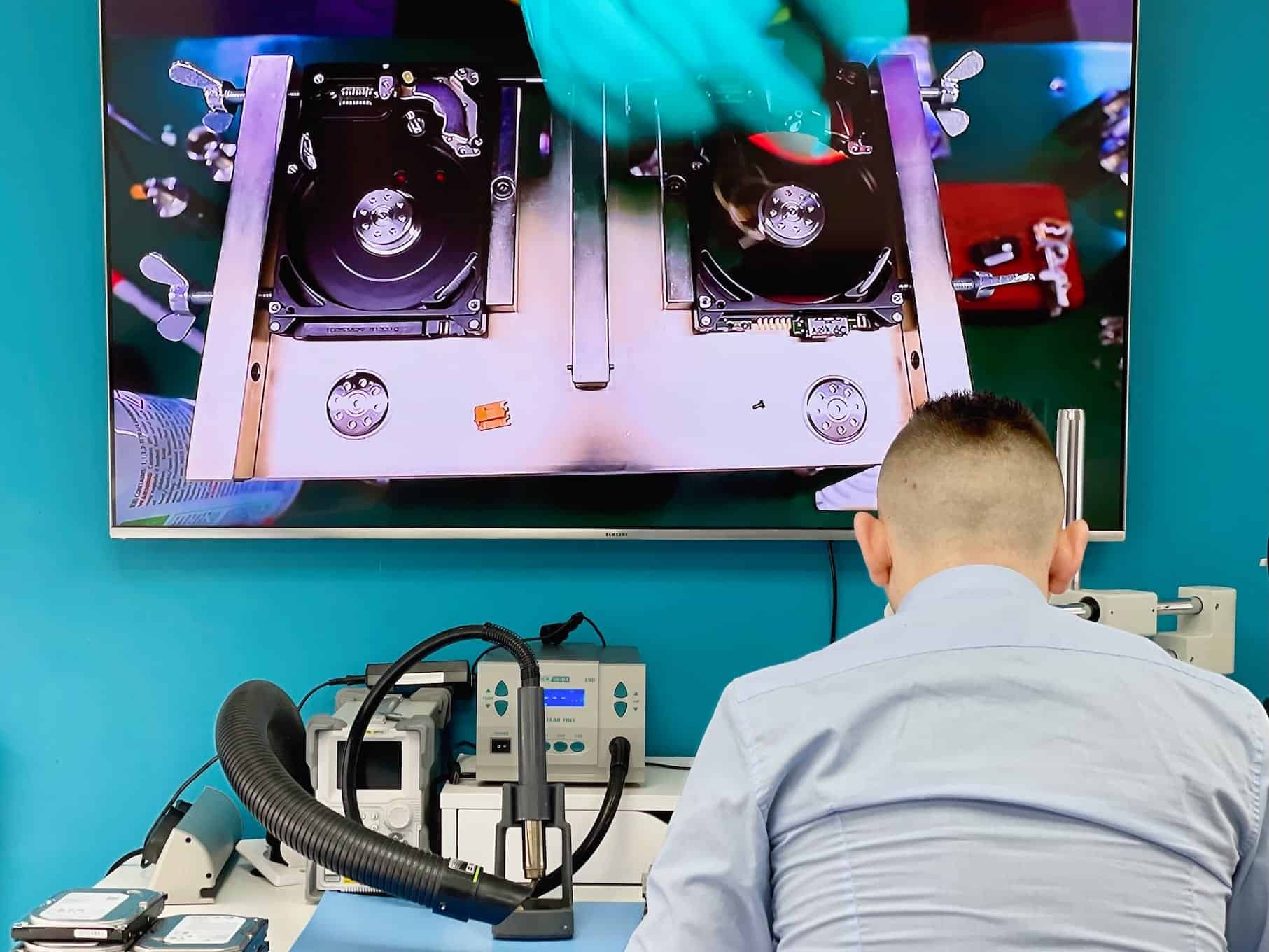
Our specialists use advanced tools like PC-3000, clean room equipment, and donor parts to safely recover your data. We’ll keep you updated throughout the process.
Data Verification
Once recovery is complete, we’ll provide a file listing and snapshot of recovered data for your review. You can verify that your critical files are intact before finalizing the service.
Safe Data Return
We’ll transfer your recovered data to a new external drive or your chosen storage medium. For security, we keep a backup for just 7 days unless you request immediate deletion.
Why Choose Fixfactor For External Drive Recovery
London’s trusted data recovery experts since 2014
Specialized Equipment
State-of-the-art tools including PC-3000, clean room facilities with HEPA filtration for dust-free drive repairs, and extensive donor part libraries.
Expert Engineers
Certified specialists with extensive training in mechanical repairs, PCB diagnosis, firmware recovery, and platter restoration techniques.
Secure Process
Your data handled with highest security standards using encrypted storage and secure facilities with strict access controls and CCTV monitoring.
No Recovery, No Fee
If we cannot recover your data, you only pay the £39 diagnostic fee. Full costs apply only when we successfully retrieve your files.
Fast Turnaround
Standard service: 5-10+ days, Priority: 3-5 days, Emergency: as little as 24 hours for business-critical situations requiring immediate data access.
Proven Track Record
Over 1000 positive reviews with a 4.9/5 rating on Google and Trustpilot – our reputation for successful jobs speaks for itself.
Common External Drive Failure Scenarios
We can recover your data from most external drive failure situations
Clicking or Beeping Sounds
Recovery from drives making unusual noises, indicating mechanical failures such as head crashes or motor issues.
- Drive not recognized by computer
- Continuous clicking or ticking sounds
- Intermittent functionality
- Spinning up then powering down
- Beeping or unusual sounds
Not Powering On
Recovery from drives that show no signs of life, typically due to electronic failures or power surges.
- No LED lights or activity
- Drive not spinning up
- Not recognized by any computer
- USB port or cable issues
- PCB damage from power surges
Detected But Inaccessible
Recovery when your drive is recognized by the computer but files or partitions are not accessible.
- RAW file system errors
- Accidental formatting
- “Drive needs formatting” messages
- Cannot access specific folders
- Corrupted partition table
Physical & Liquid Damage
Specialized recovery for drives that have been dropped, cracked, or exposed to water and other liquids.
- Dropped drive not functioning
- Visible cracks or damage
- Liquid spill exposure
- Fire or heat damage
- Corrosion from humidity
External Drive Recovery Case Studies
Real examples of successful external drive data recovery projects
WD My Passport Drive with Head Crash Recovery

A professional photographer contacted us when his 2TB WD My Passport external drive suddenly started making loud clicking noises and became unreadable. The drive contained irreplaceable client photoshoots spanning five years, with no complete backup available.
The Challenge
Our initial diagnosis confirmed a severe head crash with physical damage to the platters. Standard recovery methods wouldn’t work, as any attempt to read data using the drive’s own heads could cause further platter damage and permanent data loss.
Our Solution
We carefully disassembled the drive in our dust-free clean room environment and performed a complete head stack replacement using a precisely matched donor drive. After successfully stabilizing the drive, we created a sector-by-sector clone to preserve all recoverable data before final extraction.
When I heard that clicking noise, I thought my business was finished. Those photos represented years of work and countless irreplaceable moments for my clients. Fixfactor’s team not only recovered nearly everything, they did it without pressuring me or making false promises. Their technical expertise and honesty were refreshing.
Seagate Backup Plus with PCB Failure Recovery
An accounting firm contacted us when their 5TB Seagate Backup Plus external drive failed to power on after an office power surge. The drive contained essential financial records and tax documents for their clients with an urgent deadline approaching.
The Challenge
Visual inspection revealed a damaged PCB (printed circuit board) with several burnt components. Simply replacing the PCB wouldn’t work, as modern drives store unique calibration data on the PCB that must be preserved for the drive to function.
Our Solution
Using our specialized equipment, we extracted the unique ROM chip data from the damaged PCB and transplanted it to a donor PCB. After careful component-level repairs on the power circuitry, we stabilized the drive and successfully recovered 100% of the client’s critical financial data.
As an accounting firm with tax deadline approaching, losing access to our clients’ financial records was a nightmare scenario. Fixfactor not only understood the urgency but delivered a complete recovery within 3 days. Their expertise saved us from what could have been a catastrophic situation for our business.
LaCie Rugged Drive Water Damage Recovery
A film production company contacted us when their supposedly waterproof LaCie Rugged Drive was submerged during an outdoor shoot. The drive contained irreplaceable footage for a commercial with a strict delivery deadline just days away.
The Challenge
Despite the drive’s “rugged” design, water had penetrated the enclosure and caused corrosion on both the PCB and internal components. Attempting to power on the drive could cause permanent internal damage to the platters and heads.
Our Solution
We performed emergency treatment with specialized cleaning solutions to neutralize and remove all traces of corrosion before they could cause permanent damage. After controlled drying and component-level repairs, we safely extracted the critical video footage, meeting the client’s tight deadline.
When our ‘waterproof’ drive failed after getting wet, we were looking at a £50,000 reshoot and a very unhappy client. Fixfactor’s emergency service was nothing short of miraculous. They recovered every shot we needed within 48 hours, saving both our project and our reputation.
Toshiba Canvio Logical Damage Recovery
A university researcher contacted us in distress after accidentally formatting their 4TB Toshiba Canvio external hard drive while setting up a new computer. The drive contained years of irreplaceable research data and analysis that was critical for an upcoming dissertation deadline.
The Challenge
While the drive was physically healthy, the accidental format had damaged the file system. Standard recovery software had failed to locate the researcher’s complex directory structure containing thousands of specialized research files and custom databases.
Our Solution
Using our professional recovery software and custom file signature techniques, we reconstructed the original file system structure. By analyzing file headers and fragments, we successfully recovered 99% of the critical research data with original filenames and directory structure intact.
Four years of research data vanished in an instant when I accidentally formatted my drive. What appeared to be an academic catastrophe was resolved by Fixfactor’s incredible team. They recovered virtually everything, including complex data sets that I feared were permanently lost. Their work quite literally saved my PhD.
Samsung T5 SSD Connector Damage Recovery
A freelance graphic designer contacted us when their Samsung T5 portable SSD stopped connecting after the USB-C port was damaged when the cable was accidentally yanked. The drive contained ongoing projects for multiple clients with impending deadlines.
The Challenge
Physical inspection revealed that the USB-C connector on the drive had been pulled off the circuit board, taking some of the PCB traces with it. This made a standard connector replacement impossible, and the drive couldn’t be accessed through conventional means.
Our Solution
Using micro-soldering techniques and our specialized microscope equipment, we created custom bypass connections directly to the controller chip. This allowed us to establish a direct connection to the internal memory and recover 100% of the client’s design files and project data.
When my portable SSD stopped connecting right before major client deadlines, I panicked. Several IT shops told me nothing could be done for the physically damaged connector. Fixfactor not only recovered every file but did it so quickly that none of my clients ever knew there was a problem. Their expertise saved my business and reputation.
External Drive Recovery FAQ
Common questions about our external drive data recovery services
We can recover data from virtually all types of external storage devices, including traditional mechanical external hard drives (Western Digital, Seagate, Toshiba, etc.), portable SSDs (Samsung, SanDisk, etc.), desktop external drives, NAS devices, RAID arrays, and multi-bay storage systems. We work with all major brands and both USB 2.0, 3.0, 3.1, and USB-C/Thunderbolt connections. Our expertise extends to all capacities from smaller 500GB drives to large 18TB+ storage solutions.
External drive recovery costs range from £150 to £750 depending on the type of failure, drive capacity, and service speed required. Logical recoveries (no physical damage) typically start around £150-350, while mechanical failures requiring clean room work or PCB repairs may cost £350-750. Emergency services add a premium for prioritized handling. After our free diagnosis, we’ll provide an exact quote with no hidden costs, and we only proceed with your approval. Remember, if we cannot recover your data, you only pay a £39 diagnostic fee.
Our Standard service typically takes 5-10+ business days, Priority service reduces this to 3-5 days, and Emergency service can be completed in as little as 24 hours (subject to technical feasibility). The actual time depends on the failure type, drive capacity, and the number of files to recover. Mechanical failures requiring parts from donor drives may take longer than logical recoveries. After diagnostics, we’ll provide a more accurate timeframe for your specific case.
If your external drive is making clicking, beeping, or grinding noises, immediately power it off and do not attempt to use it further. These sounds typically indicate serious mechanical problems such as a head crash or motor failure. Each additional attempted operation could cause further damage to the platters and reduce recovery chances. Do not freeze the drive, open it, or attempt DIY recovery as these will likely cause permanent data loss. Contact us immediately for professional assessment – our clean room facilities and specialized equipment are designed to handle these serious failures.
Yes, we successfully recover data from water-damaged external drives regularly. If your drive has been exposed to water or any liquid, do not attempt to power it on as this can cause permanent damage. Instead, immediately turn it off, disconnect it, and place it in a sealed bag to prevent corrosion from progressing. Do not use rice, hair dryers, or other DIY drying methods as these can cause further damage. Our specialists will carefully disassemble the drive, clean circuit boards with specialized solutions, treat any corrosion, and if necessary, transfer undamaged components to donor drives to retrieve your data.
We maintain an overall success rate of approximately 90-95% for external drive recovery, which is among the highest in the industry. This rate varies based on the failure type – logical failures typically have higher success rates (95-98%), while severe mechanical failures or drives with extensive platter damage might have lower rates (80-90%). Our diagnostic process will give you a realistic assessment of recovery chances before you commit to the full service. Even in challenging cases, we often recover at least partial data that might include your most critical files.
We strongly advise against DIY recovery attempts on failed external drives. While software recovery tools can sometimes help with simple logical issues, they can actually worsen the situation for mechanical failures by continuing to stress damaged components. Common DIY methods like freezing drives, opening them outside of a clean room, swapping circuit boards without ROM transfer, or using data recovery software on physically damaged drives can cause permanent data loss. Every failed recovery attempt reduces the chances of professional success later. If your data is valuable, contact us immediately rather than experimenting with DIY solutions.
Get Your Free External Drive Recovery Quote
Fill out the form below for a no-obligation assessment of your external drive data recovery needs