

iPad Repair
Find your model.
Choose your Apple iPad model
iPad Pro 2015-2024
 iPad Pro 13 (M4)
 iPad Pro 11 (M4)iPad Pro 12.9 (M2)iPad Pro 11 (M2)
 iPad Pro 12.9 (M1)
 iPad Pro 11 (M1)
 iPad Pro 12.9 (2020)
 iPad Pro 11 (2020)iPad Pro 12.9 (2018)iPad Pro 11 (2018)







Other iPad
Other iPadNo model matches that. Try just the number - or ask us for a quote and we’ll identify it for you.
Not sure which one you have?
On the tablet: Settings › General › About gives you the model name and the model number. On the back, near the bottom, is a number starting with A - A2925, A2588 and so on - and that is the one that identifies the exact variant. Every model page here lists its A-numbers. If it will not switch on, send us a photo of the back and we will read it for you.
Most Common iPad Repairs
Screen, battery, charging, liquid damage, board-level.
Screen Replacement
Cracked glass, dead touch, lines down the panel. What it costs depends on which screen your model has.
1-3 hours* About Screen RepairsBattery Replacement
Runtime that has halved, shutdowns with charge still showing, or a tablet that only works on the cable. The cell sits directly behind the display and is bonded to the chassis, so this is a screen-off job followed by careful adhesive work - the reason an iPad battery costs more than a phone battery.
2-4 hours* About Battery ProblemsCharging Port Repair
A Lightning or USB-C port that has gone loose, charges slowly, or has stopped. Cleaned and tested first - a port packed with pocket lint really is the whole fault more often than not - then repaired or replaced at the board.
2-3 hours* About Charging FaultsBent Frame Straightening
iPad Pros are thin aluminium and they bend, sometimes in a bag rather than in a fall. In many cases the frame can be straightened and the tablet returned to true. Where the bend has already cracked the display or pulled a flex cable, that comes into the quote - assessed before we give you a number.
Quoted after diagnosisData Recovery
An iPad that won’t power on still has your photographs on it. Storage on an iPad is soldered to the logic board, so recovery is board-level work - microsoldering and specialist tooling, not a drive taken out and read. Often the reason a tablet worth less than the repair is still worth the repair. More on data recovery.
Quoted after diagnosisLiquid Damage & Board Repair
iPads aren’t water-resistant, and a small spill reaches a long way inside one. Ultrasonic cleaning of the board, then component-level work on whatever the liquid touched. Bring it in unpowered and don’t try to charge it - every hour switched on costs you options.
1-3 working days About Liquid DamageSymptoms pointing in several directions? How Diagnostics Works
Times assume the part is on the bench. We order per repair, so booking ahead is what makes same-day possible.
What Decides an iPad Repair
Four things worth knowing before you book.
iPad Repair Specialist in London
Almost every iPad repair price comes down to two things: which screen yours has, and the fact that everything else sits behind it.
From the mini to the 13-inch Pro, the range covers everything from a reading device to a working tool, and the repairs divide the same way: a cracked screen on a base iPad is one of the cheapest tablet jobs we quote, while the same crack on a current Pro is one of the dearest. Almost none of that difference is labour.

What You Hear Before We Start
- What the part costs. On a current Pro the panel is most of the bill. You hear the figure before anything is ordered.
- Who carries the screen risk. On some repairs it is already inside the price we quote you. On most it is not. You hear which before we open anything.
- Whether it’s worth it. On an older iPad a screen can cost more than the tablet is worth. We say so - and people often go ahead anyway, because what they want back is what is on it.
Every Repair Starts with the Screen
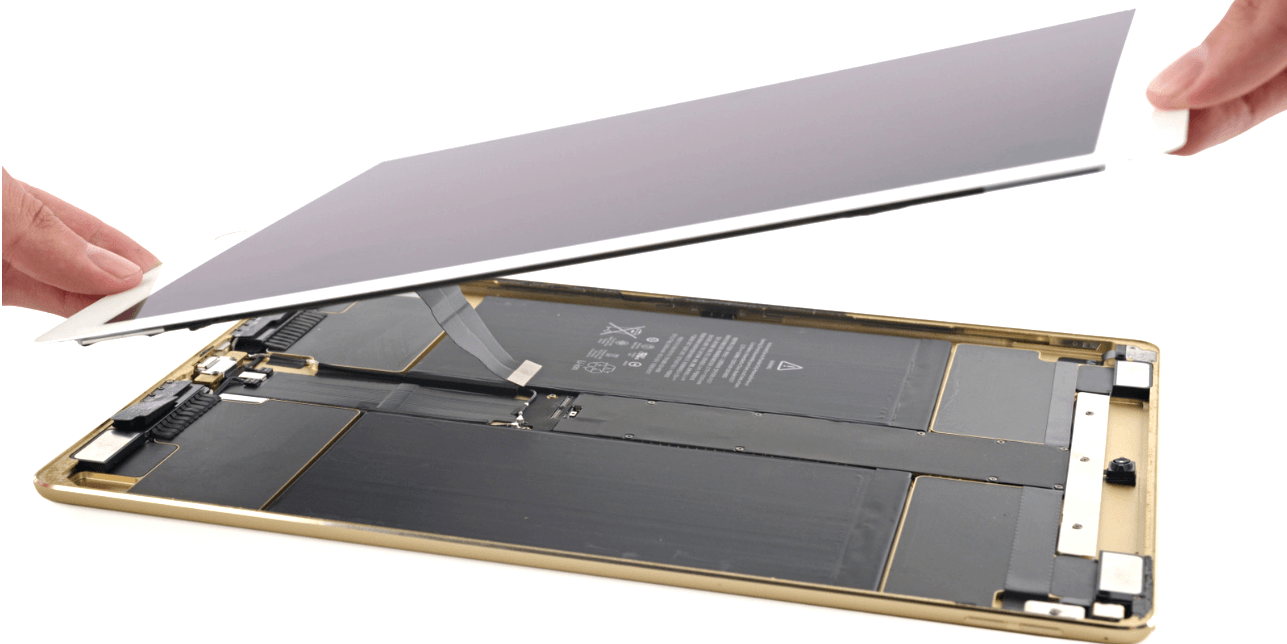
Every repair on this page except a screen replacement starts the same way: the display comes out first. Battery, charging port, cameras, anything on the logic board - the glass is the lid, bonded to the chassis, and there’s no back panel to remove instead.
That hasn’t changed because Apple has opened up a little. iPads were added to Self Service Repair and Apple’s own service page offers repair or replacement, but the construction is what it always was: a large, thin, tightly bonded panel over a battery glued to the frame.
So there is a real risk - smaller on the thicker older models, larger on a slim Pro - that a display which was intact when you handed the tablet over cracks while it is being lifted. Controlled heat, proper separation tools and patience keep that rare. Rare is not never, and it is better said in advance than explained afterwards. If the screen breaks while we are opening your iPad, the replacement screen is chargeable. On some repairs - typically on older models, where the panel is inexpensive - we carry that risk ourselves and the screen is already inside the price you were quoted. Which of the two applies to your iPad is something you hear before we open it, with the actual figure attached.
And you are not committed either way. If it happens and you would rather keep the money, we finish the repair you came in for and hand the iPad back with the cracked screen - that is your call to make, not ours. If you would rather not take the risk at all, say so when you hear the numbers and we stop there: you pay for any part already ordered plus the £39 diagnostics, and nothing has been opened. What will not happen is a bill arriving that you had not heard about first.
Laminated vs Non-Laminated Screens
iPad Pro, iPad Air and iPad mini use laminated displays: the glass, the digitiser and the LCD are fused into a single assembly at the factory. Crack the glass and the LCD behind it is intact, but there’s no way to separate them, so the whole assembly is replaced. That’s the expensive repair, and the cost is almost entirely the part.
The standard iPad - 5th generation through 10th, the current one included - is non-laminated, with a visible air gap between the glass and the LCD. On those, a cracked front glass can often be replaced on its own and the display left in place, which is a materially cheaper job. It’s also why two people with “a cracked iPad” can be quoted numbers that are nothing like each other.
We confirm which type your iPad uses, and on a laminated model we tell you the part price before ordering. On an older tablet the panel can come close to what the iPad is worth today, and you should hear that before you spend the money. If the price is what stops you, ask about a tested used part - a screen taken from a working tablet and checked before it goes in, where one exists for your model.
Why Not Just Go to Apple?
Apple’s own service page offers a repair or a replacement, and out of warranty the answer is often the second one: you hand over your iPad and a different unit comes back. It’s a clean, quick answer, and for a lot of people it’s the right one. But your tablet doesn’t return, and neither does anything on it that wasn’t backed up - which is exactly why you’re asked to back up first.
We’ll be straight about where that route beats us. On price we often can’t win. A laminated panel for a current Pro costs what it costs whoever fits it, and there are faults where the manufacturer answer is simply cheaper. When yours is one of them we say so rather than quoting you anyway.
Where we’re better is everything else. Speed - most screen and battery work is finished in hours, or a couple of days if the part has to come in. Your iPad stays yours - we repair the tablet you brought in, we never wipe it deliberately, and we test only the function we repaired. And we take on work a replacement doesn’t cover at all: a logic board corroded after a spill, a tablet that won’t power on, a bent frame straightened rather than written off, and data recovered from storage soldered to a board. A replacement answers all of them the same way: it keeps your iPad, and your photographs go with it.
What We Can and Can’t Do
Beyond screens and batteries, most of what makes an iPad worth bringing to a workshop is board-level: microsoldering, component diagnostics, ultrasonic cleaning and logic board repair after liquid or physical damage. That’s also where data recovery lives. For an iPad used for work or in a school, it’s frequently the whole point of the repair: the device may not be worth much, and what is on it isn’t replaceable.
The limit is Activation Lock. If an iPad is locked to an Apple Account nobody can unlock it without those credentials - not us, not any shop that tells you otherwise. Software faults in iPadOS are similarly bounded by what Apple’s security model allows. If your problem is one of those, you’ll hear it from us immediately rather than after a diagnostic fee. Hardware is a different matter, and hardware is what we do.
Not on the list above? Older iPads, models newer than this page and variants without a page of their own all come through the workshop on the same two conditions as everything else: the part has to exist, and the price has to make sense to you. Ask for a quote with the model and you get a real number back. Not an iPad - see Microsoft Surface repair, or tablet repair for everything else.
Pick your model above to see repair options and pricing, or visit our Wimbledon workshop.
Rated by 1,000+ Customers
“Fantastic service from start to finish. Completely transparent about the risks and gave me options. Communication was excellent - quick replies, clear explanations. Professional, honest, and reliable.”
iPad Repair FAQs
What happens if the screen cracks while you are opening my iPad?
You pay for it - unless yours is one of the repairs where we carry that risk and the screen is already inside the price you were quoted, which is usually the case on older models with inexpensive panels. You hear which of the two applies to your iPad, with the figure, before anything is opened. You can also decline the replacement: we finish the repair you came for and hand the iPad back with the cracked screen, if that is what you would rather. Or stop before we start, once you have heard the numbers - you would pay for any part already ordered plus the £39 diagnostics. Why opening one risks the screen at all.
Laminated or non-laminated screen: what’s the difference?
It’s the biggest single difference in what an iPad repair costs. iPad Pro, iPad Air and iPad mini are laminated: glass, digitiser and LCD fused into one assembly, replaced whole, which makes it the expensive repair. The standard iPad, 5th generation through 10th, is non-laminated - there’s an air gap between glass and LCD, so a cracked front glass can often be replaced on its own for considerably less. We confirm which yours is and price it before starting.
Does Apple repair iPads, or replace them?
Both. Apple’s service page offers “repair or replacement”, and iPads were added to Self Service Repair - but out of warranty the practical answer is frequently a replacement unit, which is why you’re told to back up first. Your tablet doesn’t come back. We repair the iPad you brought in, we don’t wipe it, and we take on board-level faults and data recovery that a replacement doesn’t address at all. We’re often not cheaper; we’re usually faster, and you keep your device.
Can a bent iPad Pro be repaired?
Often, yes. The 11-inch and 13-inch Pros are thin aluminium and they bow - sometimes from pressure in a bag rather than a drop. In many cases the frame can be straightened and the tablet returned to true. Where the bend has already cracked the display or disturbed a flex cable, those repairs come into the quote, so we assess the full extent before giving you a number.
Will my Apple Pencil still work after a screen replacement?
Yes, when the right assembly goes in. Pencil tracking, pressure and palm rejection depend on the digitiser layer inside the display, so the pen behaves correctly if the replacement is the correct part for your exact model. It’s one of the reasons we order against a model number rather than a description.
My iPad won’t turn on. Can you get my photos off it?
Usually, and it’s worth asking. iPad storage is soldered to the logic board, so this isn’t a case of removing a drive and reading it - it’s component-level work under a microscope, and it’s one of the things we’re set up for that most shops aren’t. If the tablet has been in contact with liquid, bring it in unpowered and don’t try to charge it; every hour it spends switched on reduces what can be recovered.
Is my data safe, and will you wipe the iPad?
We never delete customer data deliberately. Technicians test only the function that was repaired - display, touch, charging, cameras - and for that we usually need your passcode. Back up to iCloud or a computer first if you can: loss during a repair is rare, but it’s sensible before anything that involves opening a device.
How long does it take, and can I post it in?
Screen work is typically 1-3 hours and a battery 2-4, once the part is on the bench; board-level work and liquid damage take longer and are quoted after diagnosis. One workshop: 136 Kingston Road, Wimbledon, London SW19 1LY, open Monday to Friday 9am-6pm and Saturday 9am-4pm. You don’t have to be in London - post it in from anywhere in the UK, and it comes back tracked and insured. Tell us the model and the fault before you send it so the part is on the bench when it lands. See how mail-in works.
How does the diagnostic fee work?
Diagnostics is £39, paid upfront - at the counter when you bring the tablet in, or online when you post it. Go ahead with the repair and the fee is credited towards it. It isn’t refunded if you don’t go ahead, or if the tablet isn’t worth repairing.