

iPad Pro 12.9 (2017) repairs
Professional repair for the 12.9-inch iPad Pro released in 2017, with the 120Hz ProMotion display and Touch ID home button.

A cracked 2017 12.9-inch Pro panel - a big sheet of bonded glass, lifted evenly and replaced as one part.
A new 41Wh cell for the 2017 12.9-inch Pro - for shutdowns under load, fast drain or a swelling battery.
A 2017 12.9-inch Pro that will not charge - port, battery and board all tested before a quote goes out.
iPad diagnostics - all models. Unknown faults, liquid damage or multiple problems: we find the source and give you a clear quote to fix it. We test the iPad - opening it up if the fault calls for it - and assess what repair is needed and its chances of success. Beyond repair? We can offer a parts buyback.
Please note: Opening an iPad carries a small risk of cracking the screen - if that happens, any extra cost is agreed with you first.
Good to know: Pay when you drop it off. Fee not refundable. Go ahead with the repair and the fee comes off the price.
What the assessment fee covers
- Full assessment by an in-house technician
- An honest verdict on what is wrong
- A firm price before any repair starts
- Fee credited towards the repair - you pay the balance of the quote
- No obligation to proceed
Professional ipad water damage treatment in London. Ultrasonic cleaning of liquid residue and corrosion, then a full assessment of what the liquid reached.
Please note: The fee covers the clean and the diagnosis together - sometimes the clean alone brings it back. It is not refundable if the device can’t be saved.
What the cleaning fee covers
- Ultrasonic cleaning and corrosion treatment
- Full diagnostics once the board is clean
- An honest verdict on what is worth saving
- A firm price for any further repair before it starts
- No obligation to proceed
Assessment first: we tell you what can be recovered from your iPad, and what the recovery costs, before any recovery work starts. Photos, notes and documents from an iPad that will not switch on, has been in water, or has a failed board. Storage is soldered to the logic board, so recovery is microsoldering work - there is no drive to lift out and read somewhere else.
Good to know: If nothing can be recovered, there is nothing further to pay. The assessment fee is not refunded - it covers the work of finding out.
What the assessment fee covers
- Full assessment of the device and its storage
- An honest verdict on what can be recovered
- A firm price for the recovery before any work starts
- Fee credited towards the recovery - you pay the balance of the quote
- No obligation to proceed
Know the fault, but don’t see it listed? Describe it and we’ll price it from your description - free, no device needed. Not sure what’s wrong? That’s what the Diagnostics Service above is for.
What we fix
From cracked screens and battery issues to charging faults and water damage recovery.

Screen Replacement
Cracked glass, unresponsive touch, or dead pixels - we replace the full screen assembly on the iPad Pro 12.9 (2nd gen). iPad screen repairs require careful handling as the glass and display panel are bonded together. Every repair is tested for touch accuracy and display uniformity before return.
Battery Replacement
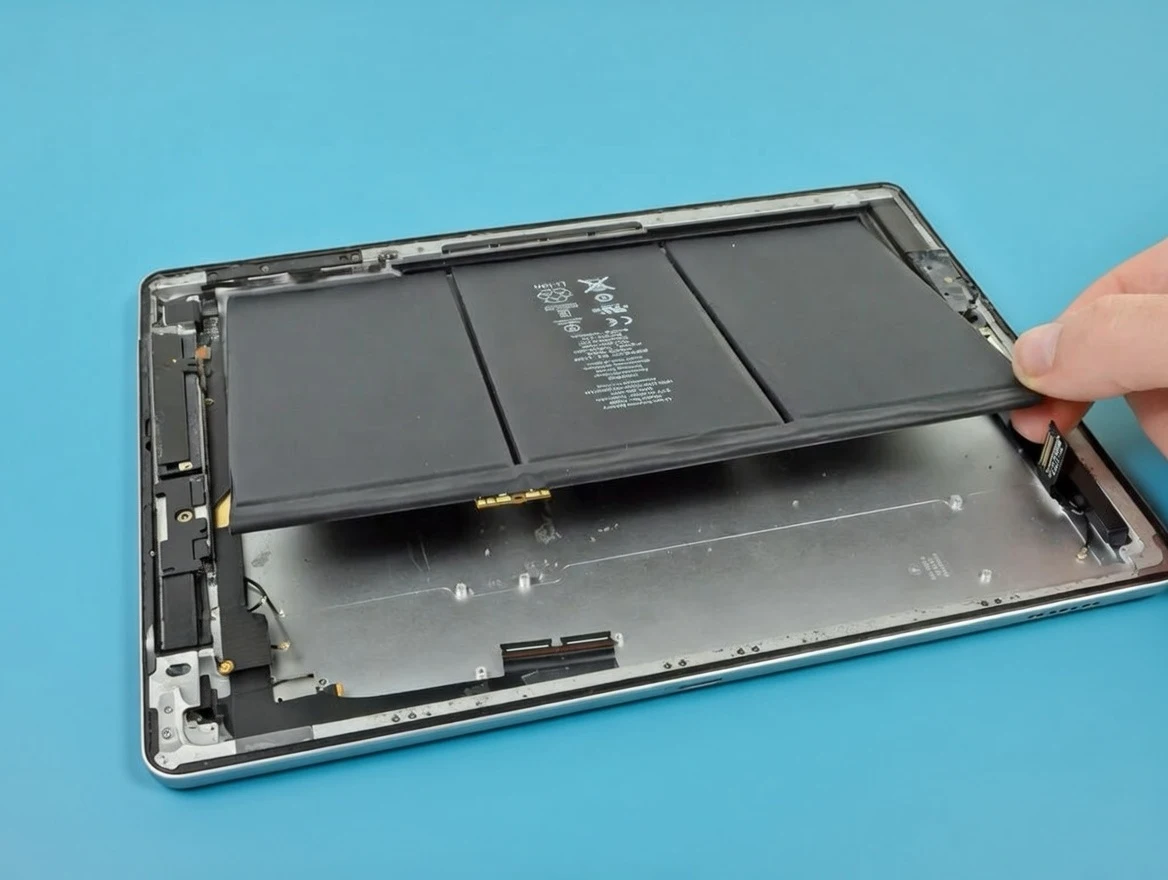
Poor battery life, unexpected shutdowns, or iPad Pro 12.9 (2nd gen) shutting down unexpectedly? On iPads, the battery sits directly behind the screen, so replacement requires carefully heating and separating the display first - a process that carries a small risk of screen damage. We use precision tools to minimise this risk and will always inform you upfront. Once safely open, the adhesive-bonded battery is replaced with a high-quality cell.
Charging Port Repair
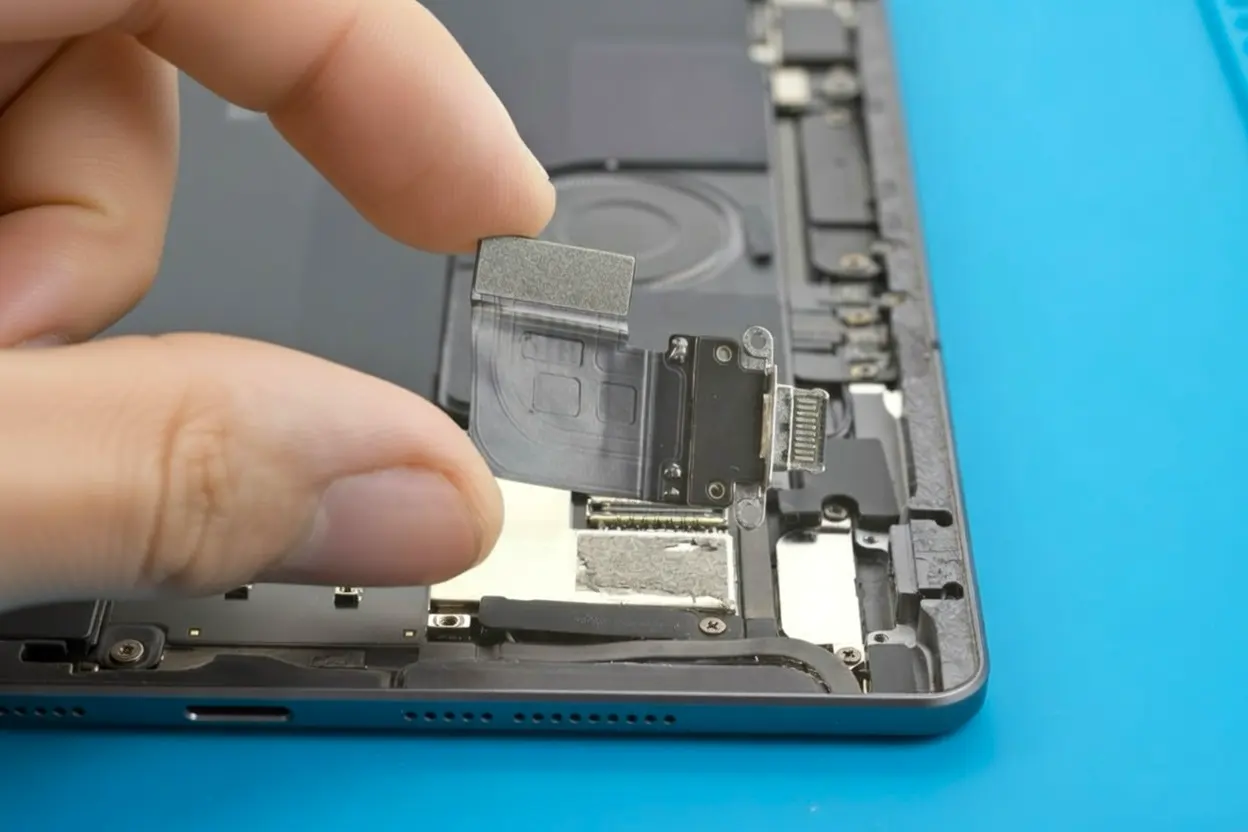
Loose Lightning connection, slow charging, or complete charging failure on the iPad Pro 12.9 (2nd gen)? Like battery replacement, the charging port is accessed by removing the screen first - which adds complexity and a small risk of display damage. We clean or replace the port and test charging thoroughly before reassembly.
Water Damage Recovery
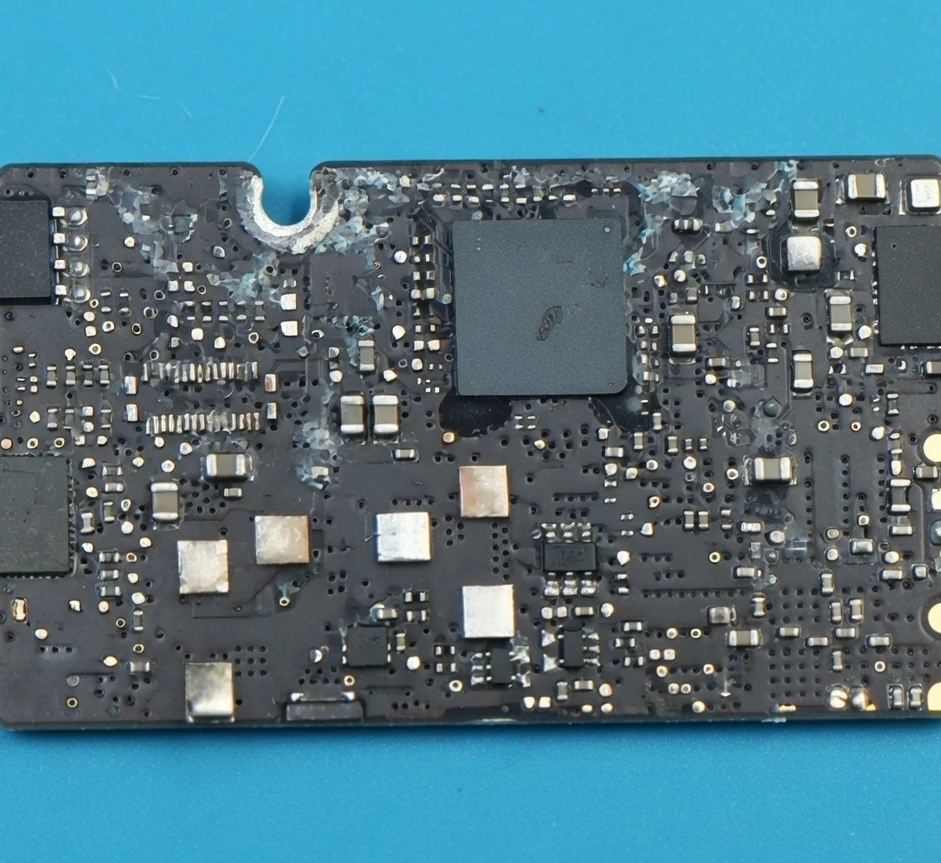
Liquid-damaged iPad Pro 12.9 (2nd gen) units require immediate action. We carry out full board cleaning, corrosion treatment, and component-level diagnostics to maximise recovery chances. Do not try to charge or power it on - bring it in as soon as possible.
* Same-day or quick turnaround depends on diagnostics results and replacement part availability. Please contact us first so we can check stock for your exact iPad Pro 12.9 (2nd gen) fault.
** Water damage repairs may take longer when corrosion has spread or additional components need replacement after cleaning.
Ways to Use Our Service
Choose walk-in repair in London or mail-in repair from anywhere in the UK.
The iPad specialists
If your iPad Pro 12.9 (2nd gen) has a cracked screen, failing battery, charging fault, or water damage, we can help. We start with proper diagnostics so you know exactly what failed and what repair is worth doing.
We repair all common iPad Pro 12.9 (2nd gen) faults including screen replacement, battery swaps, Lightning charging port repairs, and water damage recovery. For complex faults, we also offer board-level diagnostics and microsoldering.
You can visit our London workshop or send your iPad by tracked post from anywhere in the UK. After diagnostics, we confirm the final scope, timeline, and price before proceeding. If your issue is not listed in the service cards above, book diagnostics or request a quote.
Customers choose Fixfactor because we communicate clearly, test devices before return, and use quality replacement parts with warranty on eligible repairs. We focus on practical results: a working screen, reliable charging, and a repair plan that makes financial sense for your iPad.
Customer Reviews
Every repair comes with warranty, and our quality is confirmed by customer feedback.
iPad Pro 12.9 (2nd gen) Repair FAQs
Key answers about turnaround time, warranty, pricing, data safety, and booking options in London.
Didn’t find your question? Ask us directly - we answer the same working day.
01How long does a iPad Pro 12.9 (2nd gen) repair take?
Most iPad Pro 12.9 (2nd gen) repairs are completed within 1 to 2 hours when parts are ready. Screen replacements typically take 60 to 90 minutes, battery and charging port replacements around 2 to 4 hours (the screen must be removed first to access both components on all iPad models). Water damage recovery takes 24 to 48 hours as the board needs cleaning and full assessment before we can confirm what is needed.
Booking in advance helps us order the correct parts before you arrive, making same-day service possible.
02What parts do you use for iPad Pro 12.9 (2nd gen) repairs?
We use high-quality compatible parts for iPad Pro 12.9 (2nd gen) repairs, with premium OEM-equivalent options available depending on the repair type. We clearly confirm what will be installed before any work starts. All fitted components are tested as part of quality control before return.
03Will Touch ID still work after a screen repair on the iPad Pro 12.9 (2nd gen)?
Yes. The iPad Pro 12.9 (2nd gen) uses Touch ID integrated into the home button, which is a separate component from the display assembly. A screen replacement does not affect Touch ID functionality. Your saved fingerprints will continue to work normally after the repair.
04Is my data safe during the repair?
We do not access or view your personal data. Our technicians test only the repaired function to verify the repair was successful. Data loss during a repair is extremely rare, but we cannot accept liability for it.
We recommend backing up your iPad before bringing it in - this is sensible practice before any service that involves opening the device.
05Can you fix a water-damaged iPad Pro 12.9 (2nd gen)?
Yes. Water damage repair involves full board cleaning, corrosion treatment, and component-level diagnostics. The success rate depends on how quickly the device is brought in and how far corrosion has spread.
Do not charge or power it on after liquid exposure - switch it off and bring it to us as soon as possible.
06What warranty do you offer on iPad Pro 12.9 (2nd gen) repairs?
All iPad Pro 12.9 (2nd gen) repairs come with a 6 to 12-month warranty covering both parts and workmanship. If the same fault returns within the warranty period, we fix it free of charge. The warranty does not cover new physical damage, liquid damage after the repair, or faults unrelated to the original repair.
07My glass is cracked but the screen still works - do I need a full display?
On the standard iPad line up to the 10th generation, and on older Air and mini models, the glass and the LCD are separate parts, so glass-only is a real and much cheaper repair. On Pro, Air 4 and newer, and mini 5 and newer, the display is laminated as one unit and the whole assembly has to be replaced. Tell us the model and we will tell you which one you are looking at before you commit.
08How does the diagnostic fee work?
The diagnostic fee is paid upfront - at the counter when you bring the device in, or online when you post it. Go ahead with the repair and the fee is credited in full, so the assessment effectively costs you nothing. If the iPad turns out to be beyond economical repair, the fee covers the work of finding that out. If you prepaid for a repair and diagnosis shows a different fault, we contact you with options; cancel at that point and we refund the price minus the diagnostic fee, plus a £10 restocking charge when an ordered part has to go back to the supplier.