

DJI Mavic 2 Pro repairs
Hasselblad gimbal and camera, ribbons, motor arms, water damage and board-level repair - on an aircraft DJI stopped servicing years ago.

- Released
- 2018
- Weight
- 907 g
- Camera
- Hasselblad 1″ 20 MP
- Gimbal
- 3-axis
- Sensing
- Omnidirectional
Repairs
Something is broken or worn out.
Professional DJI Mavic 2 Pro gimbal and camera replacement. Crash-damaged gimbal or dead camera - we replace the assembly, recalibrate and test stabilised footage before it goes back.
Professional DJI Mavic 2 Pro gimbal cable (flex) replacement. Image dropouts and gimbal errors - we replace the flex, recalibrate and test the live feed.
Professional DJI Mavic 2 Pro gimbal vibration repair. Shaky footage after a crash - we replace the worn dampers or vibration board and recalibrate the gimbal.
What’s included
- Replacement part - no hidden extras
- Fitting & labour by in-house technicians
- Full function test before handover
- Up to 12-month warranty
- Diagnostic fee credited towards this repair
- Your data stays untouched
Professional DJI Mavic 2 Pro motor arm replacement. A cracked arm grounds the drone - we replace it, transfer the motor and bench-test everything before it flies again.
What’s included
- Replacement part - no hidden extras
- Fitting & labour by in-house technicians
- Full function test before handover
- Up to 12-month warranty
- Diagnostic fee credited towards this repair
- Your data stays untouched
DJI Mavic 2 Pro diagnostics - we find the source of the problem and give you a clear quote to fix it. Drones hide several faults behind one symptom - we test the aircraft, open it up where needed, and assess what repair is needed and its chances of success.
Please note: Bring the controller, battery, charger and propellers - testing needs the full set.
Good to know: Pay when you drop it off. Fee not refundable. Go ahead with the repair and the fee comes off the price.
What the assessment fee covers
- Full assessment by an in-house technician
- An honest verdict on what is wrong
- A firm price before any repair starts
- Fee credited towards the repair - you pay the balance of the quote
- No obligation to proceed
Professional dji mavic 2 pro water damage treatment in London. Ultrasonic cleaning of liquid residue and corrosion, then a full assessment of what the liquid reached.
Please note: The fee covers the clean and the diagnosis together - sometimes the clean alone brings it back. It is not refundable if the device can’t be saved.
What the cleaning fee covers
- Ultrasonic cleaning and corrosion treatment
- Full diagnostics once the board is clean
- An honest verdict on what is worth saving
- A firm price for any further repair before it starts
- No obligation to proceed
Know the fault, but don’t see it listed? Describe it and we’ll price it from your description - free, no device needed. Not sure what’s wrong? That’s what the Diagnostics Service above is for.
Survey, inspection or film work? We turn fleets around in batches, one invoice, a report per airframe. Business repairs
Common DJI Mavic 2 Pro Problems We Fix
What this aircraft arrives with, and what each job involves.
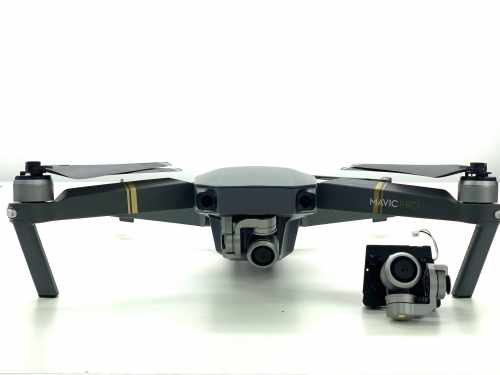
Gimbal & camera replacement
The Hasselblad unit is the most expensive part on the aircraft, so it is the last thing we quote for. Dampers, ribbon and yaw arm get ruled out first.
Gimbal vibration & horizon tilt
Jelly in the footage, or a horizon that will not sit level. Usually perished dampers or a knocked yaw arm.
Ribbon & video dropout
Picture that cuts to lines, or a gimbal that will not initialise. The flat ribbon tears where it folds.
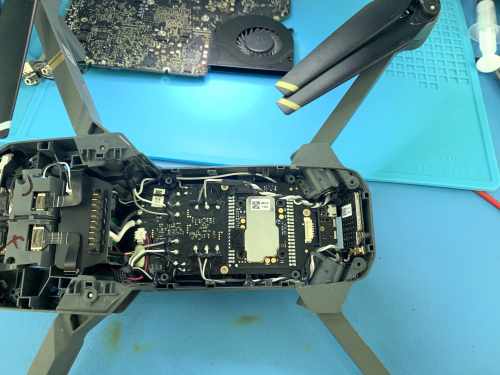
Board-level repair
No power, no charge, a dead ESC, a burnt trace. We repair the board, because there is no replacement one to buy.
Motor arms & motors
Cracked arms, worn hinges, motors that grind or throw an ESC error. The arm wiring solders to the board.
Water damage
Ultrasonic clean and corrosion treatment before anything is powered. Read the yellow band below first.
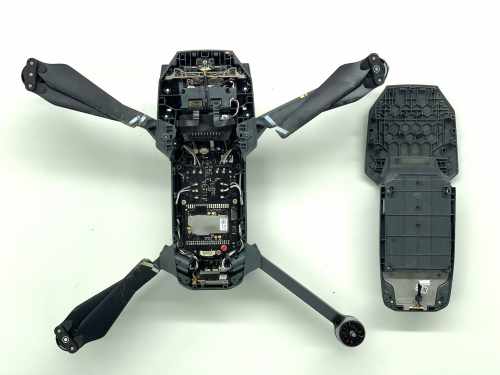
Crash assessment
Stripped and checked properly, with the flight log read. You get a written quote and the reason it came down.
Batteries
A pack that has puffed, lost a cell, or stopped talking to the aircraft. We test the cells rather than guess.
Calibration & test flight
IMU, compass and gimbal recalibrated after any repair, then hovered and flown. A drone that flies crooked is not a repaired drone.
Something else?
Obstacle sensors, landing gear, aerials, shells, aircraft other shops turned away.
We Read the Flight Log
Visible damage we repair, calibrate and test-fly before it comes back to you. When nothing looks broken, or you want to know why it came down, the drone recorded the answer.
-
What Is In It
Battery cell voltages, how hard each motor was working, satellite count, signal strength, altitude, and every warning the drone gave before it stopped recording.
-
What It Usually Says
A motor that had been working harder than the other three for weeks. A battery cell dropping under load. A signal that cut out and sent the drone home into something.
-
What to Bring
The phone or tablet you fly with, or the flight record saved in the DJI app. If the drone is dead but the board survived, we can usually read it from there.
Not every repair needs this, and we will tell you when yours does not. Sometimes a log stops for a reason nothing can recover. Sometimes it shows the drone was flown into something, and you get told that too.
The Camera Is the Expensive Part
The Hasselblad camera is why people still fly a Mavic 2 Pro years after buying it, and why a gimbal quote can look frightening. So we start with the cheap parts and work up: dampers first, then the ribbon, then the yaw arm. The full camera unit only after the other three are ruled out - and those three cost a fraction of it.
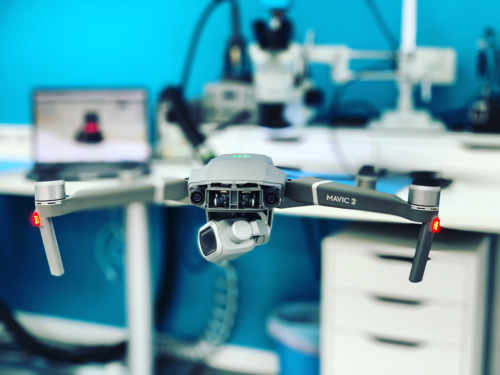
Check the Aperture After a Knock
This is the only drone we see with real aperture blades, f/2.8 to f/11. A knock can jam them without anything looking wrong: the picture stays sharp, but the brightness jumps between shots and does not match what the app says. It takes five minutes to test, if you know to look.
Crashed It, or Been in Water? Do This First
What happens in the next hour decides how much of it we can save.
-
1
Do Not Power It Up
Not to see whether it still works. A wet or bent drone survives being left alone; it does not survive being switched on. Battery out, and leave it out.
-
2
Take the Card Out
Your footage is on the microSD and it is nearly always fine even when the aircraft is not. Take it out and keep it before the drone comes to us.
-
3
Bring It In As It Is
Loose parts and all, in a box, not reassembled. Salt water is the urgent one: it corrodes by the hour, so a drone out of the sea needs to be here today.
No rice, and no hairdryer or radiator - heat speeds corrosion up rather than stopping it. We strip it, clean every board ultrasonically, treat the corrosion and only then test. If the footage matters more than the aircraft, say so at drop-off and we go for that first.
Ways to Use Our Service
Two ways to get your Mavic 2 Pro repaired - bring it to Wimbledon, or post it from anywhere in the UK.
What We Do, How, and Why Us
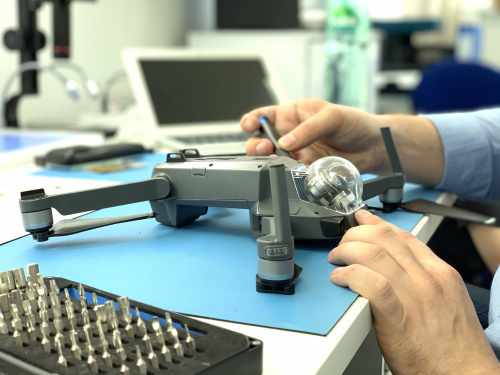
The camera and everything around it: the rubber mounts it hangs from, the ribbon that carries the video, the arm that holds it level. Motor arms soldered back to the board rather than glued. Water damage stripped and cleaned. And repair of the circuit board itself, on a drone DJI has stopped supporting. One workshop in Wimbledon, post-in from anywhere in the UK.
You get a diagnosis before a price, always. Microscopes, hot-air rework and a thermal camera to find the part that is failing, on the same bench that repairs laptop mainboards. Then we recalibrate the sensors and the camera and fly it, before it comes back to you. And if the honest answer is that the repair is not worth the money, that answer costs nothing.
What Customers Say
Every repair carries a warranty. These are unedited reviews left on Google and Trustpilot.
Good to Know
The questions we are asked most about Mavic 2 Pro repairs.
Not answered here? Ask us - we reply the same working day.
How long does a Mavic 2 Pro repair take?
Gimbal, ribbon and motor arm work is two to four hours on the bench, so with the part in stock it is a day or two door to door. Crash assessment and water damage are investigative and need two to three working days before there is a quote worth giving.
DJI will not repair it any more. Can you?
Yes, and it is why most of these reach us. DJI ended service support for the Mavic 2 and no longer sells parts. Ribbons, dampers, arms, motors and boards are all still repairable, and board-level work needs nothing supplied.
Can you repair just the camera, or does it have to be the whole gimbal?
It depends what failed. A torn ribbon, perished dampers or a bent yaw arm are each a repair in their own right at a fraction of a complete assembly. A cracked lens element or a dead sensor is not repairable and does mean the whole unit.
I have DJI Care Refresh. Should I use that or come to you?
Use it if it is in date and you have replacements left - a one-year plan covers two, a two-year plan four, including collision and water damage. If it has expired, been used up, or you bought the drone second-hand, that is where we come in.
Is it still worth repairing?
For a ribbon, a damper set, an arm or a board repair, comfortably - this is still a better camera in the air than most of what replaces it at the same money. A complete gimbal and camera assembly is a different conversation, and you get the numbers before you commit.
Can I post it to you?
Yes, from anywhere in the UK. Card out, battery kept at home (couriers restrict loose lithium packs), packed in something rigid and sent tracked. It comes back the same way once it has been repaired, calibrated and flown.