

DJI Mini 4 Pro repairs
Cracked arms, gimbal and camera faults, water damage and board-level repair on the 249-gram Mini 4 Pro. Board-level work done in house, not sent away.

- Released
- 2023
- Weight
- 249 g
- Camera
- 1/1.3″ 48 MP
- Gimbal
- 3-axis · vertical
- Sensing
- Omnidirectional
Repairs
Something is broken or worn out.
Professional DJI Mini 4 Pro gimbal and camera repair. Tilted horizon, jelly in the footage or a picture that cuts out - we find which part failed instead of replacing the whole assembly by default.
Professional DJI Mini 4 Pro motor arm replacement. A cracked arm grounds the drone - we fit the new arm, re-solder the motor wiring and bench-test everything before it flies again.
DJI Mini 4 Pro diagnostics - we find the source of the problem and give you a clear quote to fix it.Drones hide several faults behind one symptom, so we test the aircraft, open it up where needed and read the flight log before quoting.
What the assessment fee covers
- Full assessment by an in-house technician
- An honest verdict on what is wrong
- A firm price before any repair starts
- Fee credited towards the repair - you pay the balance of the quote
- No obligation to proceed
Professional DJI Mini 4 Pro water damage treatment in London. Ultrasonic cleaning of liquid residue and corrosion, then a full assessment of what the liquid reached.Note: The cleaning fee is paid whatever the outcome. Any repair that follows is quoted separately and only starts once you approve it.
What the cleaning fee covers
- Ultrasonic cleaning and corrosion treatment
- Full diagnostics once the board is clean
- An honest verdict on what is worth saving
- A firm price for any further repair before it starts
- No obligation to proceed
Know the fault, but don’t see it listed? Describe it and we’ll price it from your description - free, no device needed. Not sure what’s wrong? That’s what the Diagnostics Service above is for.
A few of these at work? We handle them in batches, one invoice, a report per aircraft. Business repairs
Common DJI Mini 4 Pro Problems We Fix
What comes in on this aircraft, and what each repair involves.
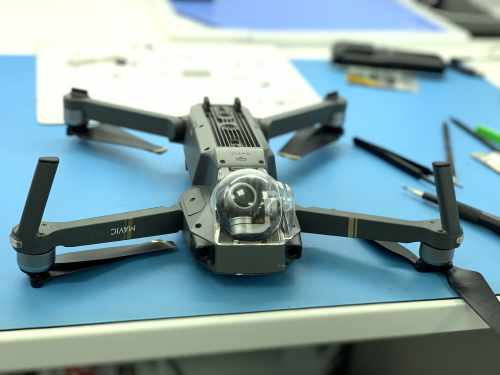
Crash assessment
All-round sensing stops a lot, but not thin branches or wires. Stripped, checked, and the flight log read before we quote.
Cracked arms & shells
A snapped arm is a soldering job, not a new aircraft. The motor wiring runs through the arm to the board.
Gimbal vibration & tilt
Jelly in the footage, or a horizon that will not level. Usually the dampers or a bent yaw arm.
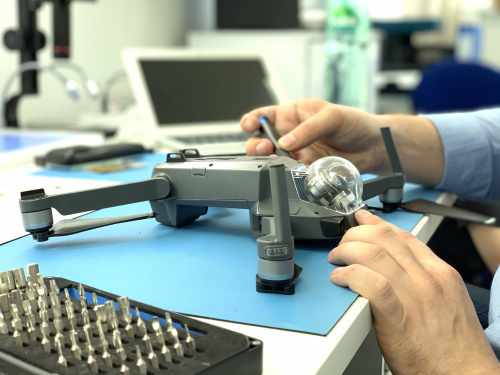
Gimbal & camera repair
The gimbal hangs below the nose with nothing in front of it, so it takes the impact first.
Ribbon & video dropout
A picture that cuts to lines, or a gimbal that will not start up. The flat ribbon tears where it folds.
Water damage
Stripped, cleaned ultrasonically, corrosion treated, then tested. Read the yellow band below first.
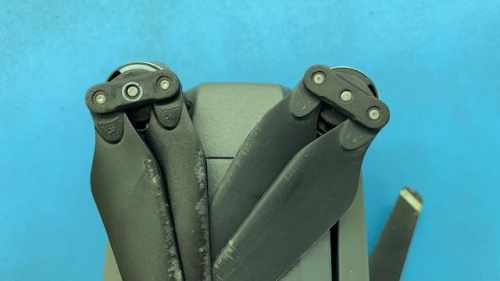
Motors & ESCs
Grinding at spin-up, a motor error in the app, or an aircraft that will not arm.
Sensors after a knock
Fisheye lenses scuffed or knocked out of line, so the aircraft brakes at nothing or stops seeing.
Calibration & test flight
IMU, compass and gimbal reset after any repair, then hovered and flown before it goes back.
Something else?
Batteries, aerials, landing feet, prop guards, controllers. Describe the fault and we will price it.
We Read the Flight Log
Visible damage we repair, calibrate and test-fly before it comes back to you. When nothing looks broken, or you want to know why it came down, the drone recorded the answer.
-
What Is In It
Battery cell voltages, how hard each motor was working, satellite count, signal strength, altitude, and every warning the drone gave before it stopped recording.
-
What It Usually Says
A motor that had been working harder than the other three for weeks. A battery cell dropping under load. A signal that cut out and sent the drone home into something.
-
What to Bring
The phone or tablet you fly with, or the flight record saved in the DJI app. If the drone is dead but the board survived, we can usually read it from there.
Not every repair needs this, and we will tell you when yours does not. Sometimes a log stops for a reason nothing can recover. Sometimes it shows the drone was flown into something, and you get told that too.
You Now Need a Flyer ID
The Mini 4 Pro weighs 249 g for one reason: to sit under the 250 g line where UK registration used to begin. That line moved. Since 1 January 2026 the CAA requires a Flyer ID from 100 g upwards, so a Mini 4 Pro now needs a Flyer ID as well as the Operator ID it always needed. Nothing about the aircraft changed. Current requirements and the free test are on the CAA website.
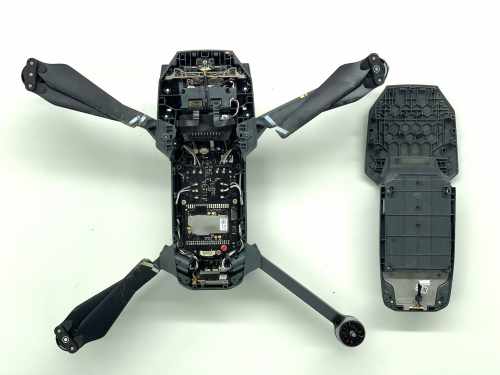
All-Round Sensing Is Not All-Round Safety
The Mini 4 Pro watches in every direction, which is a real step up from the Mini 3 Pro. What it still cannot see is anything thin: bare branches, washing lines, netting, fishing wire, glass. Those are what the crashed Mini 4 Pros on our bench hit. The sensors are working exactly as designed - they just have nothing solid to look at.
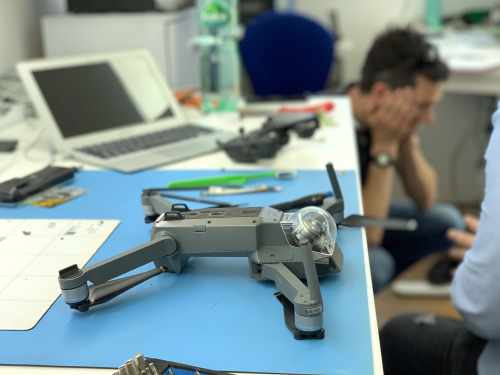
Crashed It, or Been in Water? Do This First
What happens in the next hour decides how much of it we can save.
-
1
Do Not Power It Up
Not to see whether it still works. A wet or bent drone survives being left alone; it does not survive being switched on. Battery out, and leave it out.
-
2
Take the Card Out
Your footage is on the microSD and it is nearly always fine even when the aircraft is not. Take it out and keep it before the drone comes to us.
-
3
Bring It In As It Is
Loose parts and all, in a box, not reassembled. Salt water is the urgent one: it corrodes by the hour, so a drone out of the sea needs to be here today.
No rice, and no hairdryer or radiator - heat speeds corrosion up rather than stopping it. We strip it, clean every board ultrasonically, treat the corrosion and only then test. If the footage matters more than the aircraft, say so at drop-off and we go for that first.
Ways to Use Our Service
Two ways to get your Mini 4 Pro repaired - bring it to Wimbledon, or post it from anywhere in the UK.
What We Do, How, and Why Us
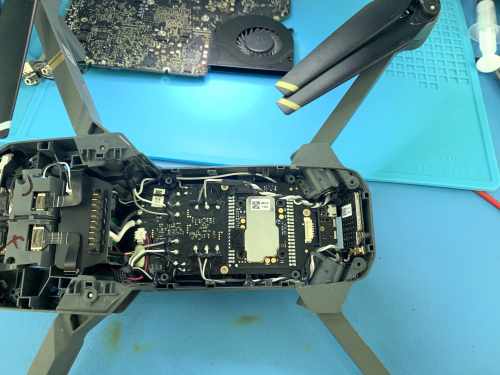
Cracked arms repaired rather than replaced, camera ribbons and the rubber mounts the gimbal hangs from, motors, water damage stripped and cleaned, and repair of the circuit board itself when the fault is on the board. Most of it costs less than people expect. One workshop in Wimbledon, post-in from anywhere in the UK.
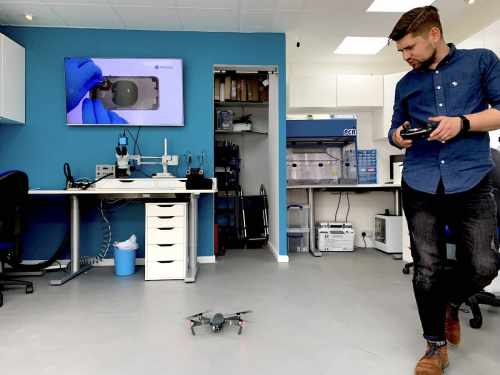
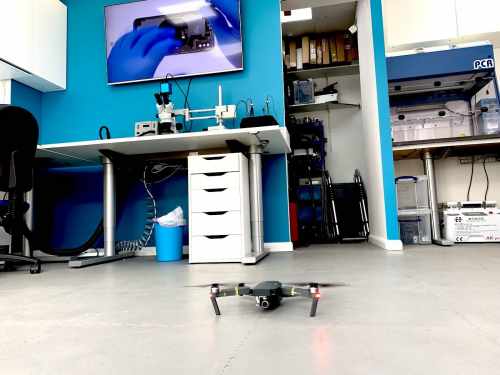
You get a diagnosis before a price, always. Microscopes, hot-air rework and a thermal camera to find the part that is failing, on the same bench that repairs laptop mainboards. Then the sensors and the camera recalibrated, a hover and a flight, and only then does it come back to you.
What Customers Say
Every repair carries a warranty. These are unedited reviews left on Google and Trustpilot.
Good to Know
The questions we are asked most about Mini 4 Pro repairs.
Not answered here? Ask us - we reply the same working day.
My Mini 4 Pro is 249g. Do I need a Flyer ID now?
Yes. Since 1 January 2026 the CAA requires a Flyer ID for any drone from 100 grams upwards, where the threshold used to be 250 grams - so the Mini 4 Pro went from needing only an Operator ID to needing both. The aircraft did not change; the rule did. The test is free and takes a few minutes.
It has sensors all round. Why did it still crash?
Because thin things do not register. Bare branches, wires, netting, washing lines and glass are what we see these hit, and they are the hardest targets for any vision system to pick up. The sensing works - there is simply nothing solid in front of it to bounce off.
I snapped an arm. Is that repairable or is it a new drone?
Repairable, and it is one of the jobs we do most on this model. The motor wiring runs back through the arm to the board, so it is a soldering job rather than a part you clip on - which is exactly why it gets quoted as a write-off elsewhere. Bring the broken pieces if you still have them.
The drone brakes for nothing since I crashed it. What is that?
Usually one of the fisheye lenses, scuffed or knocked slightly out of line in the impact. The aircraft then reads dirt or a misaligned view as an obstacle and stops. It is a small repair and a recalibration rather than a mainboard fault, but it needs testing to confirm which sensor is at fault.
I still have DJI Care Refresh. Should I use that or come to you?
Use it if it is in date and you have replacements left, because it is very good value for crash damage. If it has expired, been used up, or you bought the drone second-hand, that is where we come in - and there is no cover at all for a fault that shows up years later.
Can I post it to you?
Yes, from anywhere in the UK. Card out, battery kept at home unless the battery is the fault, packed in something rigid and sent tracked. It comes back the same way once it has been repaired, calibrated and flown.