


Laptop Data Recovery
Failed storage, liquid damage, no-power motherboards and encrypted laptop drives. We assess the device and storage together before recommending recovery.
Laptop Data Recovery Expertise
Whether your storage is a removable drive or soldered to the motherboard, we identify the best recovery path and retrieve your data

HDD & SSD Failures
Recovery from failed, clicking, or corrupted hard drives and SSDs – including read/write errors, bad sectors, and controller failures.

Liquid Damage Recovery
Spills, water immersion, or humidity damage. We clean and repair affected board components to restore storage access.

Motherboard Level Recovery
Laptop won’t power on? We repair the motherboard to restore data access – often the only viable path when storage is soldered.

Apple MacBook Recovery
All MacBook models including T2, M1, M2, and M3 systems. We repair the logic board to restore access – preserving encryption keys tied to the board.

Encrypted Drive Recovery
BitLocker, FileVault, and VeraCrypt recovery when the key is available but OS corruption or hardware failure blocks normal access.

Impact & Physical Damage
Dropped, crushed, or impact-damaged laptops. We repair circuits and connectors or extract removable drives directly.
How recovery starts
We examine the original device before recommending a route.
- Tell us what happenedDevice, symptoms, previous attempts and the files that matter.
- Hands-on diagnosis£39Normally 1–3 working days.
- Review the quoteWe explain the fault, recovery options, price and service level before you decide.
- Recovery and returnWe proceed only after approval and return the recovered data on an agreed destination drive.
If recovery is unsuccessful, there is no recovery fee – only the £39 diagnostic. Read the full service policy.
Common Laptop Failure Scenarios
Four kinds of failure cover almost everything that reaches the bench. What separates them is how deep into the device the fault sits.
Each card shows which layer the fault sits in. The further right, the further a recovery goes beyond software.
Deleted Files and Corrupted Volumes
Software-levelThe machine works. The files are the only thing that has gone.
File system and partitions
- Deleted documents and folders
- Partition formatted by mistake
- Volume appears as RAW
- Ransomware damage to files
Will Not Boot
Software-levelIt powers on and gets nowhere. Underneath, the files are usually untouched.
Operating system, data intact
- Stuck in a boot loop
- Blue screen or kernel panic at startup
- Failed Windows or macOS update
- Reaches BIOS and stops
Liquid Damage or No Power
Board-levelSomething spilled, or a rail failed. Either way the board has to work before the disk can.
Mainboard and power circuit
- Dead with no sign of power
- Shut down the moment liquid hit it
- Corrosion on the board
- Charging circuit failure
Dropped or Crushed
Clean-roomThe impact reached the disk, not just the case.
Chassis and storage
- Dropped while running
- Clicking from the drive after a fall
- Cracked chassis with damaged internals
- Storage connector torn off
Laptop Recovery Case Studies
Real cases from the bench, including the ones where not everything came back
MacBook Pro M1 With No Sign of Life
A photographer’s 2021 MacBook Pro stopped showing any sign of life. The portfolio and two years of client shoots were on the internal drive, which on this machine is soldered to the board.
What we found
A failed component on one of the power rails was pulling the whole board down. The storage was undamaged, but on an M1 it is tied to that particular board’s security chip and cannot be removed and read anywhere else.
What we did
We replaced the failed component under the microscope and brought the board back up. The Mac then started and decrypted its own drive with the owner’s password, and we imaged it before anything else was attempted.
What I had not understood is that if the board could not be fixed, there was no plan B. That is worth knowing before you buy one.
Coffee Into a Dell XPS 15
A coffee went into a Dell XPS 15 during a meeting. The laptop shut down at once and never came back on. Contracts and proposals were on it, backed up to a folder that had quietly stopped syncing in November.
What we found
The liquid had run down into the board and corrosion had spread over the four days before the laptop reached us. The drive was a separate M.2 module and had stayed dry.
What we did
We took the drive out and read it on our own machine. There was no need to repair the laptop at all to get the files back, and we said so before quoting anything.
They rang to say the repair I had asked for was not necessary for the thing I actually wanted, which was the files.
HP EliteBook Locked Behind BitLocker

A financial services firm’s EliteBook would not boot after a failed update. The drive was encrypted with BitLocker and the recovery key sat in a Microsoft account nobody had signed into for two years.
What we found
The drive was healthy. Windows was not. With BitLocker switched on none of that matters until you have the key – without it the data comes off as noise, and there is nothing we or anyone else can do about that.
What we did
The firm found the key in their admin portal on day two. We imaged the drive, unlocked the image with the key and pulled the files from the copy, leaving the original untouched.
Half the job was us finding a forty-eight digit number. They were clear from the first call that without it we would be wasting our money.
ThinkPad That Died Overnight
A solicitor’s ThinkPad X1 Carbon stopped powering on overnight with no warning at all. Several years of case notes and correspondence were on it.
What we found
The board had a short on one of its power rails. The NVMe drive was a standard module rather than soldered, and it tested perfectly well on our bench.
What we did
We read the drive directly and returned the files on an encrypted drive. Repairing the laptop was quoted separately, and the firm decided it was not worth it.
They separated the two questions for me: getting the files back, and whether the machine was worth mending. It was not.
Surface Pro Dropped Before a Deadline
A PhD student dropped a Surface Pro two days before a submission deadline. The screen was destroyed and the tablet showed nothing at all. The thesis was on it.
What we found
The storage in a Surface Pro is soldered to the board, so there was no drive to remove. The board itself had survived the fall; the display and its connector had not.
What we did
We connected the board to an external display to confirm it was alive, then read the storage through the board on the Emergency service. The thesis came off the day it arrived.
I had two days. They said one, and it was one.
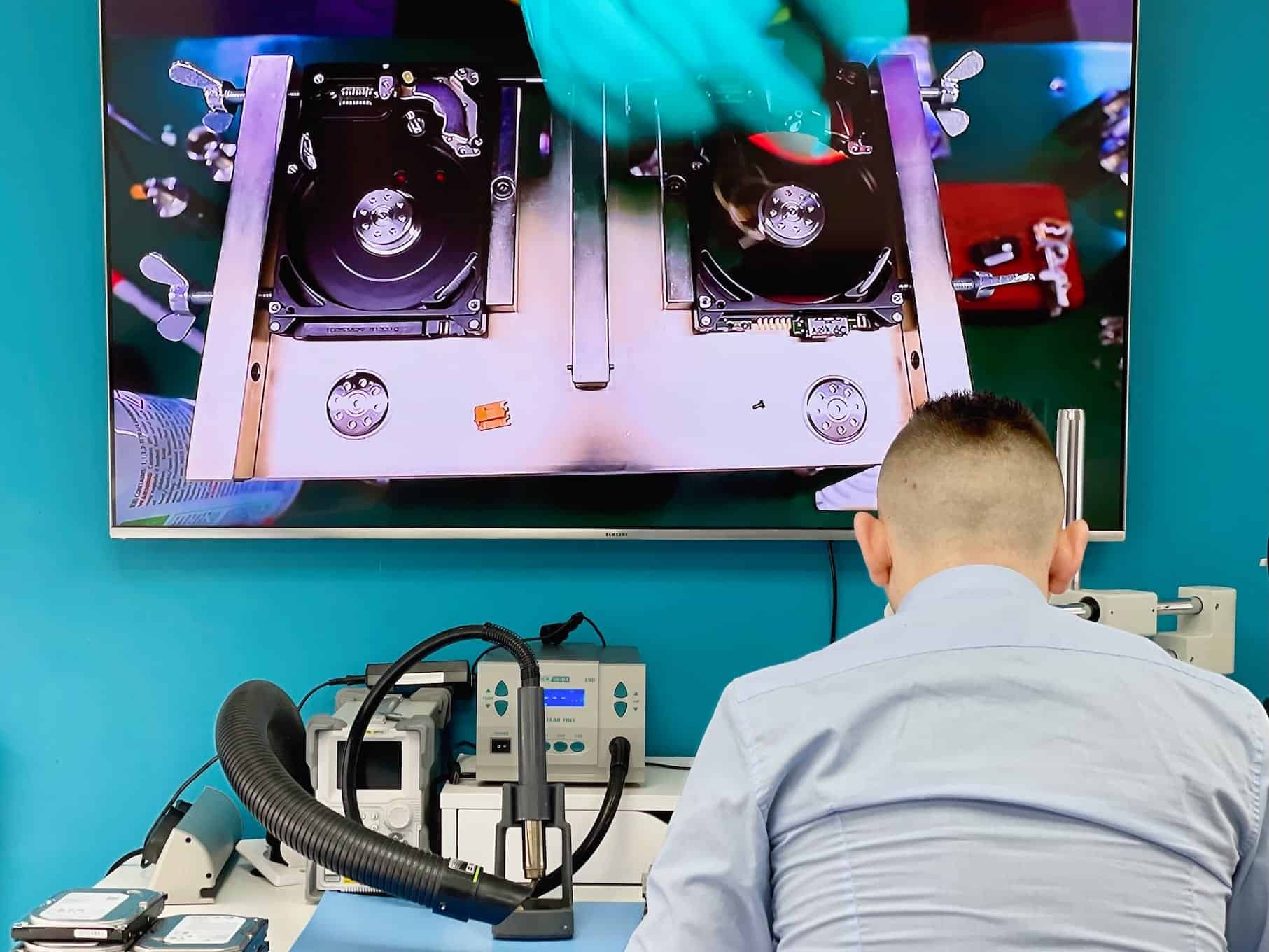
Data Recovery in Action
See our advanced recovery techniques and specialist equipment at work



Laptop Recovery Questions
Answers specific to laptops. Fees, timeframes and approval rules apply to every recovery and are set out in full in the service policy.
The laptop is dead – is the data dead with it?
Usually not. A laptop that will not power on has most often lost something on the board or in the charging circuit, while the storage is untouched. The assessment separates the two before anyone talks about what it costs to fix the machine.
Can you recover from an encrypted laptop drive?
Yes, if you have the key. BitLocker, FileVault and VeraCrypt all need the recovery key or password to turn recovered blocks back into readable files. Find it before you hand the machine over – it saves days.
Will you repair the laptop as well?
They are separate jobs and we keep them separate. Recovery gets your files off safely first; whether the machine is worth fixing afterwards is a decision you make with the repair quote in front of you, and our computer and laptop repair service handles that side.
What laptop brands can you recover data from?
All of them – MacBook Air and Pro, Dell, HP, Lenovo, Asus, Acer, MSI, Microsoft Surface and the rest. Drives soldered to the board are handled too, though those cases take board-level work.
How long does it take once I approve the quote?
Standard recovery is 14–21 working days, Priority 5–14 and Emergency 1–4. A removable drive tends to finish early in the level you choose; a soldered one takes board-level work and sits nearer the far end.
Do you do the work yourselves?
Diagnostics, board-level work and microsoldering are all done at our Wimbledon workshop, on the same bench. Anything that genuinely needs a specialist partner goes there only after you approve the reason and the revised quote.
Fees, timeframes and approval rules in full: Data Recovery Service Policy. Anything not answered here – tell us what happened and we will come back with an initial estimate.
Request Your Laptop Recovery Quote
Tell us what happened, which files matter and how urgently you need them.