


Hard Drive Data Recovery
Clicking, dropped, unrecognised or inaccessible hard drives. We diagnose logical, electronic and mechanical faults, then explain the safest recovery route.
HDD Data Recovery Expertise
We assess mechanical, electronic, firmware and logical faults across common laptop, desktop and external hard drives

Mechanical Failures
Recovery from hard drives with physical damage, clicking sounds, head crashes, spindle motor failures, and other mechanical issues.

Electronics Problems
Recovery from drives with PCB damage, burnt components, short circuits, or other electronic component failures.

Logical Issues
Recovery from corrupted file systems, accidental formatting, deleted partitions, and other software-related problems.
Firmware Problems
Recovery from firmware corruption, service area damage, or manufacturer-specific firmware bugs causing drive malfunction.

Accidentally Deleted Data
Recovery of accidentally deleted files, folders, or partitions with specialised file reconstruction techniques.

Overwritten Data
Recovery attempts for drives with partially overwritten data using advanced data carving and reconstruction methods.
How recovery starts
We examine the original device before recommending a route.
- Tell us what happenedDevice, symptoms, previous attempts and the files that matter.
- Hands-on diagnosis£39Normally 1-3 working days.
- Review the quoteWe explain the fault, recovery options, price and service level before you decide.
- Recovery and returnWe proceed only after approval and return the recovered data on an agreed destination drive.
If recovery is unsuccessful, there is no recovery fee - only the £39 diagnostic. Read the full service policy.
Common HDD Failure Scenarios
Four kinds of failure cover almost everything that reaches the bench. What separates them is how deep into the device the fault sits.
Each card shows which layer the fault sits in. The further right, the further a recovery goes beyond software.
Deleted or Corrupted Data
Software-levelNothing is broken. The index that finds your files is gone, the files are not.
File system and partitions
- Drive appears as RAW
- Missing or resized partitions
- Formatted by mistake
- Files opening at 0 bytes
Firmware and Service Area
Board-levelThe drive powers up and spins, but never tells the computer what it is.
Drive firmware
- Detected with the wrong capacity
- Reports a manufacturer model name only
- Hangs the machine when connected
- Ready state never reached
PCB Damage
Board-levelPower reaches the plug and stops there.
Circuit board
- No spin-up at all
- Failure straight after a power surge
- Burning smell
- Visible damage on the board
Heads and Motor Failure
Clean-roomSomething inside has moved, seized or crashed. Every power-on risks more of it.
Heads, actuator, spindle
- Repetitive clicking or ticking
- Beeping instead of spinning
- Grinding or whining
- Spins up but never mounts
HDD Recovery Case Studies
Real cases from the bench, including the ones where not everything came back
Seagate Barracuda That Started Clicking

A photographer brought in a 3TB Seagate Barracuda that had started clicking part-way through copying a job across. Eight years of client work and family pictures were on it, and the last backup was from 2023.
What we found
The heads had touched the platters. That is what the clicking is: the arm parking and trying again because it cannot read. There was surface damage in two bands near the outer edge of the top platter.
What we did
We opened the drive in a clean-room cabinet and fitted a matching head assembly from our own donor stock. The platters were then imaged in passes, leaving the damaged bands until last so that a stall there would not cost us the rest.
It clicked for about a minute before I pulled the plug. I am told that minute is the reason most of it came back.
Western Digital Drive After a Power Surge
A small accounts practice lost a 2TB Western Digital drive to a surge during building work next door. It held payroll and client records going back six years.
What we found
The board was dead. The protection diode had shorted, which is exactly what it is there to do - it takes the surge so the rest of the drive does not. Everything inside the drive was untouched.
What we did
A modern drive keeps calibration data unique to itself on the board, so simply fitting a replacement does not work. We moved the ROM chip across to a matching donor board and the drive mounted first time.
I had read online that you just buy the same board second-hand and swap it. Glad I asked first.
Desktop Drive That Stopped Spinning
A documentary editor’s 4TB drive spun down in the middle of a copy and never came back. Two years of interview footage was on it, with only the rough cuts backed up elsewhere.
What we found
The spindle motor had seized. The platters would not turn at all, and forcing them with the heads resting over the surface would have scored them.
What we did
In the clean-room cabinet we moved the platter stack into a matching donor chassis, keeping the alignment between platters, and imaged it from there. Three of the four heads read cleanly. One did not.
Three of the four interviews came back whole. The fourth is missing about twenty minutes. They told me that was the likely outcome before they started, which is why I said yes.
Drive Formatted During a Windows Reinstall
A small video company reinstalled Windows and picked the wrong disk. The second drive, holding three client edits and all the raw footage, was formatted, and the machine had already booted twice.
What we found
A quick format writes a new file table and leaves everything else where it was. Both reboots had written a little to the drive, but nothing anywhere near the video files.
What we did
We imaged the drive before touching anything, then rebuilt the directory from the old file records on the copy. Nothing was ever written back to the original.
The part I did not expect was being told to switch the computer off and not turn it back on. That call is probably why the footage is still here.
Server Drive That Reported the Wrong Size
A fintech firm’s server dropped a 6TB HGST drive out of its array overnight. Connected on its own the drive powered up normally, then told the machine it was 0GB.
What we found
Mechanically the drive was healthy. Its service area - the firmware records it reads before it will present itself to a computer - had a corrupted module, so it never finished starting up.
What we did
We rebuilt the damaged module from the drive’s own spare copies on our recovery hardware, brought it to a ready state and imaged it in a single pass.
It was back with us the following afternoon. We had budgeted for a fortnight without it.
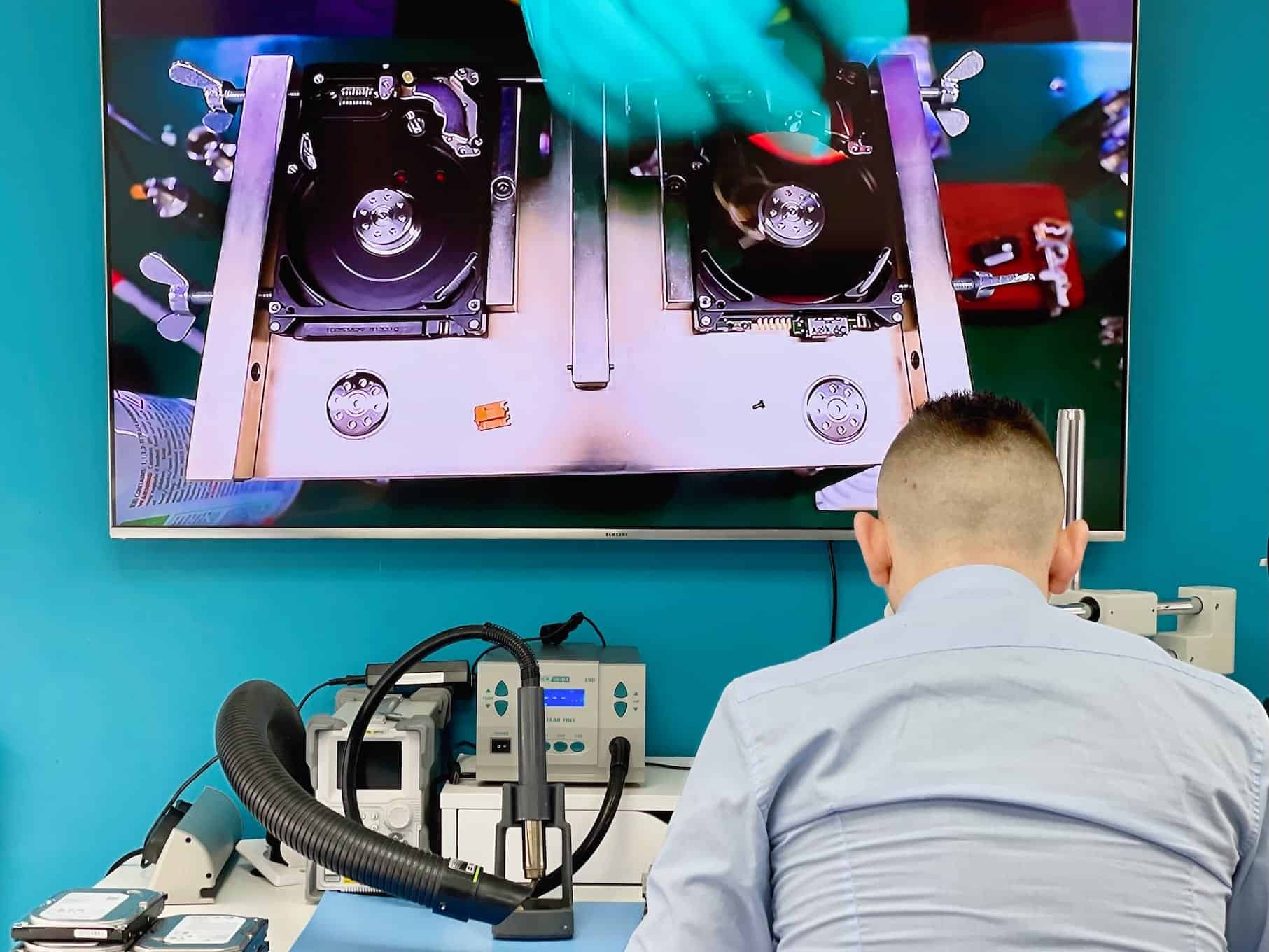
Data Recovery in Action
See our advanced recovery techniques and specialist equipment at work

Hard Drive Recovery Questions
Answers specific to mechanical hard drives. Fees, timeframes and approval rules apply to every recovery and are set out in full in the service policy.
My drive is clicking - should I keep trying to copy files off it?
No. Clicking normally means the head stack is failing, and every further spin-up drags failing heads across the platter surface. Each attempt takes a little more of the data with it. Power the drive down, leave it down, and let the assessment tell you what is still readable.
Does recovering a mechanical drive mean opening it?
Sometimes. Head stack and motor faults can only be reached by opening the drive, and that work is done in a controlled clean-room cabinet with a donor drive matched from our own inventory. Electronic and file-system faults are handled without opening the drive at all.
What types of hard drive can you recover data from?
Internal laptop and desktop drives in 2.5″ and 3.5″, external USB and portable drives, and drives pulled from enclosures, all-in-ones and NAS units. SATA, SAS and older IDE interfaces are all fine.
How long does it take once I approve the quote?
Standard recovery is 14-21 working days, Priority 5-14 and Emergency 1-4. Mechanical cases sit at the longer end of whichever level you choose, because a matching donor drive has to be found before the work can start.
What decides the recovery price?
The fault, the parts required and the service level you pick. A file-system recovery and a head swap are different jobs with different costs, so the quote comes after the assessment rather than before it - and nothing proceeds until you approve it.
Do you do the work yourselves?
Diagnostics and most recovery work happen at our Wimbledon workshop, including clean-room cabinet work on mechanical drives. If a case needs equipment beyond ours, the drive does not leave us until we have explained why and you have approved the route in writing.
Fees, timeframes and approval rules in full: Data Recovery Service Policy. Anything not answered here - tell us what happened and we will come back with an initial estimate.
Request Your HDD Recovery Quote
Tell us what happened, which files matter and how urgently you need them.