


RAID and NAS Data Recovery
Failed arrays, NAS devices, controllers and interrupted rebuilds. We preserve the failure history and drive order before planning any reconstruction.
RAID Array Recovery Services
We specialise in recovering data from all RAID configurations and failure scenarios

RAID 0 Recovery
Recovery from striped arrays when drives fail or controllers malfunction. Careful reconstruction of data distribution across all member drives.

RAID 1 Recovery
Recovery from mirrored arrays when both drives fail simultaneously or synchronisation errors occur. Often recoverable from the most intact drive.

RAID 5 Recovery
Recovery from parity-based arrays with multiple drive failures or failed rebuild processes. Uses parity calculation to reconstruct missing data.

RAID 6 & Complex Arrays
Recovery from dual-parity and nested RAID configurations (RAID 10, 50, 60). Advanced reconstruction for enterprise-level arrays.

Controller Failures
Recovery when hardware or software RAID controllers fail. We reconstruct arrays without relying on original controller metadata.
NAS & SAN Recovery
Recovery from Synology, QNAP, Buffalo and other NAS devices. Professional handling of proprietary RAID implementations.
How recovery starts
We examine the original device before recommending a route.
- Tell us what happenedDevice, symptoms, previous attempts and the files that matter.
- Hands-on diagnosis£39Normally 1-3 working days.
- Review the quoteWe explain the fault, recovery options, price and service level before you decide.
- Recovery and returnWe proceed only after approval and return the recovered data on an agreed destination drive.
If recovery is unsuccessful, there is no recovery fee - only the £39 diagnostic. Read the full service policy.
Common RAID Failure Scenarios
Four kinds of failure cover almost everything that reaches the bench. What separates them is how deep into the device the fault sits.
Each card shows which layer the fault sits in. The further right, the further a recovery goes beyond software.
Deleted Data or Corrupted Volume
Software-levelEvery disk is healthy. What sits on top of them is not.
File system on the array
- Shares deleted or overwritten
- Volume mounts empty
- File system errors across the array
- Snapshot or share removed by mistake
Lost Configuration or Failed Rebuild
Software-levelThe disks are readable; the description of how they fit together is gone or wrong.
Array parameters
- Configuration lost after a reboot
- Members shown as foreign or offline
- Rebuild stopped part-way
- Wrong disk pulled during a rebuild
Controller or NAS Failure
Board-levelThe disks survive their host. The host is what has to be worked around.
Controller or NAS system
- Controller card completely dead
- NAS will not boot
- Volume gone from the network
- Firmware corruption on the controller
Multiple Drive Failures
Clean-roomMore disks have failed than the array was built to survive.
Two or more member disks
- Two failures in RAID 0 or 5
- Three failures in RAID 6
- Array marked failed, not degraded
- Clicking or silent members
RAID Recovery Case Studies
Real cases from the bench, including the ones where not everything came back
RAID 5 Server With Two Failed Disks
A London marketing agency’s four-disk RAID 5 stopped serving files. Two disks had dropped out within hours of each other, which is one more than that array can survive.
What we found
The first disk had actually failed weeks earlier and nobody had noticed - the array had been running degraded and still working. The second failure was simply what made it visible. One of the two was mechanically dead; the other had bad sectors but still read.
What we did
We imaged the readable disks sector by sector and recovered the dead one in the clean-room cabinet. The array was then rebuilt from those images rather than from the original disks, so nothing depended on them staying alive.
Nothing had told us the first disk had gone. That is the thing we changed afterwards.
Mirrored Pair Lost With the Controller
An accounts firm lost access to a mirrored pair when the RAID controller on the motherboard failed. Both disks were perfectly healthy. Neither would mount on any other machine.
What we found
A mirror protects you from a disk failing, not from the thing managing the mirror failing. This controller wrote its own metadata onto the front of each disk, so any other machine saw two disks it did not recognise.
What we did
We read past that metadata and mounted the underlying volume directly from an image of one disk. Nothing had to be reconstructed - only understood.
We had two copies of everything and still could not open a single file. That was the surprise.
RAID 0 Studio Array With One Failing Disk
A design studio’s two-disk RAID 0 became unreadable when one disk developed bad sectors. RAID 0 keeps half of every file on each disk and has no redundancy at all, so the whole array went with it.
What we found
The healthy disk read in full. The failing one had bad sectors spread through the middle of its range, and every unreadable block took a piece out of whichever file it belonged to.
What we did
We imaged the failing disk in several passes with the retry timings turned down, which recovers more than one aggressive pass does, then assembled the array from the two images.
Most of the archive is back. Some of the older layered files open with pieces missing. We are not running RAID 0 any more.
Synology NAS That Would Not Mount Its Volume
A law firm’s Synology DS918+ came back from a power cut booting normally but refusing to mount its volume. Four disks in SHR held the case archive.
What we found
All four disks were healthy. The power had gone during a write and left the volume’s file system inconsistent, and the NAS will not mount something it cannot verify.
What we did
We imaged all four disks, assembled the SHR layout from the copies and repaired the file system on the assembled image. The original disks were never written to.
We were told not to let the NAS attempt its own repair. That was the first thing it had offered to do.
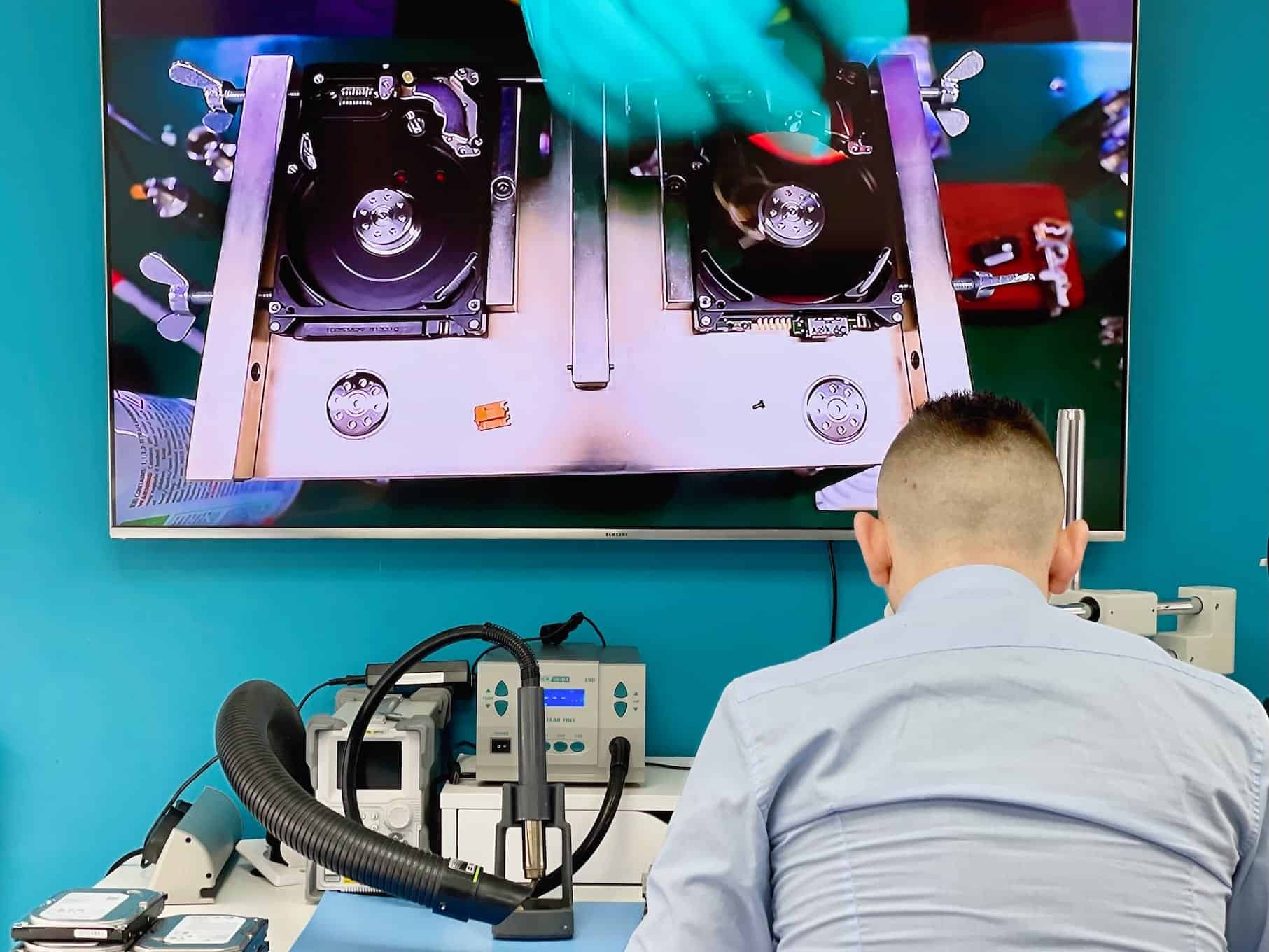
Data Recovery in Action
See our advanced recovery techniques and specialist equipment at work


RAID and NAS Recovery Questions
Answers specific to RAID arrays and NAS units. Fees, timeframes and approval rules apply to every recovery and are set out in full in the service policy.
Do you need every drive, including the ones that already failed?
Send all of them. A member the controller dropped out of the array is often still largely readable, and it can carry the one copy of a block that no other drive has. Label the bay order if you know it - it saves time, though we can work it out without.
Can anything go wrong during a RAID recovery and make it worse?
Not on our side, because nothing is worked on live. Every member is imaged first and all reconstruction happens on the images, never on your drives. The risk in RAID cases is almost always a rebuild attempted before the array reached us.
What arrays and NAS units do you take?
RAID 0, 1, 5, 6 and 10, hardware and software arrays, and NAS boxes from Synology, QNAP, Western Digital, Netgear and others - including Synology’s SHR and other vendor-specific layouts.
How long does it take once I approve the quote?
Standard recovery is 14-21 working days, Priority 5-14 and Emergency 1-4. Arrays start at the longer end of any level, because every member has to be imaged before the array can be reassembled at all.
What decides the recovery price?
The number of members to image and the state each one is in. An array where every drive still reads is mostly reconstruction work; one where two drives need physical recovery first is a different quote entirely.
Do you do the work yourselves?
Imaging and reconstruction are done at our Wimbledon workshop, and individual members needing mechanical work go to our clean-room cabinet. A specialist partner is used only when needed and only with your written approval.
Fees, timeframes and approval rules in full: Data Recovery Service Policy. Anything not answered here - tell us what happened and we will come back with an initial estimate.
Request Your RAID Recovery Quote
Tell us what happened, which files matter and how urgently you need them.