Assessment first: we tell you what can be recovered from your laptop, and what the recovery costs, before any recovery work starts.
Failed hard drives and SSDs, liquid-damaged and physically damaged machines, encrypted systems. The data comes first, whether or not the laptop itself is worth repairing.
Service Details
Professional laptop data recovery in London for failed drives, liquid-damaged laptops, physically damaged devices and encrypted systems. When the data matters more than the device, we recover your files with specialist equipment - whether or not the laptop itself is worth repairing.
When you need data recovery, not repair
Laptop repair fixes the device; data recovery extracts your files regardless of the device’s fate. Choose recovery when the laptop will not boot, the drive clicks or is not detected, liquid or a fall has killed the machine, files were deleted or a drive formatted, or an update left the system unbootable - and what you actually need back is the data.
Removable and soldered storage
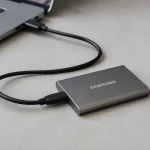
Laptops with removable drives (2.5-inch SATA or M.2 NVMe) are the straightforward case: we extract the drive and read it on professional recovery equipment, bypassing whatever failed in the laptop - a dead motherboard, power system or screen makes no difference.
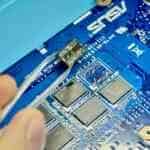
Modern ultra-thin laptops (MacBooks from 2016 on, Dell XPS 13, HP Spectre, many Surface models) solder storage to the motherboard. There we repair the board far enough to read the data; where that fails, chip-off desoldering (£500-1200) is the last resort. If BitLocker is enabled and you have no recovery key, board repair is usually the only route, because the encryption is tied to that specific board’s TPM. Have the key? Bring it - it makes recovery simpler and cheaper.
More depth in our guides: how soldered-storage recovery works and why the BitLocker key decides everything. Afterwards, make sure there is no next time: how to back up your laptop.
Our process: assessment and inspection (30-60 min) → diagnostics on the drive or board (1-2 h) → a written verdict: recovery chances, method, time and a fixed price → recovery on specialist equipment in our London lab → verification: files open, counts match, everything transferred to a drive of your choice.
Timelines
- Standard: 5-7 working days - the thorough route, best success rates
- High priority: 3-5 working days (additional fee)
- Urgent: 1-2 working days (significantly higher fee)
- Complex cases (severe physical damage, desoldering): up to 3 weeks - on damaged drives, patience genuinely improves the outcome
Realistic success rates
- Deleted files, formatting, corruption: 85-95%
- Dead laptop, healthy drive: 90-95%+
- Clicking or grinding hard drive: 40-70%
- Liquid damage to the drive itself: 30-60%
- Crushed platters, fire damage, or BitLocker without a key on an unrepairable board: low to none - and we say so before you spend money
Pricing: the diagnostic fee is paid upfront. It buys the assessment, not the recovery: the recovery is priced separately and quoted before any work starts, and this fee comes off that price if you go ahead. No recovery - no fee beyond that diagnostic fee: if we cannot return usable data, that is all you pay. Recovery pricing depends on storage type and damage; desoldering work runs £500-1200. You get a fixed quote after assessment, before any recovery starts.
What we work on
All laptop brands - Windows machines (Dell, HP, Lenovo, Asus, Acer, MSI, Razer and others), Apple MacBooks including soldered-storage and Apple-silicon models, and Microsoft Surface - and every storage type: SATA HDD and SSD, M.2 NVMe and SATA, soldered eMMC and NVMe, and Apple’s proprietary modules.
Common Questions
- Can you recover from a water-damaged laptop? Usually - if the liquid hit the motherboard but not the drive, success is 90%+. If the drive itself is corroded, 30-60% depending on the liquid and exposure time.
- My laptop has BitLocker - is the data recoverable? With your recovery key, yes, straightforwardly. Without it, we must repair the original board so its TPM can decrypt - if the board is beyond repair and there is no key, the data is unrecoverable. Save your key now, while the machine still works.
- Deleted or formatted by accident? Often recoverable - the less the laptop is used afterwards, the better the odds. Stop using it and bring it in.
- Broken screen, dead battery, failed charger? The easy cases - none of those touch the data. We read the drive directly.
- How secure is my data? One technician handles your drive in our London lab, files are opened only as far as verifying the recovery worked, and temporary copies are securely erased after handover.
- What happens to the laptop afterwards? Returned as-is - recovery does not include repair. If you want it fixed too, that is a separate quote; we can also dispose of it securely.
Before you do anything else: stop using the laptop - every boot and every saved file can overwrite recoverable data. Do not open a clicking hard drive or force it to spin. Liquid damage corrodes further by the day, so come in quickly - and bring anything that helps: BitLocker keys, account passwords, and the story of what happened.
Booking: recovery starts with an in-person assessment at our London workshop - book an appointment or call 020 8543 7088 for urgent cases.
How we verify the recovery
- Recovered files open correctly
- File count matches what the drive should hold
- Sample files tested from different folders
- A full list of recovered files, so you can check nothing is missing