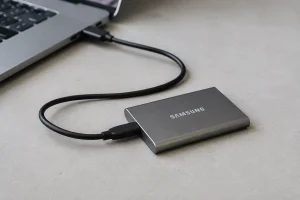
For years, the first data-recovery step on a dead laptop was to remove the drive and read it separately. Many thin laptops now put the storage chips directly on the motherboard. When one of those machines fails, there may be no drive to remove.
All repair guides


Soldered Storage: How We Recover Data When the Drive Cannot Be Removed
In this article
Quick answer: soldered storage does not automatically mean the data is lost. It usually means recovery starts with the original motherboard. We diagnose the board, storage and encryption together; on many modern laptops, repairing the original board is the safest or only practical route to the files.
First, confirm what is actually inside the laptop
Do not decide from the age or thickness alone. Plenty of current laptops still use a removable M.2 SSD, while others use soldered eMMC or NVMe storage. Some model families changed layout between two machines that look identical from the outside.
The exact model number matters more than the marketing name. On a Mac, Apple explains how to find the model name and serial number in its Mac identification guide. On a Windows laptop, use the model and service tag from the base label or firmware screen. We confirm the board layout before quoting a recovery route.
If the drive is removable
A removable drive gives us more options, but it does not make every case routine. The drive may be electrically damaged, mechanically failing or encrypted. We remove it, assess its condition with suitable equipment and avoid ordinary Windows or macOS repair tools if they would write to unstable storage.
BitLocker can still prevent access until the correct 48-digit recovery key is supplied. A removable encrypted drive is not readable simply because it fits another computer.
Route one: make the original motherboard stable
With soldered storage, our first route is usually to repair the original board far enough to read the data safely. That can mean tracing missing power rails, replacing a failed component, cleaning liquid-damage corrosion or repairing communication around the storage and security circuits.
This is not the same as making the laptop cosmetically perfect or promising it will be reliable for another five years. For a data case, the immediate goal may be a controlled window in which the machine unlocks and the files can be copied. We explain that distinction before work starts.
Why encryption changes the route
Modern Windows laptops commonly use Device Encryption or BitLocker, often with a TPM. Apple-silicon Macs and Intel Macs with the T2 chip handle encryption keys through the Secure Enclave. In both cases, the storage chips alone may not contain everything needed to turn raw data into usable files.
A BitLocker recovery key can unlock an otherwise healthy encrypted volume outside the original laptop. Without it, repairing the original board may be the only remaining route. Microsoft states plainly that it cannot retrieve or recreate a lost key; see its BitLocker recovery-key guide.
Route two: direct work on the storage chips
People often ask for “chip-off” as if it were a universal second option. It is not. Reading chips directly can be technically possible on some unencrypted eMMC and older designs, but modern controllers, wear-levelling and device-bound encryption can make the raw result unusable. Removing a storage chip also introduces irreversible risk.
Our take: chip-off is a method, not a promise. We consider it only after identifying the exact board and encryption state. If board repair offers a safer route, that is where we start. If no technically credible route remains, we say so rather than sell an experiment.
What not to do after the failure
- Do not keep power-cycling a liquid-damaged or overheating laptop.
- Do not reinstall the operating system or accept a motherboard replacement before the data question is settled.
- Do not let a first attempt remove or reflow storage chips without a documented plan and a backup of anything readable.
- Bring the charger and any BitLocker, FileVault, Microsoft or Apple account information you can access. Never send passwords in an ordinary email.
What our diagnosis gives you
We identify the storage type, check whether encryption is involved, assess the board and state the proposed method before recovery begins. You get a written verdict and price for the route we believe is technically justified. For Windows machines start with laptop data recovery; for Macs see MacBook data recovery.
Frequently asked questions
Can you move soldered storage to another motherboard?
Sometimes individual components can be transplanted as part of specialist board work, but modern encryption and paired security components mean moving only the storage chips often does not produce readable data.
Does a dead motherboard mean the files are gone?
No. A board can be uneconomical to replace as a laptop repair and still be repairable long enough for data recovery. The answer depends on what failed and whether the encryption route is available.
Should I replace the motherboard first?
Not if the files matter and the storage is soldered or encrypted. A replacement board may make the laptop work while leaving the original data on the old board. Settle the recovery plan before authorising replacement.