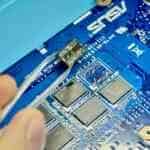
Assessment first: we tell you what can be recovered from your MacBook, and what the recovery costs, before any recovery work starts.
Dead MacBooks, liquid damage, failed or soldered storage. On Retina models the SSD is soldered to the logic board, so recovery is board-level work. The data comes first, whether or not the MacBook itself is worth repairing.
Service Details
MacBook data recovery in London - dead MacBooks, liquid damage, failed or soldered storage. When the files matter more than the machine, we recover your data with specialist equipment, whether or not the MacBook itself is worth repairing.
Why MacBooks are a special case
MacBooks from 2016 onwards solder storage to the logic board - there is no drive to pull out and read. On top of that, modern Macs tie the data to that specific board: on T2 and Apple-silicon machines the storage is encrypted in hardware, so the recovery route is repairing the original board far enough to read the data, not moving chips to another machine. That is exactly the board-level work - microsoldering, power-rail diagnostics, corrosion treatment - that we do in-house.
Older MacBooks are friendlier: pre-2016 models use removable drives or Apple’s proprietary SSD modules, which we read directly with specialist adapters. Those are the straightforward cases, even when the MacBook itself is completely dead.
FileVault and your password
If FileVault is on, recovery needs your account password or the recovery key - bring whichever you have. Without either, the data cannot be decrypted no matter whose lab it sits in; with them, encryption is not an obstacle.
More depth: how soldered-storage recovery works · how to back up your laptop.
Our process: in-person assessment (30-60 min) → diagnostics on the board or drive (1-2 h) → a written verdict: recovery chances, method, time and a fixed price → recovery in our London lab → verification: files open, counts match, everything transferred to a drive of your choice.
Timelines
- Standard: 14-21 working days - the standard queue, regular business hours
- Priority: 5-14 working days (+30%) - front of the queue, work beyond regular hours when needed
- Emergency: 1-4 working days (+70%) - priority handling during our published workshop hours
- Complex board repairs: up to 3 weeks - on damaged boards, patience genuinely improves the outcome
Pricing: the diagnostic fee is paid upfront. It buys the assessment, not the recovery: the recovery is priced separately and quoted before any work starts, and this fee comes off that price if you go ahead. No recovery - no fee beyond that diagnostic fee: if we cannot return usable data, that is all you pay. You get a fixed quote after assessment, before any recovery starts.
Common Questions
- My MacBook will not power on at all - is the data gone? Usually not. On older models we read the drive directly; on soldered-storage models we repair the board far enough to reach the data. The verdict comes after diagnostics, before you commit.
- Liquid damage - what are the chances? Good, if you come quickly: corrosion spreads by the day. Switch it off, do not charge it, bring it in.
- Do you need my password? If FileVault is on - yes, your password or recovery key is the only way to decrypt the data. Without FileVault, no.
- Can Apple do this? Apple replaces boards rather than repairing them, and a replaced board means the data on the old one stays locked. Board-level repair for data access is specialist work - it is what our lab does.
- What happens to the MacBook afterwards? Returned as-is - recovery does not include repair. If you want it fixed too, that is a separate quote.
Before you do anything else: stop using the MacBook - repeated boot attempts on a failing system can overwrite recoverable data, and charging a liquid-damaged Mac makes corrosion worse. Bring your FileVault password or recovery key, and the story of what happened.
Booking: recovery starts with an in-person assessment at our London workshop - book an appointment or call 020 8543 7088 for urgent cases.
How we verify the recovery
- Recovered files open correctly
- File count matches what the drive should hold
- Sample files tested from different folders
- A full list of recovered files, so you can check nothing is missing