

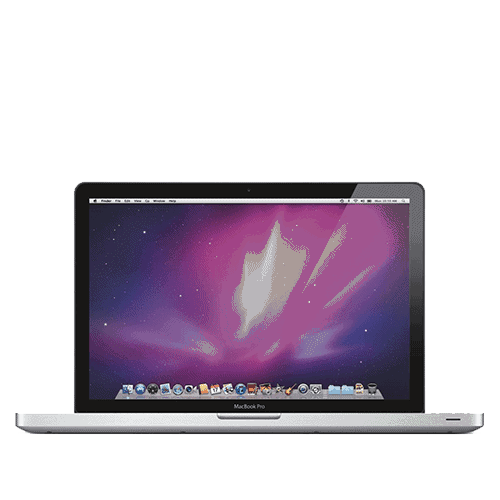
Keyboard replacement for any 13-inch MacBook Pro - scissor, butterfly or Magic. Which one you have decides how big the job is.
Keyboard assemblies are ordered to your layout and usually arrive the next working day. Confirm UK or another layout when you book.
Service Details
13-inch MacBook Pro keyboard replacement - every generation
Three different keyboard mechanisms have gone into a machine called a 13-inch MacBook Pro. They fail in different ways and they cost different amounts to put right, so work out which one you have before anything else - the year on the About This Mac panel is enough.
Which keyboard is it?
- Scissor, 2009 to 2015 (A1278, A1425, A1502) - the original mechanism. Reliable, and when it does fail it is usually liquid or one broken key clip rather than the design. On the 2009 to 2012 Unibody model the keyboard is held by around sixty-five small screws and comes out as a part of its own; on the Retina models it is riveted into the top case, so in practice that one is top-case work. Unibody keyboard and Retina keyboard.
- Butterfly, 2016 to 2019 (A1706, A1708, A1989, A2159) - the shallow one. A single crumb under a key is enough to make it repeat, stick or stop answering, and the 2018 revision added a silicone membrane to fight exactly that. Apple never sold this keyboard as a separate part: it is riveted into a top case that also holds the battery and the speakers. Function-key keyboard and Touch Bar keyboard.
- Magic Keyboard, 2020 onwards (A2251, A2289, A2338) - Apple went back to a scissor mechanism with real key travel, and the sticky-key complaints went with it. Still part of the top case rather than a component of its own. M1 and M2 keyboard.
If yours is a butterfly machine
Apple ran a keyboard service programme for the 2016 to 2019 models covering letters that repeated, letters that did not appear, and keys that felt sticky. That programme has ended. Apple’s own page for it now says so, and no keyboard programme appears on Apple’s current list of service programmes. If your 2016 to 2019 machine has one of those faults, it is a paid repair now, wherever you take it.
What the job actually involves
This is the most time-intensive repair we do on a MacBook, and it is worth knowing why before you see a figure. The keyboard sits underneath everything: the logic board comes out, the display assembly comes off, dozens of screws come out, and on the butterfly machines more than a dozen single-use rivets have to be drilled out and replaced. Your trackpad, battery and speakers are left alone unless the model forces a full top case.
Confirm your layout when you book. These keyboards come in UK, US, French and other layouts and they are not interchangeable. We assume UK unless you tell us otherwise. If you are not certain we can identify it during diagnostics - and be aware that some layouts are only available as a complete top case.
What we test before handover
- Every key answers once, on one press
- No repeats, no sticking, no dead keys
- Backlight across all brightness levels
- Trackpad response, unchanged from before
- macOS shortcuts and function-row behaviour
Liquid is a different conversation
If the keyboard stopped working after a spill, the logic board underneath has probably taken some of it too. Corrosion spreads quietly, and a new keyboard on a corroded board buys you weeks rather than years. We check the board before fitting anything, and if it needs cleaning or component-level work we quote that separately and wait for your answer.
Common questions
- Can you replace just one key? Sometimes. If a keycap is missing but the metal clip and the rubber dome under it are intact, it can be rebuilt. On a butterfly keyboard it is rarely worth it - a mechanism that has failed once tends to fail again beside itself.
- Are these original Apple keyboards? Our supplier sells them as high-quality Apple replacements. We do not claim they are Apple-branded parts. Key feel, travel and backlight match the original.
- Will my battery and trackpad be affected? Not on a keyboard-only replacement. Where the model forces a full top case, the battery comes with it - we tell you which applies to your machine before you decide anything.
- Will my data be safe? The repair means taking the logic board out, but it does not touch the storage. We never intentionally delete anything, and we still recommend a Time Machine or iCloud backup first - the same advice as for any hardware repair.
- Do you need my password? To test every key, the backlight and the shortcuts we have to be inside macOS. A guest account is fine. Without access we can only confirm the machine powers on.
Not sure it is the keyboard? Keys that behave oddly can be a software setting, a stuck modifier, or an isolated fault on the logic board. MacBook diagnostics settles it before you commit to the biggest repair on the menu, and the fee is credited towards the repair if you go ahead.
Tell us about any other damage
Mention anything else when you book - a cracked screen, a swollen battery, liquid the machine has met, a dented or bent case. A bent chassis can force a full top case where a keyboard alone would otherwise have done. We always tell you and get your agreement before any extra work.
