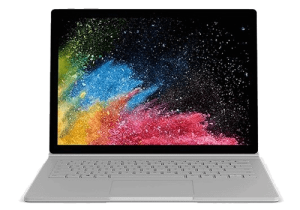
Professional Surface Book 2 battery replacement service. Fix poor battery life, unexpected shutdowns, swollen battery issue or power failures.
Service Details
Surface Book 2 13.5″ Battery Replacement Service – Expert Power Restoration
Battery draining quickly, unexpected shutdowns, or power failures on your Surface Book 2 13.5″? Our professional battery replacement service restores your device’s power performance using high-quality replacement batteries and specialised repair techniques.

Signs You Need Battery Replacement
- Battery drains within hours of normal use
- Surface Book 2 13.5″ shuts down unexpectedly
- Device won’t power on despite charging
- Battery percentage jumps erratically
- Device becomes unusually warm during use
- Battery swelling (screen pushing outward or base bulging)
- Poor performance after 2+ years of use

Important: Surface Book Has Two Batteries: Your Surface Book 2 13.5″ contains two separate batteries – one in the clipboard (screen unit) and one in the keyboard base. We need to diagnose which battery requires replacement before proceeding. If both batteries are degraded, we can replace them together at a reduced combined cost.
Same-Day Service Available: If you need same-day service, battery replacements can be completed in 2-3 hours when parts are available – either in stock, or if we can prepare replacement parts before your appointment or before your device arrives via courier. Complex cases with frame damage may require next-day completion. Contact us to request same-day service and check parts availability.
Critical Service Information – Screen Damage Risk: Screen damage risk depends on which battery needs replacement. Clipboard battery (screen unit) requires screen removal to access the battery beneath – the screen is strongly bonded with adhesive and we need to heat it and flex it slightly during removal. Despite years of experience with Surface repairs, some screens crack during this process due to the nature of the adhesive bonding. Keyboard base battery does not require screen removal and carries no screen damage risk. In most cases, our battery replacement price already reflects screen damage risk for clipboard batteries. However, for certain devices where this risk is not included in the price, we’ll contact you before starting the repair to inform you about potential screen replacement costs – never after the fact.
Important: Data Backup Essential – Back up your files before service, as with any complex hardware repair.
High-Quality Replacement Parts: We use premium replacement batteries tested for capacity, voltage stability, and thermal performance. Each battery undergoes quality control before installation to ensure reliable long-term performance.
Comprehensive Testing: After battery replacement, we verify charging functionality and speed, battery percentage accuracy, power management and sleep/wake cycles, temperature monitoring during use, clipboard detachment mechanism (if applicable), and all Surface Book 2 13.5″ features and connectivity.
Additional Repair Opportunities: With your Surface Book 2 13.5″ already disassembled for battery replacement, consider these additional services at reduced labour cost: deep cleaning and overheating service (thorough cleaning of the cooling system, thermal paste replacement on CPU/GPU, prevents overheating and improves performance), charging port repair (replace faulty charging port while device is already open), and SSD upgrade (available for models with replaceable SSD only – increase storage capacity, includes new drive installation, Windows installation, system configuration, and data transfer assistance). These services cost less when performed during battery replacement since the device is already disassembled.
6-12 Month Warranty: All battery replacements include a comprehensive 6-12 month warranty (depending on supplier warranty on parts) covering the replacement battery and installation workmanship. Screen replacements (if required for clipboard battery service) are also covered under the same warranty.
What to Expect: Your Surface Book 2 13.5″ will have restored battery life, accurate battery percentage readings, normal operating temperatures, and reliable performance without unexpected shutdowns.
Common Questions
- How do I know which battery is faulty? We perform comprehensive diagnostics to determine which battery (clipboard, base, or both) requires replacement. Both batteries degrade over time, but at different rates depending on usage patterns.
- Why is screen damage risk possible for clipboard battery? The clipboard battery sits directly beneath the screen, requiring complete screen removal. The display is extremely thin and fragile, bonded with industrial-strength adhesive.
- What if my screen gets damaged during clipboard battery replacement? In most cases, our battery replacement price already includes screen damage risk. For certain device conditions, additional costs may apply – we’ll always get your approval first.
- Should I back up my data? Yes, essential. While we don’t delete data or access storage, we cannot take responsibility for data loss during repairs. Always back up important files before service, as with any hardware repair.
- How long does battery replacement take? Standard repairs: 2-3 hours when parts available. Complex cases with frame damage or dual battery replacement: next-day completion.
- Do you need access to my device for testing? To properly test your Surface after repair, we need to boot into the operating system. We can use a guest account if available, or you can provide a user password. For some models, we can temporarily swap the SSD with our own test drive, but certain Surface models have soldered or non-standard storage. If you prefer not to provide access, we can only perform basic power-on testing – but full functionality testing is recommended to ensure your repair is 100% successful.
Diagnostics Available: Not certain if your battery needs replacement? Sometimes charging issues, power management settings, or software problems cause symptoms similar to battery failure. Bring your device in for diagnostics – we’ll run battery health tests on both batteries and give you an honest assessment before recommending any repair.
Emergency Swollen Battery Service: If your screen is bulging or pushing outward, or if the base is swelling, this indicates battery swelling – a potentially hazardous condition. Stop using the device immediately and don’t charge it. Swollen batteries can rupture or catch fire if punctured. Contact us for urgent same-day battery replacement.