

Surface Book (1st Gen) repairs
Screen and battery repairs in London. It has two batteries, one behind the screen and one in the keyboard base. Pay ahead for a same-day slot, leave it with us, or post it.

Professional Surface Book 13.5" screen replacement service. We fix cracked screens, display problems and touch issues. Professional screen replacement using original Microsoft parts.
What’s included
- The part, fitted in our own workshop
- Full function test before handover
- Up to 12-month warranty
- We never reset or wipe it without asking
Professional Surface Book battery replacement service. Fix poor battery life, unexpected shutdowns, swollen battery issue or power failures.
Please note: Your Surface Book has two batteries. We confirm which needs replacing and whether screen replacement is included in your quote before work starts.
What’s included
- The part, fitted in our own workshop
- Full function test before handover
- Up to 12-month warranty
- We never reset or wipe it without asking
Not sure what’s wrong?
Surface diagnostics - we find the source of the problem and give you a clear quote to fix it. We test the device - and open it up if the fault calls for it - then tell you what is wrong, what the repair costs and what the chances of success are. You decide with the quote in hand.
Good to know: Not refunded if you decide not to go ahead.
What the assessment fee covers
- Full assessment by an in-house technician
- An honest verdict on what is wrong
- A firm price before any repair starts
- Fee credited towards the repair - you pay the balance of the quote
- No obligation to proceed
Professional surface water damage treatment in London. Ultrasonic cleaning of liquid residue and corrosion, then a full assessment of what the liquid reached.
Good to know: Sometimes the clean alone brings it back. The fee is not refunded if the device can’t be saved.
What the cleaning fee covers
- Ultrasonic cleaning and corrosion treatment
- Full diagnostics once the board is clean
- An honest verdict on what is worth saving
- A firm price for any further repair before it starts
- No obligation to proceed
Software & Data
Assessment first: we tell you what can be recovered from your Surface, and what the recovery costs, before any recovery work starts. Files, photos and documents from a Surface that will not boot, has been dropped, or has failed storage. On most Surface models the storage is soldered to the board, so recovery means working on the board itself rather than pulling a drive out.
Good to know: If nothing can be recovered, there is nothing further to pay. The assessment fee is not refunded - it covers the work of finding out.
What the assessment fee covers
- Full assessment of the device and its storage
- An honest verdict on what can be recovered
- A firm price for the recovery before any work starts
- Fee credited towards the recovery - you pay the balance of the quote
- No obligation to proceed
Clean Windows 11 installation for laptops and desktop PCs - from scratch on a new drive, or a full wipe and reinstall of a system past repairing. Drivers, updates, account setup and a few applications of your choice included. Moving your data across is quoted separately.
What’s included
- Diagnosis and software-side repair
- Labour by in-house technicians
- Full function test before handover
- Diagnostic fee credited towards this repair
- We never reset or wipe it without asking
Know the fault, but don’t see it listed? Tell us what’s wrong with your Surface Book (1st Gen) and we’ll reply with a price, or tell you if we need to see it first.
What we fix on the Surface Book (1st Gen)
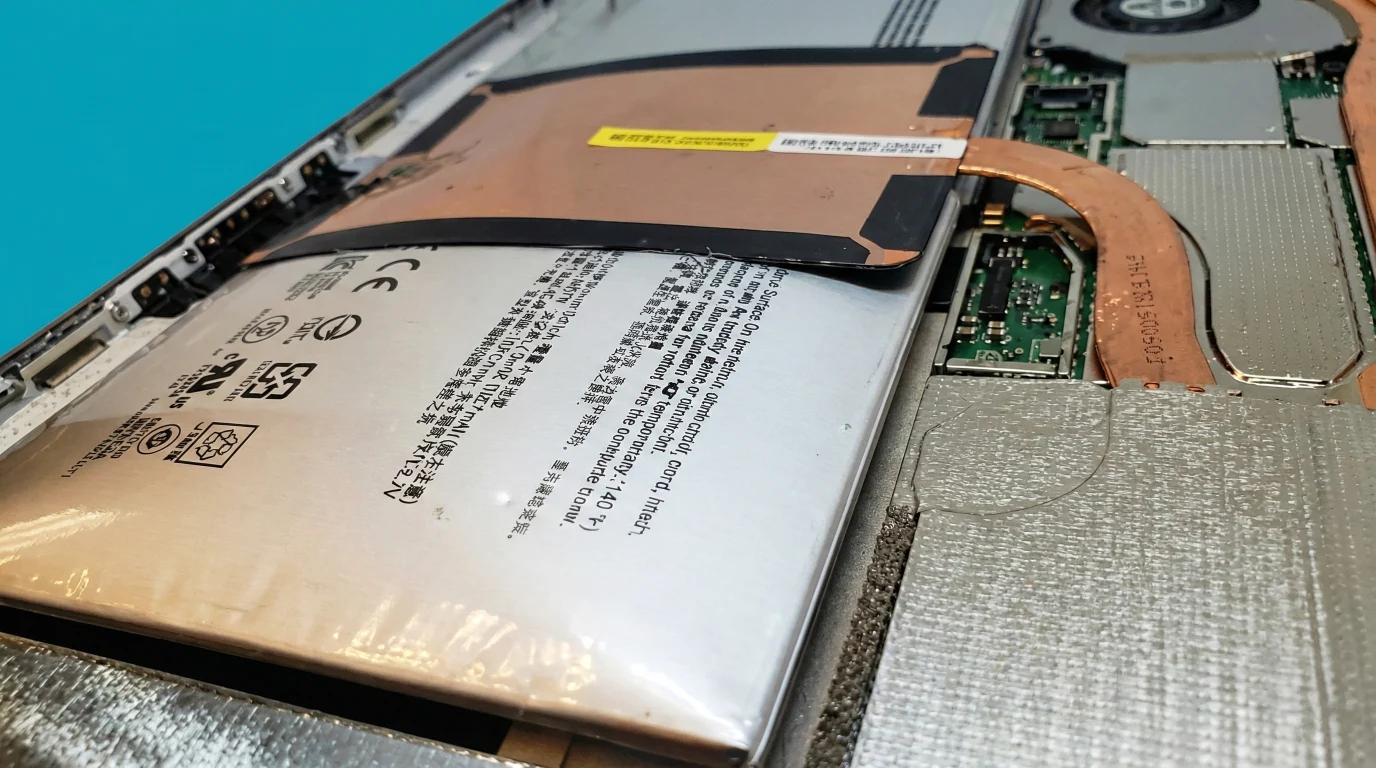
Swollen Battery Replacement
Screen lifting, or the base rocking on the desk. This Surface has two batteries that fail independently, so the first job is working out which.
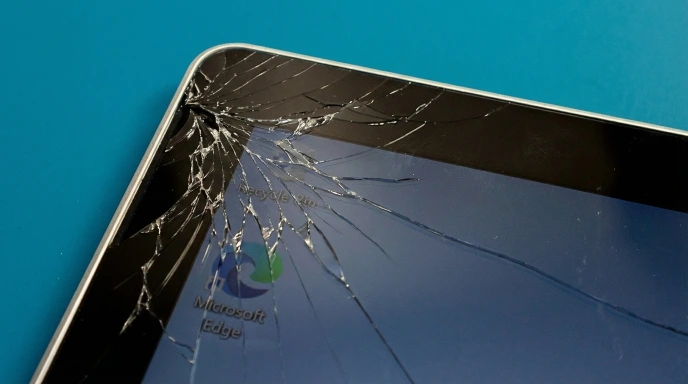
Cracked Screen Replacement
The display half is a complete computer, with the processor and a battery behind the glass, so it has to come off cleanly rather than quickly.

Charging Port Issues
Surface Connect loose or charging only at an angle. We test the port, both batteries and the charging circuit.
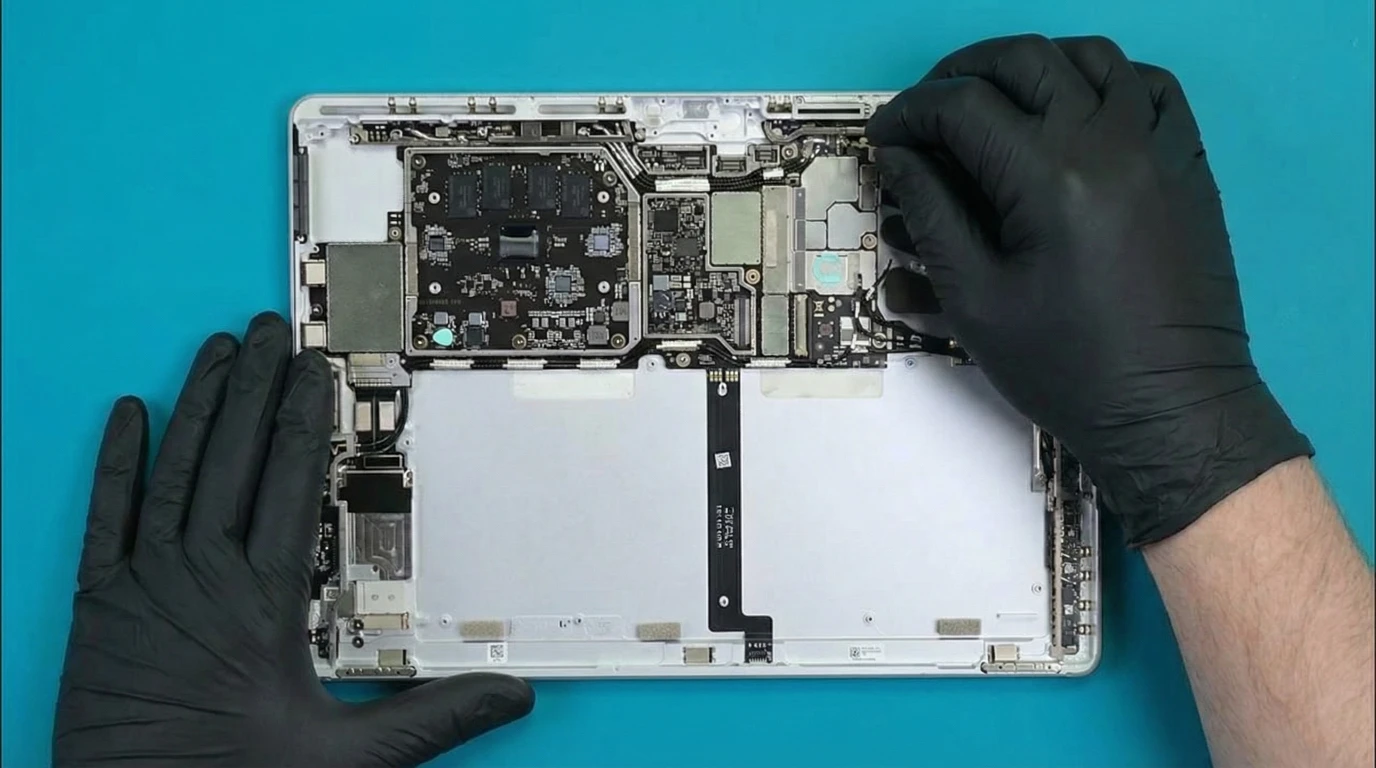
Dead When Detached
Both halves have to be healthy to run. A flat base battery, a failed board or firmware can all look the same.

Liquid Damage
Power it off and detach the screen if it still detaches. Liquid travels through the hinge, so both halves get opened.
Software Issues
Slow, crashing, blue screens or malware. We reinstall Windows, fix boot and driver faults, and can recover your files.
Three ways to get it fixed
Book a same-day slot
Pay ahead and we order the part. You come in and wait while we fit it.
Visit in about 2 working daysLeave it with us
Bring it to 136 Kingston Road, Wimbledon, and pay on collection.
Ready in 1-3 working daysPost it to us
Send it from anywhere in the UK, well packed and tracked.
Back in 2-5 working daysSending your Surface Book? Send both halves together.
What is different about this Surface
Two batteries
One sits behind the display and one in the keyboard base. The base battery does most of the work and usually goes first. At this age the hinge and the detach latch tend to follow it.
The screen is the computer
Processor and memory sit behind the glass, which is why a screen repair takes more care here than on a laptop.
Two halves, one hinge
Faults can come from either half or the connection between them, so we check both before we quote. Some bases also carry a discrete GPU.
From 1,000+ reviews on Google and Trustpilot, and over 220,000 repairs since 2014.
Read all reviewsI had an issue with the motherboard and they fixed it in 2 days. Price wasn't so bad either. I'll go there again if I need to, definitely
Andrea TorresGoogle
Wow that was first class! Adam quickly diagnosed problem with my tablet, ordered the parts and installed the next day. Its so good to find and experience a friendly and professional service nowadays.
John ThumwoodGoogle
I had an issue with the charging on my Surface Laptop. After pulling out my hair looking for companies to help - I found them on the internet - they did a fantastic job and really pleased with the service. Highly recommend.
David LoganGoogle
If I could give 100 stars I would! I damaged my high spec tablet with accidental liquid damage. They worked non stop trying to fix it. Eventually found a way to mend a VERY expensive component.
AndyGoogle
Had a touchscreen tablet and the screen cracked. Took it in, super fast quote, they needed to get the parts in, arrived next day. Job done. Great service and great people - will go back for any other issues as the first choice.
Andrew RobinsonGoogle
The guys are very good at what they do. Repairing and fixing devices. My screen was totally smashed after it fell and they fixed it to the same quality as it was before. Very reasonable prices. Highly recommended.
S HusseinGoogle
Good to know
The questions we are asked most about the Surface Book (1st Gen). Different model? See all Surface repairs.
Which of the two batteries has failed?
Windows reports them separately, and the base battery normally wears out first because it takes most of the charge cycles. We test both before we quote.
How long will it take?
Most repairs take 1-3 hours once the part is here, and the part usually arrives the next day. Parts for older models can take longer, so ask us if timing matters.
How do I find my model?
The number is printed on the underside, or open Settings > System > About.
Will I lose my data?
These repairs do not touch your storage and we never delete anything on purpose. No repair is risk-free and we cannot accept liability for lost data, so back it up before you hand it over.
My battery is swelling. Is it dangerous?
It can be. Stop using it and do not charge it, because a swollen battery can rupture or catch fire if punctured. Contact us and we treat it as urgent.
What warranty do I get?
6-12 months on parts and workmanship, depending on the part. Claims are handled at our Wimbledon workshop.
How does the diagnostic fee work?
You pay it upfront, at the counter or online if you post it. It is credited towards the repair if you go ahead, and it is not refunded if you do not, because it pays for finding the fault.