Technology is at its best when it disappears into everyday life. A phone gets us home, a laptop holds years of work, a smartwatch notices a health change, and cloud services keep files available across devices. Most of the time, we do not think about the engineering underneath. At Fixfactor, we usually meet technology at the point when it stops being invisible - when a device fails, data becomes inaccessible or a repair decision suddenly matters.
That perspective makes it difficult to describe technology as simply good or bad. It gives people remarkable capability, but it also concentrates important parts of life inside devices that can be fragile, difficult to repair and easy to replace without understanding the consequences. This is our take from the repair bench.
Convenience creates dependence
A modern phone may contain photographs, banking access, work authentication, travel documents and the only copy of important conversations. A laptop can be both an office and an archive. That convenience is real, but so is the dependence it creates.
When a device fails, the value of the hardware is often smaller than the value of what it enables. This is why “Is it worth repairing?” cannot always be answered by comparing the device with the price of a new one. Data, configured software, accessibility, time and disruption all belong in the decision.
The practical lesson is not to reject connected devices. It is to reduce single points of failure: maintain backups, use recovery options you understand and do not wait until a device becomes unstable before checking where important data is stored.
Thinner and faster is not always more repairable
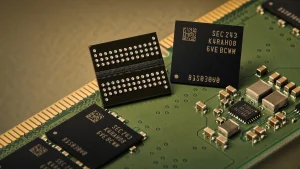
Customers understandably want devices that are lighter, faster and more resistant to everyday use. Achieving those goals can involve tightly bonded screens, glued batteries, paired components and highly integrated motherboards. These designs can improve performance and reduce size, but they may also turn a contained fault into a more complex repair.
A cracked outer layer may require a complete display assembly. A storage component can be integrated with the logic board. A replacement part may need calibration or may not restore every original feature. None of this means modern devices are automatically disposable. It means accurate diagnosis and component-level skill matter more than they once did.
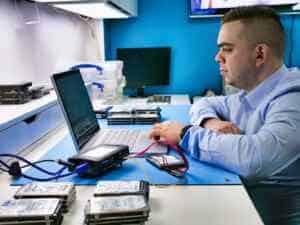
We regularly see devices described elsewhere as “needing a motherboard” when the actual fault is localised. In suitable cases, motherboard repair can restore power, charging or access to data without replacing the entire board. It will not save every device, but the option deserves to be considered before a machine is written off.
Software can extend a device’s life - or shorten its useful life
Software updates can improve security, compatibility and reliability. They can also increase hardware requirements, remove support for older applications or make an otherwise functional device unsuitable for a particular job. The hardware may still work while the practical reason for using it disappears.
We do not think the answer is to avoid updates indefinitely. Unsupported software can expose personal and business data to unnecessary risk. The better approach is to understand the device’s role. A computer used for sensitive work has different requirements from an offline machine kept for one specialist application.
Before replacing working hardware, ask what has actually become inadequate. Sometimes the answer is storage, battery condition or a repairable fault. Sometimes security support or performance genuinely makes replacement the responsible choice.
Data changes the repair decision
Modern encryption is essential for privacy, but it also means data recovery is no longer simply a matter of removing a storage chip and reading it elsewhere. On many phones and laptops, access depends on the original board working well enough for the device to unlock.
This makes early decisions important. Repeatedly trying to power a liquid-damaged device, reinstalling an operating system over a failing drive or authorising a board replacement without discussing the data can reduce the available options. If files matter, tell the repairer before work begins. Device repair and data recovery may require different priorities.
Repair is useful, but it is not a moral test
Repairing a device can reduce waste, preserve data and delay the environmental cost of manufacturing a replacement. We support repair because it often makes practical and economic sense - not because every device must be saved at any cost.
A heavily corroded laptop, a phone with several major faults or a computer that no longer supports required software may not be a good repair candidate. Responsible advice sometimes means recommending replacement. The important part is that the decision follows evidence rather than a sales assumption.
A good diagnosis should answer three questions: what has failed, what a repair is likely to achieve, and whether the result represents sensible value. Customers should be able to make that decision before additional work is carried out.
Artificial intelligence makes the same tension more visible
AI can improve accessibility, diagnostics, translation and productivity. It can also produce confident errors, encourage unnecessary automation and make it harder to see where a conclusion came from. Like the devices it runs on, it is most useful when people understand its limits.
In repair work, software can help organise information and identify patterns, but it does not replace measurement, inspection or accountability. A generated answer cannot see corrosion beneath a shield, measure a power rail or take responsibility for a customer’s data. Tools should support judgement, not create the appearance that judgement is no longer needed.
How to stay in control of the technology you use
- Keep at least one backup that does not depend on the device being functional.
- Address swelling, liquid exposure, unusual heat and intermittent charging early.
- Ask what will happen to your data before authorising repair or replacement.
- Compare diagnosis and repairability, not only the age of the device.
- Use reputable chargers, replacement parts and repair providers.
- Recycle devices and batteries through an appropriate route when repair is not sensible, or donate the device for parts.
Our take
Technology becomes a double-edged sword when convenience removes our understanding and control. The answer is not nostalgia for simpler devices, nor automatic enthusiasm for every new product. It is better information, repairable choices, realistic security and the ability to decide what happens to the devices and data we depend on.
From the repair bench, the most encouraging fact is that many apparent failures are not the end of a device. A careful diagnosis can separate a replaceable part from a board fault, a hardware problem from a software limitation, and a sensible repair from money better spent elsewhere. That knowledge gives the decision back to the owner.
Frequently asked questions
Is repairing always better for the environment?
Extending a useful device’s life can reduce avoidable replacement, but the full answer depends on the repair, future reliability and how the old device is handled. A short-lived repair followed immediately by replacement may offer little benefit.
When should data matter more than the device?
When files are irreplaceable or the device is unstable, data should be discussed before normal repair attempts. The safest route may be to stabilise the original hardware only long enough to access and back up the information.
How do I know whether a device is worth repairing?
Consider the diagnosed fault, expected reliability, total condition, software requirements, data and the disruption of replacement. Age by itself is not enough to make the decision.