Quick answer: repairing a phone for everyday use and repairing it long enough to recover data are different jobs. A reliable device repair must solve the fault properly. A data-first repair may only need to stabilise the original motherboard long enough to unlock the phone and make a verified copy. Neither route can be promised before diagnosis.
Start with the outcome, not the component
When a phone is dead, the first question should not be “how much is a motherboard?” It should be: do you need the phone back, the data back, or both?
If the photos or messages matter more than the handset, replacing the motherboard may solve the wrong problem. The replacement board brings its own storage and security hardware. It may make the phone switch on, but it does not bring the files stored on the original board with it.
If the data is safely backed up and the phone is still worth repairing, the decision can focus on reliability and cost. These are two legitimate routes, but they need different plans.
A dead-looking phone does not prove a motherboard fault
Before opening the board-level toolbox, we rule out the faults that can imitate a dead motherboard:
- a failed display on a phone that still vibrates, rings or connects to a computer;
- a depleted or failed battery;
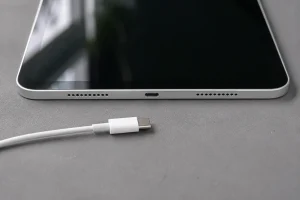
- a damaged charging cable, adapter or port;
- a broken power button or flex cable;
- software failure, a boot loop or storage that is too full to start normally;
- liquid or impact damage affecting one connector rather than the whole board.
This matters because “no image” and “no power” require different tests. Replacing or reworking the motherboard before confirming the display and power inputs can waste money and add risk.
Why the original motherboard matters to the data
Modern iPhone and Android devices encrypt user data. The keys needed to unlock it are protected by the device’s security hardware and the user’s passcode or screen credential. Apple documents hardware protections designed to prevent encrypted data from simply being moved to another device. Android requires file-based encryption on devices launched with Android 10 or later and binds key protection to trusted hardware.
Moving a memory component to an unrelated donor board is not a universal recovery method. In many cases, the practical route is to make enough of the original board work again so the phone can boot, accept the passcode and decrypt its own files.
Repair for use and repair for data
| Repair for reliable use | Repair for data recovery |
|---|---|
| The phone must remain stable through charging, calls, cameras, wireless functions and normal daily load. | The board may only need to remain stable long enough to unlock and copy the required data. |
| Long-term reliability and warranty determine whether the repair is sensible. | Preserving the original board and avoiding unnecessary changes have priority. |
| A replacement board can be an option if the data is backed up and the economics work. | A replacement board does not recover data from the original encrypted storage. |
| The customer is paying to keep using the device. | The customer is paying for the best safe attempt to extract a verified copy. |
A successful data-first repair does not automatically make the phone safe to return to daily use. Conversely, a phone that is not economical to repair permanently may still justify careful board work when the data is irreplaceable.
How we assess a motherboard case
- Confirm the priority. We record whether the device, the data or both matter, and whether a current backup exists.
- Rule out external faults. We test the display, battery, charging path and obvious modular parts where appropriate.
- Inspect the board. Under magnification we look for impact damage, corrosion, missing components, torn connectors and evidence of previous work.
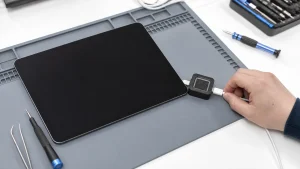
- Measure before heating. Current draw, resistance, voltage rails and thermal behaviour can narrow the fault without immediately removing components.
- Choose the least invasive useful route. That might be a full repair, a controlled temporary repair for data, or stopping because further work would add risk without a credible route.
Our thermal imaging guide shows one of the tools we use to narrow short circuits and abnormal heat. Temperature patterns guide further electrical checks; they do not identify a failed component on their own.
Access to an Apple or Google account may help retrieve an existing cloud backup, but it does not replace the phone’s screen-lock credential for local encrypted data. Recovering photos and messages also does not guarantee that banking apps or authenticator accounts will transfer; those may need their own recovery or sign-in process.
What can limit or prevent recovery?
Board-level skill expands the number of cases worth assessing, but it does not make every phone recoverable. Prospects can be poor or nonexistent when:
- the storage itself is electrically or physically damaged;
- critical security hardware is destroyed;
- the device has been erased or restored;
- the device passcode or screen-lock credential needed to decrypt the local data is unavailable;
- severe bending, fire or corrosion has damaged multiple layers of the board;
- previous uncontrolled heating or rework has introduced further damage.
That is why we do not attach a success percentage to “dead phone”. The phrase describes a symptom, not the condition of the storage, security hardware or board.
Tell us which result matters most
Tell the repairer, “The data is more important than the phone.” That sentence should prevent a factory restore, a motherboard swap or an unnecessarily invasive repair from becoming the automatic next step.
We also want to know the last thing the phone did: whether it rang with a black screen, became hot, stopped after a drop, failed after liquid exposure or entered a boot loop. A short, accurate history is more useful than a confident guess that “the motherboard is dead”.
What to do before bringing in a dead phone
- Stop repeated charging if the phone becomes hot or has liquid damage.
- Do not factory-reset, restore or update it if unbacked-up data is the priority.
- Discuss how the phone will be unlocked for testing or backup. Do not send us your Apple or Google account password; enter account credentials yourself if a sign-in is needed.
- Tell us about previous repair attempts and any parts already replaced.
- Decide which data matters most so a recovered copy can be checked properly.
For an assessment, start with phone repair or our data recovery service. For iPhone-specific limits, read iPhone Data Recovery: What Is and Is Not Possible.
Frequently asked questions
Does a vibrating phone need motherboard repair?
Not necessarily. Vibration, sounds or a computer connection may point to a display fault. The board can still have a fault, but the display should be ruled out first.
Can you guarantee data recovery from a dead phone?
No. The symptom alone is not enough to assess the prospects. Recovery depends on the condition of the original board, storage, security hardware, passcode and previous damage or repair attempts.
Technical references: Apple’s explanation of hardware protection for user data and Android’s official documentation on file-based encryption and hardware-backed keys.