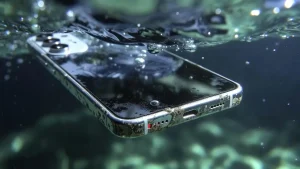
iPhone data recovery is sometimes possible when the original phone can be repaired enough to start, accept the correct passcode and create a backup. It is usually not possible to remove the memory chip and read the files in another device. Modern iPhones encrypt user data using hardware and the passcode, so the condition of the original logic board matters.
All repair guides


iPhone Data Recovery: What Is and Is Not Possible
In this article
The honest answer depends on what failed. A broken display or charging port may be straightforward; severe damage to critical board components may make recovery impossible. No laboratory can responsibly promise a result before diagnosis.
First, check whether a backup already exists
Before paying for hardware recovery, check iCloud and any Mac or PC previously used with the iPhone. Photos may also have synchronised to iCloud Photos, Google Photos, OneDrive or another service even when a full device backup is unavailable.
If the required files are already stored elsewhere, restoring that copy is safer, quicker and less expensive than working on a damaged phone. Do not erase or remove the damaged iPhone from your account until you have confirmed that the backup contains what you need.
When iPhone data recovery may be possible
- Broken screen: the phone may still start normally but cannot display or accept the passcode.
- Failed battery or charging port: temporary repair may provide enough stable power to unlock and back up the device.
- Liquid damage: cleaning and board-level repair may restore only the circuits required for data access.
- Boot loop: an attached component, damaged power line, storage problem or software fault may be interrupting startup.
- Severe housing damage: recovery can remain possible if the critical parts of the original logic board are intact.
- Logic-board fault: microsoldering may temporarily stabilise the original board without making the phone suitable for long-term use.
A phone does not need to be made cosmetically perfect for recovery. The goal can be narrower: make the original hardware stable enough to unlock it and copy the data.
When recovery is unlikely or impossible
Hardware repair cannot bypass a forgotten passcode or Activation Lock. It also cannot recreate files that were never stored on the device or in a backup. Recovery may be impossible when encryption-critical hardware is physically destroyed, when the phone has been erased or restored, or when storage damage prevents the original system from reading the data.
Apple’s security documentation explains that setting an iPhone passcode enables Data Protection and that the device’s Secure Enclave helps protect encryption key material. This security is valuable when a phone is lost or stolen, but it also means legitimate recovery normally requires the original device and correct passcode.
What not to do when the data matters
- Do not restore or erase the iPhone. A restore is designed to reinstall the system, not preserve inaccessible data.
- Do not repeatedly attempt updates. An update may be appropriate in a controlled diagnosis, but repeated attempts can obscure the original fault and are not a substitute for hardware testing.
- Do not guess the passcode. Security delays increase after incorrect attempts, and an erase setting may be enabled.
- Do not keep charging a liquid-damaged phone. Power can accelerate damage across contaminated circuits.
- Do not authorise a logic-board replacement. A replacement board may make the phone usable, but it does not contain the data from the original board.
Write down what happened, when it happened, what the phone displayed and every recovery or repair attempt already made. That history can prevent unnecessary steps.
Why the passcode and original logic board matter
The correct passcode is normally essential. A repairer should not ask you to send it in an unsecured message. Depending on the condition of the phone and the recovery process, you may be able to enter it yourself once the device is stable.
On modern iPhones, user data is cryptographically tied to the original hardware. Moving the storage chip alone to another board does not produce readable photos and messages. Board-level recovery focuses on preserving the original paired components and restoring the power, communication and startup functions they need.
What a professional recovery process looks like
- Confirm the goal. Identify the files required and whether restoring daily phone use is also important.
- Inspect and diagnose. Check for impact, liquid, prior repair and current consumption or startup behaviour.
- Test simpler causes first. A known-good display, battery or charging route can rule out replaceable parts before board work.
- Stabilise the original hardware. Clean contamination or repair the necessary board circuit while avoiding unnecessary changes.
- Unlock and copy. Once the phone starts reliably, use the correct passcode and create a backup or copy the required data.
- Verify the result. Confirm that the recovered files open and that the backup is stored safely before the phone is returned or further work is considered.
Advanced recovery may require donor components for board repair, but the encrypted-data components from the original phone must be preserved. The temporary repair may not make the device dependable enough for continued daily use.
Repair for use and repair for data are different
If the phone is replaceable but its contents are not, the safest plan may avoid a full rebuild. Conversely, if a current backup exists, spending heavily on board-level recovery may make little sense and a normal device repair or replacement can be the better route.
Tell the technician which outcome has priority before diagnosis starts. Replacing the logic board, restoring the phone or concentrating on cosmetic repair can be reasonable for everyday use but counterproductive when the only copy of the data remains on the original board.
Frequently asked questions
Can data be recovered from an iPhone that will not turn on?
Sometimes. “No power” describes a symptom, not the failed component. A battery, charging, display or repairable board fault may be recoverable; critical silicon or storage damage may not be.
Can deleted iPhone photos be recovered?
Check Recently Deleted, iCloud Photos, other cloud services and computer backups first. Hardware repair does not undelete data that iOS has securely removed from an otherwise working phone.
Can you recover data without the passcode?
Normally no. Repair can restore access to the passcode screen, but it does not bypass the encryption protecting the user’s files.
Does a successful recovery mean the iPhone is permanently repaired?
Not necessarily. A damaged board may be stabilised long enough to copy data but remain unsuitable for reliable daily use. The recovery result and the long-term repair prognosis should be reported separately.
Need an evidence-based assessment? See our mobile phone data recovery service. If liquid exposure is involved, read our immediate-action guide and keep the phone switched off. To discuss the case, request a quote and tell us that the data is the priority.