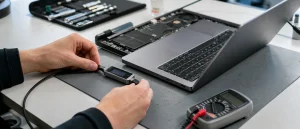
A black laptop screen does not always mean that the laptop is dead. If lights, fans, keyboard backlighting or notification sounds are present, the machine may be running while the internal display is not showing an image. The important thing is to distinguish a display fault from a true no-power fault without risking data or causing extra damage.
All repair guides


Laptop Screen Is Black but the Laptop Is On: Safe Checks Before Repair
In this article
Check for signs that the laptop is running
Connect the correct charger directly to a wall socket and wait a few minutes. Look for charging lights, fan movement, a warm area around the exhaust, keyboard lighting or sounds when a key is pressed. Do not repeatedly force-restart the machine; one normal start attempt is enough for this initial check.
Try an external display if it is safe to do so
If you already have the correct cable or adapter, connect an external monitor or television. A normal picture there is a useful clue: the laptop is probably running and the problem may be the built-in screen, display cable, backlight or hinge area. It is not proof of the exact part, but it helps avoid the assumption that the whole laptop has failed.
What a black screen can mean
Internal display damage
A cracked panel, pressure damage, a failing backlight or an internal cable fault can leave the screen black, lined or intermittent. Damage may be worse at one lid angle, after a knock, or after the laptop has been carried in a tightly packed bag.
Power or motherboard fault
With no lights, fan activity or external image, the issue may be in the charger, charging port, battery or motherboard. A laptop can look like it has a display problem when it is not receiving stable power at all.
Software is possible, but do not assume it
A software update or graphics-driver issue can affect display output, but a new fault after a drop, liquid spill or flickering image is more likely to need hardware diagnosis. Avoid reinstalling the operating system if important files have not been backed up.
What not to do
- Do not press hard on the panel or twist the lid.
- Do not use a hairdryer or attempt to dry a laptop that has had liquid exposure.
- Do not open an internal-battery model unless you can isolate the battery safely.
- Do not keep restarting a laptop that is unusually hot, swollen or smells burnt.
When to arrange repair
Book a diagnosis if the external display works but the internal panel stays black, if the image has lines or flickers, or if the laptop has no clear signs of power with a known-good charger. A technician can test the display path and power system before recommending a screen, battery or board repair.
Frequently asked questions
Why can I hear Windows but see nothing?
If start-up sounds or notifications are audible, the laptop is probably running. The internal panel, display cable or backlight may have failed. An external display test can help, but the internal display path still needs diagnosis.
Can shining a torch at the screen identify a backlight fault?
A very faint image visible under a torch can be a clue that the screen is receiving a picture without illumination. It does not identify the failed component and should not be treated as a repair method.
Will connecting an external monitor erase anything?
No. Connecting a compatible monitor does not normally alter stored files. If the laptop has liquid damage, unusual heat or unstable power, avoid further testing and prioritise a safe assessment.
If a known-good external display does not settle the issue, describe the symptoms when arranging a laptop assessment.