

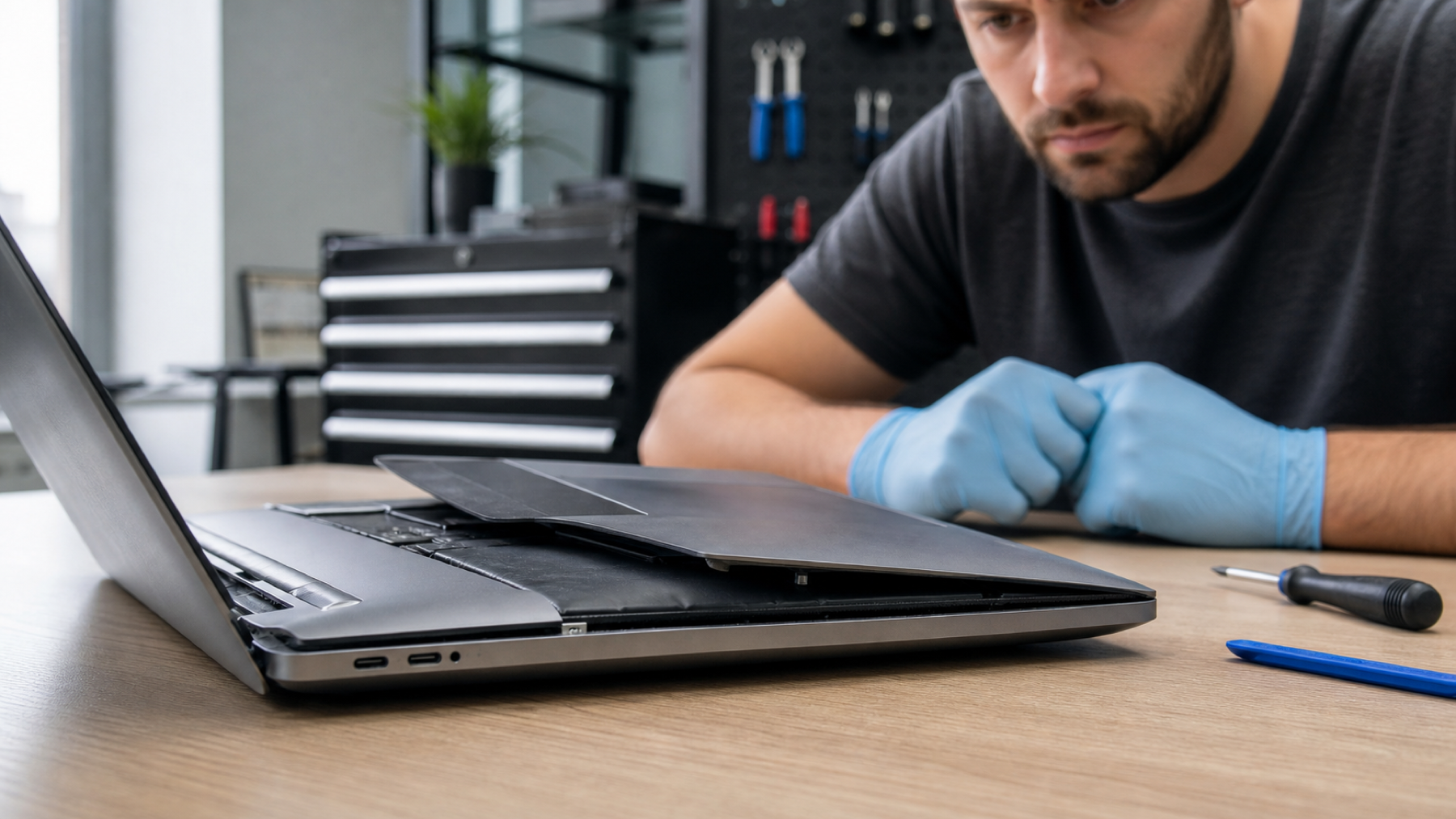
A swollen laptop battery is a safety issue, not just a battery-life problem. Lithium-ion cells can expand as they age, fail or become damaged. The pressure may lift the trackpad, separate the case or distort the keyboard. If you suspect swelling, the right response is to stop using the laptop and arrange safe professional handling.
All repair guides

Swollen Laptop Battery: Warning Signs and What To Do
In this article
Common warning signs
- The trackpad, keyboard or bottom case is lifting.
- The laptop rocks on a flat desk or no longer closes evenly.
- There is a new gap around the palm rest or screen hinge.
- The battery drains unusually quickly, becomes hot or charges erratically.
- You notice a chemical or sweet smell, or see a visibly distorted case.
Some swollen batteries are not obvious from the outside. If the laptop suddenly feels different to close, or the trackpad has become difficult to click, do not force it flat to “fix” the shape.
What to do
Switch the laptop off, unplug the charger and place it on a hard, non-flammable surface away from direct sun and heat. Keep it away from children and pets. Arrange a repair assessment as soon as practical. If the laptop is very hot, smoking or showing signs of fire, move away from it and follow local emergency guidance; do not attempt to handle a burning device.
What not to do
Do not puncture, bend, crush, tape down or try to flatten the battery. Do not keep charging it to recover data. Do not put it in household rubbish or a general recycling bin. These steps can damage the battery further and create a fire risk.
Why batteries swell
Age and normal chemical wear are common factors, but swelling can also follow overheating, liquid damage, a faulty charging circuit or physical damage. The battery may be the visible problem while another fault contributed to it, which is why the charging system and device condition should be checked during replacement.
Can the laptop be repaired?
Often, yes. A technician can remove the swollen battery safely, inspect whether it has damaged the case, trackpad or internal components, fit the right replacement and check charging afterwards. The outcome depends on the model and the extent of pressure or liquid damage, but early action gives the best chance of a straightforward repair.
Frequently asked questions
Can a swollen laptop battery go back to normal?
No. A swollen lithium-ion battery should be replaced and disposed of through the proper route. Pressing it flat or continuing to use it does not make it safe and can damage the laptop further.
Can I remove a swollen battery myself?
Some batteries are accessible, but removal can be hazardous because they may be glued in place or close to delicate components. Unless you have the correct tools and experience, professional removal is the safer choice.
Will replacing the battery repair the lifted trackpad?
Often the trackpad settles once pressure is removed, but a technician should inspect it for permanent damage. Early replacement makes that outcome more likely than waiting until the case or trackpad is badly distorted.
Describe the swelling and device model before arranging a battery replacement assessment.


