?
All articles

Iphone Boot Loop

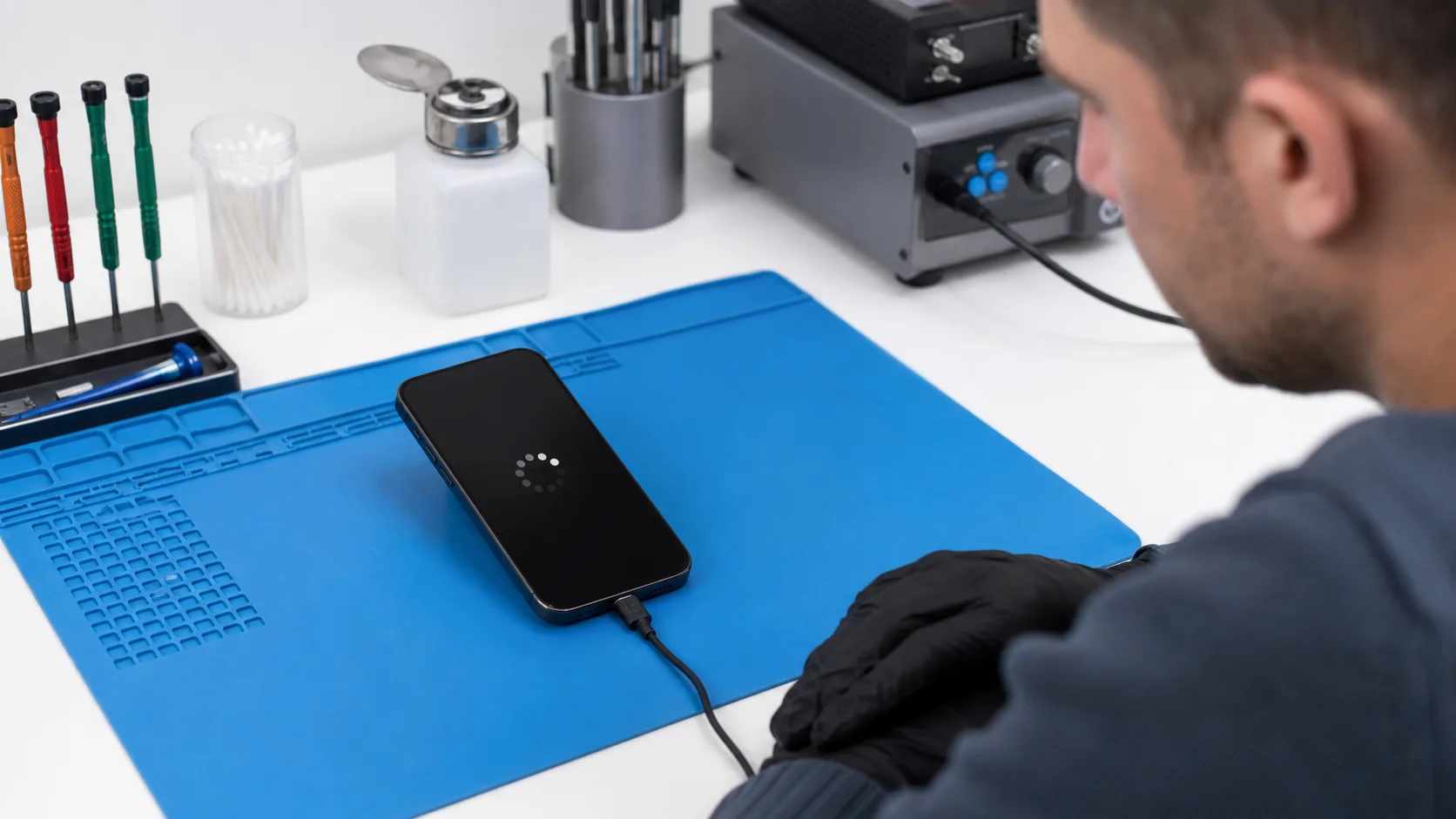
An iphone boot loop is a critical malfunction where the device fails to complete its startup sequence, repeatedly restarting or becoming stuck on the brand logo. This state typically indicates a conflict between the hardware and the initialisation software, often caused by depleted storage, liquid ingress, or component failure on the logic board.

When your device enters this cycle, it is essentially trapped in a failed “handshake” between the operating system and the hardware. Standard software resets frequently fail to resolve these issues because the root cause often lies within the delicate circuitry of the device. At Fixfactor, we specialise in resolving these complex failures through logic board diagnostics and micro-soldering techniques that exceed the capabilities of standard retail repairers.

Key Takeaways

  • Hardware vs. Software: While some loops are software-based, many are caused by physical triggers like a faulty proximity sensor or battery.
  • Data Preservation: Standard “restore” methods erase your data; advanced data recovery is often required to save files from a looping device.
  • Storage Thresholds: Filling your internal storage to 99% is a leading cause of the iphone boot loop, preventing the OS from caching temporary boot files.
  • IC Failures: Integrated Circuit (IC) issues, such as Tristar or Hydra chip failures, can disrupt power delivery and cause perpetual restarts.
  • Professional Intervention: Attempting to force-start a device with hardware-level shorts can cause permanent damage to the CPU.

Understanding the Mechanics of a Boot Loop

To resolve an iphone boot loop, one must first understand the boot sequence. When you press the power button, the Boot Rom executes, followed by the iBoot stage. These stages perform a “power-on self-test” (POST) to ensure all vital components are communicating correctly.

If the processor detects an unexpected value from a peripheral—such as the front camera assembly or the battery’s gas gauge—it halts the process to prevent damage. This safety mechanism is what creates the loop. The device tries to start, finds an error, shuts down to protect itself, and then automatically attempts to restart until the power is exhausted.

Common symptoms that accompany a boot loop include:

  • The device shows the logo for 10-30 seconds, then goes black.
  • The screen flashes green or white briefly before restarting.
  • The device only stays on when connected to a high-voltage charger.
  • The “Error 4013” or “Error 111” appears during a recovery attempt on a computer.

The Critical Difference Between Software and Hardware Loops

Software loops are generally the result of a corrupted update or a “full storage” situation. In these cases, the hardware is healthy, but the file system is compromised. These can sometimes be resolved using Recovery Mode or DFU (Device Firmware Update) mode, though this typically results in total data loss.

Hardware loops are more insidious. They are often triggered by a specific component failure. For example, a torn ribbon cable on the earpiece speaker can prevent an iPhone from booting because the Illuminator/Proximity sensor is part of the security handshake for FaceID. Without a professional diagnostics service, it is nearly impossible for a user to distinguish between these two states.

Common Causes of an iPhone Boot Loop

While many factors can trigger a restart cycle, we categorise them into three primary tiers: environmental damage, component degradation, and system-level conflicts. Understanding these helps in selecting the correct advanced repairs path.

Cause Category Specific Trigger Primary Symptom
Storage Storage Full / Filesystem Corruption Stuck on logo for long periods; slow response.
Power Degraded Battery / U2 Tristar IC failure Restarts precisely every 3 minutes.
Environmental Liquid Ingress / Corrosion Random restarts; overheating during boot.
Physical Torn Flex Cables / Broken Sensors Looping immediately after a screen repair or drop.

1. Insufficient Storage (The 111 Error)

Modern iOS versions require a small amount of “buffer” space to write temporary files during the boot process. If your storage is completely saturated, the operating system cannot mount the file system correctly. This leads to a persistent iphone boot loop that is notoriously difficult to fix without losing data.

At Fixfactor, we utilise proprietary tools to communicate with the device in a pre-boot state. In some cases, we can clear system caches to allow the device to boot one last time for data extraction, a service that standard high-street shops cannot provide.

2. Faulty Charging Circuitry (Tristar/Hydra IC)

The charging logic on the board is responsible for “talking” to the USB cable and the charger. If this chip is damaged by a low-quality third-party cable, it may send incorrect data to the CPU. The CPU, sensing an unstable power environment, will trigger a restart to protect the logic board circuitry.

This is a classic component-level repair scenario. We use micro-soldering to remove the faulty IC and replace it with a precision-engineered original component, restoring the device to full functionality without needing a costly board replacement.

3. Proximity Sensor and FaceID Conflict

It is a little-known fact among non-specialists that the front-facing sensor array is critical for the boot sequence. If liquid enters the earpiece mesh, it often corrodes the solder joints on the proximity sensor. This creates a “short” on the I2C (Inter-Integrated Circuit) bus. Because the I2C bus carries data for multiple components, a single short here can effectively paralyse the entire device’s ability to start up.

Initial Troubleshooting: What You Can Do

Before seeking professional iphone repair, there are several non-invasive steps you can take to determine the severity of the iphone boot loop. We recommend following these in order to avoid unnecessary data loss.

Force Restart Protocols

A force restart can sometimes clear minor instruction glitches in the RAM. The method varies by model:

  • iPhone 8 and later: Quickly press and release Volume Up, then Volume Down, then hold the Side Button until the logo reappears.
  • iPhone 7 series: Hold the Volume Down and Sleep/Wake buttons simultaneously.
  • Older models: Hold the Home and Sleep/Wake buttons.

Recovery Mode and DFU Mode

If the device is recognised by a computer, you may attempt to “Update” the software. This reinstalls the operating system without wiping your personal data. Warning: If you select “Restore” instead of “Update”, all data will be permanently deleted. If the update fails with an error code, it is a definitive sign of a hardware-related iphone boot loop.

For those familiar with PC Repair or general tech maintenance, connecting to a diagnostic tool like 3uTools can provide a “log” of where the boot process fails. For example, a failure at “19%” usually indicates a NAND flash (memory) issue, while a failure at “80%” often points to a cellular baseband problem.

The Fixfactor Approach: Professional Restoration

When basic troubleshooting fails, our master craftsmen step in. We do not simply “swap parts” until the device works; we perform a comprehensive solution based on electrical engineering principles. Our process for resolving an iphone boot loop involves several advanced stages.

Phase 1: Thermal Imaging and Voltage Rail Inspection

We begin by stripping the device down and connecting the logic board to a DC power supply. By observing the “current draw” during the boot attempt, we can often pinpoint the fault before even looking under a microscope. If a specific component is shorted, it will generate heat, which we detect using high-resolution thermal cameras.

Phase 2: Component-Level Micro-Soldering

Many iphone boot loop cases are caused by microscopic cracks in solder joints or failed capacitors. Using micro-soldering stations under 40x magnification, we replace individual resistors, filters, or ICs. This level of precision allows us to restore devices that have been declared “unfixable” by the manufacturer or other phone repair facilities.

Phase 3: Data Recovery Priority

For many professionals, the device is secondary to the data it contains. If the loop is caused by a failing NAND chip, we can sometimes perform a “NAND re-ball” or swap. This involves mirrors-imaging the encrypted data and moving it to a stable environment. Our data recovery success rates are built on this meticulous, hardware-first methodology.

Why High-Street Repairs Often Fail

Most local repair shops lack the equipment and expertise to handle logic board diagnostics. They typically focus on modular repairs—swapping screens and batteries. If a new battery doesn’t fix your iphone boot loop, they will likely tell you that the “motherboard is dead.”

At Fixfactor, we know that a logic board is rarely “dead.” It is simply a collection of circuits where one link in the chain has broken. By using precision-engineered tools and a “repair-first” philosophy, we extend the lifecycle of your hardware, providing a sustainable alternative to the “e-waste” cycle. You can learn more about our commitment to longevity in our article on activation lock and e-waste.

Advanced Insights into Error Codes

When an iPhone is stuck in a loop and connected to a Mac or PC, it often throws specific numeric codes. These are not random; they are diagnostic pointers for engineers.

Error Code Technical Meaning Required Repair
Error 9 / 4013 NAND Flash or CPU connection interrupted. Logic board micro-soldering.
Error 1 / -1 Baseband (cellular) processor failure. Re-balling the baseband chip.
Error 14 Storage full or corrupted system files. System partition expansion/Data recovery.
Error 56 NFC controller or camera hardware issue. Component replacement on the I/O rail.

If you encounter any of these, we advise against repeated restore attempts. Each failed attempt can stress the CPU and, in the case of Error 14, can lead to permanent data corruption if the file system’s “journaling” is interrupted.

Sustainability and the Value of Repair

Choosing to fix an iphone boot loop rather than replacing the device is a significant act of environmental stewardship. High-end smartphones contain rare earth metals and require immense energy to manufacture. By opting for a component-level repair, you are not only saving money but also preventing a sophisticated piece of technology from ending up in a landfill.

Our Victoria Repair Centre and Wimbledon Repair Centre are designed to handle these complex tasks locally, ensuring that your device doesn’t have to be shipped halfway across the world for specialist care. We provide a transparent bridge between technical complexity and user convenience.

Frequently Asked Questions

Why is my iPhone stuck on the Apple logo?

Being stuck on the logo is the most common form of an iphone boot loop. It occurs because the device has failed its initial hardware check. The CPU is waiting for a “ready” signal from a component (like the battery or the screen) that never arrives, or it is unable to load the system kernel due to corrupted storage files.

Can a boot loop be fixed without losing data?

In many cases, yes. If the cause is a hardware component like the charging port or the proximity sensor, we can bypass or replace the part to allow the phone to boot normally, leaving your data intact. If the issue is software corruption due to full storage, we use advanced data recovery techniques to attempt to pull files before a system wipe is required.

Does a “Hard Reset” fix a boot loop?

A hard reset (force restart) only fixes the issue if the loop is caused by a temporary software “hang.” It does not address hardware shorts, liquid damage, or corrupted system partitions. If your device returns to the loop immediately after a hard reset, professional diagnostics service is required.

Can liquid damage cause my iPhone to restart repeatedly?

Yes, liquid damage is a frequent catalyst for an iphone boot loop. Even a tiny amount of moisture can cause a short circuit on the “Always On” power rails. This triggers the device’s protection circuit, causing it to shut down and attempt a reboot. Our liquid damage repair process involves ultrasonic cleaning and board-level restoration to fix these specific loops.

Is it worth fixing an older iPhone with a boot loop?

Absolutely. Many boot loops are caused by simple component failures that cost a fraction of the price of a new device. Restoring the device not only saves you money but also retains your data and settings, avoiding the hassle of a manual setup. We provide comprehensive solutions for almost every generation of hardware.

How long does a professional boot loop repair take?

While a simple screen swap takes 30 minutes, iphone boot loop repairs involving logic board diagnostics typically take 1 to 3 business days. This allows our engineers to perform thorough testing after the micro-soldering is complete, ensuring the stability of the repair and the safety of your data.

What should I do if my iPhone restarts every few minutes?

If your device boots to the home screen but restarts every 3-5 minutes, it is likely a “thermal watchdog” issue. The OS cannot find a specific sensor (often in the battery or charging port) and restarts to prevent perceived overheating. This is a specific type of iphone boot loop that we can resolve by replacing the missing sensor’s parent component.

If your device is currently experiencing these symptoms, we invite you to view our booking page or visit one of our London locations for an expert consultation. We restore functionality where others see only failure.

Share Copied!
Marcin Skwiercz

Written by

Marcin Skwiercz

Founder & Director

Running Fixfactor since 2014 with a hands-on background in microsoldering and board-level repair. Today focused on growing the business, tracking industry trends, and making sure every device gets the attention it deserves.