?
All articles

Iphone Black Screen

An iphone black screen describes a critical failure state where the device’s display remains completely dark and unresponsive, despite the phone potentially being powered on. This condition, often referred to as the “Black Screen of Death,” can stem from software crashes within the iOS kernel, hardware disconnection of the display digitiser, or sophisticated component-level failures on the logic board.

Key Takeaways

  • Software Resets: A “Force Restart” is the primary first-response action to clear volatile memory and resolve kernel panics.
  • Hardware vs Software: If the phone vibrates or makes sounds but the screen is dark, the issue is likely a physical display or backlight failure.
  • Component-Level Expertise: Persistent black screens often indicate micro-soldering requirements on the logic board’s display connectors or power ICs.
  • Liquid Damage: Even minor exposure to moisture can cause short circuits that disable the screen while the rest of the device functions.
  • Data Integrity: Professional data recovery is possible even when the screen is non-functional, provided the logic board is intact.
  • Professional Diagnostics: High-street shops often replace screens unnecessarily; we perform deep logic board diagnostics to find the true root cause.

When you encounter an iphone black screen, the immediate sensation is one of total disconnection. However, in the world of high-end electronics restoration, a dark display is rarely a sign of a “dead” device. It is merely a symptom. To we who operate at a master craftsman level, this state represents a puzzle that requires precision-engineered diagnostic steps to solve.

Whether the issue arose after a physical impact, a botched software update, or seemingly out of thin air, understanding the underlying mechanics is essential. At Fixfactor, we move beyond the superficial “screen swap” approach. We investigate the power delivery, the signal integrity, and the physical pathways that allow your device to communicate with you.

Initial Diagnostic Framework

To determine the severity of the failure, we use a structured assessment. Using this table, you can identify which category your specific device failure falls into before seeking professional intervention.

Symptom Probable Cause Repair Complexity
Silent, dark, no haptics Battery failure or Power IC short Moderate to High
Dark screen, makes sounds Damaged OLED/LCD or Backlight circuit Moderate
Apple logo appearing then black Boot loop or NAND Flash error Advanced (Software/Logic Board)
Faint image visible under light Blown Backlight fuse or Coil High (Micro-soldering required)

Software-Induced Display Failures

In many instances, an iphone black screen is not a hardware fault but a total system freeze. When the iOS software encounters a conflict it cannot resolve, it may cease outputting to the display. This is common during background updates or when the device’s storage is at maximum capacity, preventing the OS from writing temporary swap files.

We recommend a “Force Restart” as your first action. This differs from a standard power-off; it physically cuts and restores power to the processor to force a fresh boot. For modern devices, this involves a specific sequence: quickly press Volume Up, quickly press Volume Down, and سپس hold the Side button until the Apple logo appears. If the logo appears, your hardware is likely healthy, and the issue was a transient software exception.

The “Black Screen” with Active Life Signs

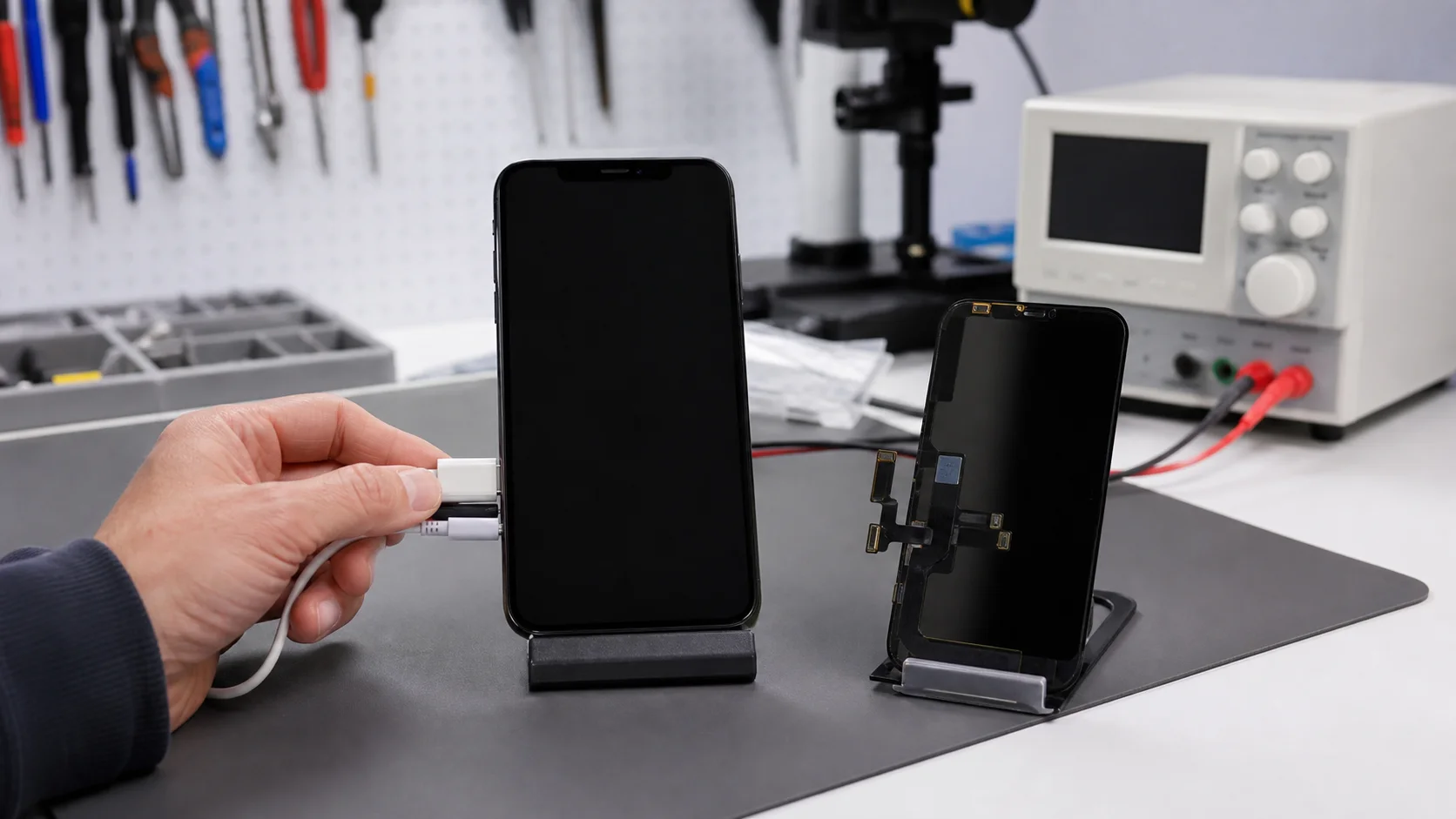
If your device vibrates when the mute switch is toggled or makes a sound when connected to a charger, the “brain” of the phone is functioning. The failure is isolated to the image output. This often happens because the flexible printed circuits (FPC) that connect the screen to the logic board have become slightly unseated or damaged due to a fall.

In our iPhone repair laboratory, we verify these connections under high-magnification microscopes. We don’t just push connectors back in; we inspect for bent pins or debris. If the connector is damaged, we perform micro-soldering to replace the FPC connector on the board itself—a service most high-street shops cannot provide.

Advanced Logic Board Diagnostics

When a screen replacement fails to rectify an iphone black screen, the problem lies deeper. The logic board contains complex circuitry dedicated to powering the display. This includes the backlight driver, power management integrated circuits (PMICs), and various filters and capacitors that regulate voltage.

We utilize advanced repairs techniques to probe these circuits. By using a multimeter and thermal imaging cameras, we can locate a single microscopic capacitor that has shorted to ground, effectively “choking” the display’s power supply. We restore the device by removing the faulty component and soldering a new one in its place, preserving your original data and hardware.

The Role of the Backlight Circuit

  • Backlight Filters: These act as fuses. If a screen is replaced while the battery is connected, a small spark can blow these filters, leading to a permanent black screen.
  • Boost Coils: These components step up battery voltage to the high levels required to illuminate the display’s LEDs.
  • Diode Readings: We take diode readings of every pin on the display connector to ensure the communication lines between the CPU and the screen are intact.

Common Causes of Sudden Display Failure

An iphone black screen rarely occurs without a catalyst, though that catalyst may not be immediately obvious. Understanding these causes helps in formulating a comprehensive solution for restoration.

Physical Stress and Micro-Fractures

Modern smartphones are engineered for rigidity, but the thinness of the glass and the underlying OLED panels makes them susceptible to internal fractures. A drop might not crack the outer Gorilla Glass, but it can shatter the delicate thin-film transistor (TFT) layer of the display. This results in a “ghost” black screen where the device is active but the pixels cannot fire.

Thermal Throttling and Heat Damage

Excessive heat can cause internal components to expand and contract, leading to “cold” solder joints. If the connection between the GPU (Graphics Processing Unit) and the display interface is compromised, the output fails. This is often seen in devices used for heavy gaming or left in direct sunlight. Our logic board diagnostics involve re-flowing or re-balling chips when these physical connections fail.

For those interested in the longevity of their hardware, our blog covers various ways to maintain thermal health and prevent these types of sudden failures.

Liquid Ingress and Corrosion

Even with high IP (Ingress Protection) ratings, moisture can enter through the speaker grilles or charging ports. Once inside, electricity and water trigger a process called electrolysis, which eats away at the copper traces on the logic board. The display circuit is particularly vulnerable because it carries higher voltages than other parts of the phone, accelerating the corrosion process.

If your iphone black screen is the result of water, time is of the essence. We utilize ultrasonic cleaning baths to safely strip away corrosion before it becomes irreversible. This “repair-first” philosophy focuses on saving the original board rather than a costly replacement.

Fixfactor’s Restoration Process

When you bring a device to us, we treat it with the precision of a watchmaker. We do not guess; we measure. Our process is designed to be transparent and technically superior to the standard industry offerings.

  1. Intake and Haptic Testing: We check for any signs of internal life (vibrations, charging current draw) using a USB-C ammeter.
  2. Visual Inspection: We examine the display under 40x magnification to look for internal OLED bleeding or hairline fractures.
  3. Internal Teardown: We open the device in a static-controlled environment, ensuring no sensitive CMOS components are compromised.
  4. Voltage Rail Analysis: Using specialized schematics, we test the primary power rails (often called VDD_MAIN or PP_BATT_VCC) to ensure the board is actually turning on.
  5. Component Replacement: Whether it’s a simple screen swap or a complex micro-soldering job on the backlight circuit, we use only high-grade parts.
  6. Full Functional Validation: Before return, we test all sensors (Proximity, Ambient Light, FaceID) which are often tied to the display assembly.

Comparing Repair Avenues

It is important to understand why professional component-level repair is superior to high-street alternatives or DIY attempts.

Feature High-Street Shop Fixfactor Specialist Manufacturer Support
Logic Board Repair Rarely (Outsourced) In-house Specialty No (Replacement only)
Data Recovery Limited Advanced/Professional Usually wiped
Turn-around Hours Hours to Days Weeks
Sustainability Low (Wasteful swaps) High (Component fix) Moderate (Recycling)

Why Diagnostics Matter More Than Repairs

A common mistake many users make is assuming they just need a “new screen.” This is why a professional diagnostics service is the most valuable step in the process. If you spend money on a new screen but the problem is actually a blown capacitor on the logic board, the new screen will also remain black.

We see this frequently: customers who have tried two or three different high-street shops, wasted money on multiple screens, and still have an iphone black screen. Our specialist equipment allows us to see what others cannot. We measure the Resistance-Capacitance (RC) circuits to ensure signals are reaching the display as intended. If they aren’t, we trace the failure back to the source.

The Critical Nature of Data During Repair

For most of our clients, the data on the device is worth more than the hardware itself. Many official repair channels will simply swap the logic board or the entire phone, resulting in the permanent loss of photos, messages, and work documents. Because we specialize in component-level repair, we focus on making your specific board work again. This is the only way to ensure your data remains accessible.

If the device is too far gone for a permanent repair—perhaps due to extreme fire or salt-water damage—we pivot to a temporary restoration purely for data recovery. We temporarily bypass failed power circuits to boot the CPU just long enough to extract your encrypted files.

Preventing Future Display Failures

Once we restore your device from an iphone black screen, we believe in educating our clients on how to prevent a recurrence. Maintenance is as much a part of the repair lifecycle as the fix itself.

Protective Strategies

  • High-Quality Screen Protectors: Use tempered glass that covers the entirety of the display. This absorbs the kinetic energy that would otherwise shatter the OLED layers.
  • Avoiding Moisture: Be mindful of steam in bathrooms, which can penetrate seals more easily than liquid water.
  • Storage Management: Keep at least 10% of your storage free. This prevents the “storage full” boot loops that can lead to software-induced black screens.
  • Quality Charging Accessories: Cheap, uncertified cables can send voltage spikes to the display’s power management chips, burning out filters.

Our commitment to sustainability means we want your repair to last. By extending the lifecycle of your electronics, we reduce the environmental impact of e-waste. Every successful restoration is one less device in a landfill and one less carbon-intensive manufacturing process initiated.

For businesses managing multiple devices, our business services provide a reliable pipeline for maintaining hardware fleets, ensuring that an iphone black screen doesn’t translate to a loss in corporate productivity.

Advanced Hardware Architecture

To understand why an iphone black screen can be so persistent, one must appreciate the complexity of the display architecture. These are not simple monitors; they are integrated hubs of sensory input.

The display assembly houses the touch digitiser, the OLED/LCD panel, the ambient light sensor, the proximity sensor, and the infrared Flood Illuminator (for FaceID). These components communicate via high-speed data lanes known as MIPI (Mobile Industry Processor Interface). A single microscopic break in one of these data lanes can prevent the image from rendering, even if the rest of the phone is working perfectly.

At Fixfactor, we use micro-soldering to repair these microscopic traces. If a drop has caused a pad to lift from the logic board, we can “jump” the connection using copper wire as thin as a human hair. This level of craftsmanship is what differentiates a premium specialist from a generalist repair shop.

Case Study: The “No-Backlight” Scenario

One specific type of iphone black screen is the backlight failure. In this scenario, the phone is actually displaying an image, but there is no light behind it. If you shine a very bright torch at the screen and can see a faint Apple logo or your icons, your display circuit is fine, but your backlight circuit is dead.

This is almost always a logic board issue. It usually involves a blown fuse or a failed “boost converter” IC. We solve this by replacing the faulty SMD (Surface Mount Device) components. It is a precision-engineered fix that saves the customer the much higher cost of a full screen or device replacement.

Frequently Asked Questions

Why is my iPhone screen black but I can still hear notifications?

This indicates that the main logic board and the operating system are functioning, but the display output hardware has failed. This could be due to a disconnected screen cable (FPC), a faulty display panel, or a failure in the backlight/OLED power circuit on the logic board. Professional diagnostics service is required to pinpoint the exact failure point.

Can a software update cause an iphone black screen?

Yes. If a firmware update fails or if there is a conflict during the installation of the iOS kernel, the device may enter a state where it cannot initialize the display driver. This often results in a screen that is “on” (emitting a very slight glow) but displaying nothing. A DFU (Device Firmware Update) restore is usually the solution, though it may result in data loss if not handled correctly.

Is my data safe if the screen is black?

In most cases, yes. The data is stored the NAND flash chip on the logic board, which is separate from the display hardware. As long as the logic board hasn’t suffered catastrophic damage or a short circuit to the CPU, we can perform a component-level repair to restore the display or use specialized tools to extract the data directly.

What is the difference between an iPhone black screen and a frozen screen?

A frozen screen shows an image that does not respond to touch, whereas an iphone black screen shows nothing at all. A frozen screen is almost always a software or digitiser issue, while a black screen could be software, power, or physical display failure. Both require different diagnostic approaches.

Can I fix a black screen at home?

You can attempt a “Force Restart” or try charging the device with a known-good cable for at least 30 minutes. If these steps do not work, the issue is likely hardware-related. We strongly advise against opening modern iPhones at home, as you risk damaging the delicate FaceID sensors or causing a battery fire without the correct precision tools.

How long does it take to fix an iphone black screen?

For a standard screen replacement, we often complete the work within one hour. If the issue requires logic board diagnostics or micro-soldering, the process typically takes 1 to 3 working days, depending on the complexity of the circuit failure. We always provide a matter-of-fact timeline after our initial assessment.

Will a “black screen” repair void my warranty?

If your device is under the manufacturer’s original one-year warranty and there is no physical or liquid damage, you should contact them first. However, if the device has been dropped or has moisture ingress, the warranty is already void. Our repairs come with our own comprehensive warranty, providing you with long-term peace of mind.

What if my phone is black and won’t charge?

If there is no current draw when plugged in, the iphone black screen is likely caused by a failure in the charging circuit (Tristar/Hydra IC) or a completely depleted battery. We test the ammeter readings to see if the board is “negotiating” for power. If it is drawing 0.00A, we know to look at the power entrance components rather than the display itself.

When your technology fails, you deserve a solution that is as sophisticated as the device itself. At Fixfactor, we combine technical certainty with a commitment to excellence, ensuring that your iphone black screen is a temporary setback rather than a permanent loss. Whether you visit our Victoria or Wimbledon centres or use our nationwide mail-in service, your device is in the hands of master craftsmen.

Share Copied!
Marcin Skwiercz

Written by

Marcin Skwiercz

Founder & Director

Running Fixfactor since 2014 with a hands-on background in microsoldering and board-level repair. Today focused on growing the business, tracking industry trends, and making sure every device gets the attention it deserves.