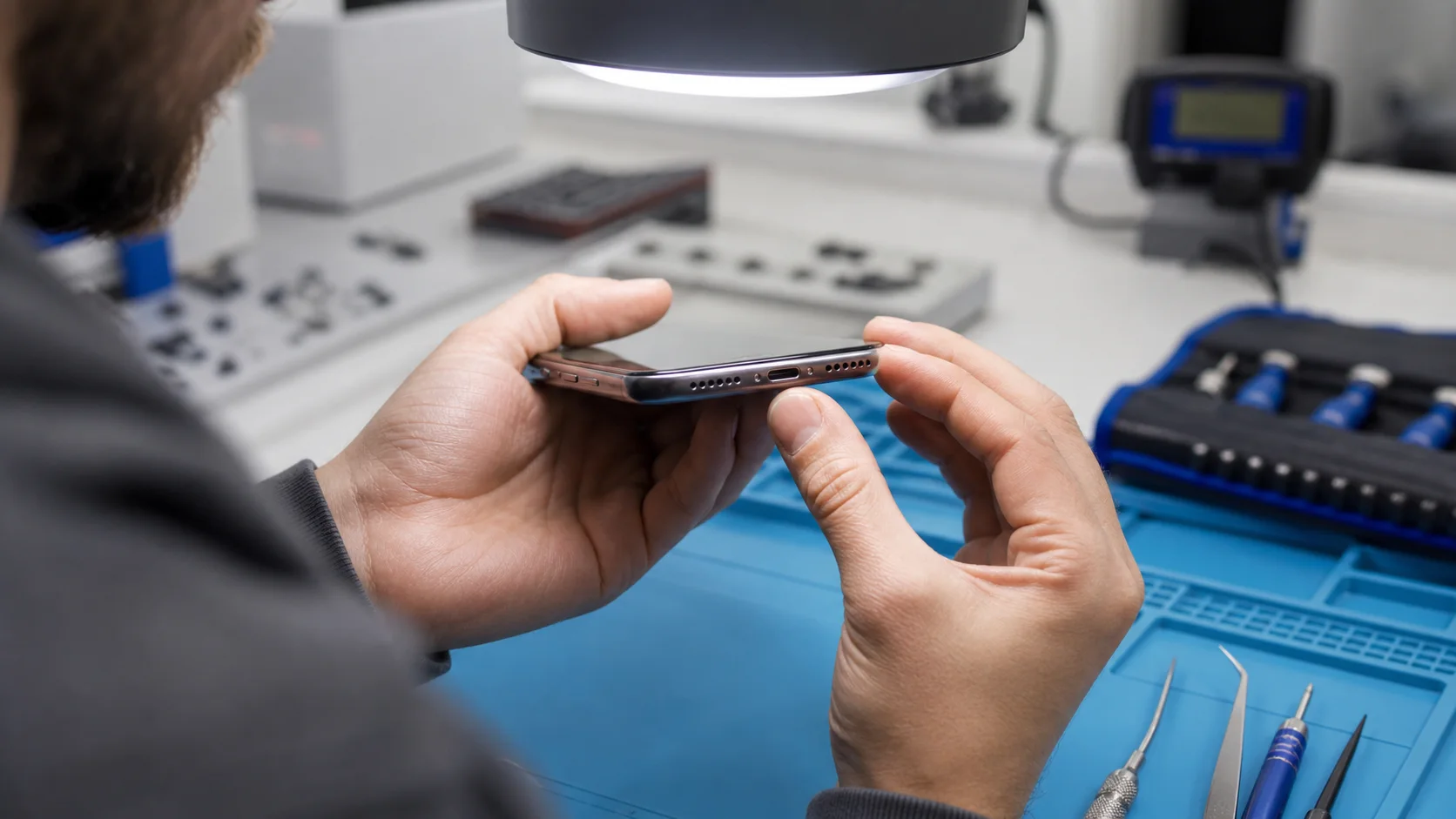
An iphone charging port not working is a hardware failure that prevents the device from establishing a stable electrical connection for battery replenishment or data synchronisation. This issue commonly arises from physical obstructions, internal pin oxidation, or fractured solder joints in the Lightning or USB-C assembly. We restore these connections through meticulous debris extraction, component replacement, or advanced logic board micro-soldering.
Key Takeaways
- Mechanical Obstruction: Compressed pocket lint or debris is the most frequent cause of intermittent charging issues.
- Pin Degradation: Moisture exposure leads to oxidation on the gold-plated pins, necessitating professional cleaning or replacement.
- Tristar/Hydra Failure: If the port is physically intact but fails to charge, the integrated circuit (IC) on the logic board may be compromised.
- Sustainable Restoration: Component-level repair is a superior alternative to device replacement, significantly extending the hardware’s lifecycle.
- Precision Engineering: iPhone charging assemblies are integrated with microphones and antennas, requiring expert handling during disassembly.
- Diagnostic Certainty: We utilise ammeters and thermal imaging to differentiate between external port damage and internal power management failures.
Defining the Connectivity Failure
When you encounter an iphone charging port not working, the failure typically manifests in three distinct ways. First, a total loss of power intake occurs where the device fails to recognise any cable.
Second, intermittent connectivity may require you to wiggle the cable or hold it at a specific angle to initiate a charge. Third, the device may signal that it is charging, but the battery percentage fails to increase, indicating a deeper logic board issue.
Understanding these distinctions is vital for an accurate Diagnostics Service. While high-street shops may simply swap parts, we analyse the specific failure mode to determine if the issue resides in the port’s copper contacts or the power management chips. This precision-engineered approach ensures that the root cause is addressed, not just the symptom.
| Symptom | Likely Cause | Recommended Action |
|---|---|---|
| Cable won’t sit flush | Compressed Debris | Professional Mechanical Cleaning |
| Intermittent “Wiggle” Fix | Fractured Solder/Worn Pins | Component Replacement |
| Plugged in but No Charge | U2 Tristar/Hydra IC Failure | Logic Board Micro-soldering |
| Slow Charging/Overheating | Residue/Liquid Damage | Ultrasonic Cleaning & Inspection |
Common Causes of Charging Port Failure
Mechanical Debris and Obstruction
The design of the iPhone charging port makes it a magnet for pocket lint, dust, and microscopic debris. Over months of use, every time you insert your charging cable, you inadvertently compress this material into the back of the port chamber.
This creates a physical barrier that prevents the pins from making full contact with the cable head. Even a fraction of a millimetre of separation can lead to a failure in the electrical handshake required for modern fast-charging protocols.
Attempts to clear this at home can often exacerbate the problem. Using metal objects like safety pins or needles can permanently deform the delicate copper contacts or cause a short circuit. We use specialised, non-conductive precision tools under high magnification to safely extract obstructions without compromising the port’s integrity.
Chemical Oxidation and Liquid Exposure
Moisture is the primary enemy of electrical conductivity. Even if your iPhone has not been fully submerged, exposure to steam in a bathroom or high humidity can lead to “wicking,” where moisture enters the port.
This leads to oxidation, visible as a green or black crust on the gold pins. Once oxidation sets in, the electrical resistance increases, which can lead to heat buildup and eventually a complete failure of the charging pins. In cases of significant exposure, we recommend our Liquid Damage Repair protocol to ensure no corrosion has spread to the motherboard.
Structural Damage and Component Fatigue
Daily use involves thousands of insertion cycles. Over time, the structural housing of the port can loosen, or the solder joints connecting the port to the flexible cable (flex) can fracture.
Using third-party cables that do not meet MFi (Made for iPhone) specifications can also cause physical damage. These cables often have slightly oversized connectors or lack the necessary voltage regulation chips, which can spark and “arc” inside the port, effectively welding the pins or burning the protective coating.
Advanced Diagnostics: Beyond the Physical Port
The Role of the Power Management IC
In many instances where you find your iphone charging port not working, the port itself may be perfectly functional. The fault may lie deeper within the device’s architecture, specifically the Tristar or Hydra chip.
These are small integrated circuits on the logic board responsible for detecting the type of cable connected and managing the initial handshake. If these chips are blown—often by using cheap car chargers or poor-quality power banks—the device will fail to charge even with a brand-new port assembly.
Our technicians perform logic board diagnostics using specialised ammeters. By measuring the current draw in milliamps (mA) during the boot sequence, we can determine with technical certainty if the IC is malfunctioning. This level of advanced repair is what distinguishes Fixfactor from standard repair facilities.
Analysing the Charging Flex Assembly
The “charging port” is rarely just a port; it is part of a complex flex cable assembly. In most iPhone models, this single component includes the charging interface, the primary microphone, the taptic engine connectors, and often the cellular antenna connections.
A failure in the port can sometimes manifest as poor call quality or weak signal. When we replace a charging assembly, we ensure that every peripheral function integrated into that flex is tested and calibrated to original specifications. This holistic view of the hardware ensures a comprehensive solution rather than a temporary fix.
The Fixfactor Approach to Restoration
Precision Component Replacement
We do not believe in “quick fixes.” When a port is physically worn or damaged beyond cleaning, we perform a full component replacement. This involves the meticulous disassembly of the device, including the removal of the display and various internal shielding plates.
We exclusively use high-quality, precision-engineered parts that match the original manufacturer’s specifications. This ensures that features like fast charging and data transfer speeds are fully restored. After the replacement, the device undergoes a multi-point inspection to verify the seal and structural integrity.
Advanced Micro-Soldering
For more complex scenarios where the pads on the logic board have been ripped or the power IC has failed, we employ micro-soldering. This is a master craftsman’s skill, requiring a microscope and steady hands to repair traces thinner than a human hair.
While other shops might tell you your phone is “unfixable” or suggest a costly motherboard replacement, we often restore these devices at the component level. This is not only more cost-effective for you but also aligns with our commitment to sustainability by preventing unnecessary electronic waste.
Testing and Quality Assurance
Every repair concludes with a rigorous testing phase. We don’t just check if the “charging” icon appears; we monitor the voltage and current intake to ensure the battery is receiving the correct power profile.
We also verify that the data synchronisation capabilities are active, which is essential for backups and software updates. Our Comprehensive Warranty backs every repair, giving you the assurance that your device has been restored by elite specialists.
Comparing Repair Options: DIY vs. High-Street vs. Specialist
The Risks of DIY Attempts
The internet is full of “hacks” for an iphone charging port not working, such as using toothpicks or compressed air. However, these methods carry significant risks.
Compressed air can actually push debris deeper into the device or damage the delicate microphone membranes located adjacent to the port. Furthermore, opening an iPhone without the correct prying tools can easily tear the Screen Flex or damage the FaceID sensors, turning a simple port repair into a catastrophic failure. Professional intervention is always the most economical choice in the long run.
| Feature | Fixfactor Specialist | Standard High-Street Shop | DIY Attempt |
|---|---|---|---|
| Tooling | Microscopes & ESD-Safe Tools | Basic Screwdrivers | Household Items |
| Diagnostic Depth | Logic Board & IC Testing | Trial and Error | Visual Guesswork |
| Part Quality | Premium/Original Spec | Variable/Budget | Unknown/Off-brand |
| Success Rate | Exceeds 98% | Moderate | Low (Risk of damage) |
Why Professional Calibration Matters
Modern iPhones are highly integrated. When a charging port is replaced, the device’s internal environment is disturbed. We ensure that all internal gaskets and seals are replaced to maintain the best possible resistance against dust and moisture.
Additionally, we ensure that the thermal dissipation paths remain clear. A poorly installed port can cause localised hotspots, which degrade the battery over time. Our master designers understand the thermal dynamics of these devices, ensuring your iPhone runs as cool as the day it was manufactured.
Sustainability and the Repair-First Philosophy
At Fixfactor, we advocate for a repair-first philosophy. The environmental impact of manufacturing a new smartphone is significant, involving the mining of rare earth minerals and energy-intensive production processes.
By choosing to repair your charging port rather than replacing the phone, you are directly contributing to a circular economy. We take pride in extending the lifecycle of premium hardware, ensuring that perfectly capable devices don’t end up as e-waste prematurely.
Repairing a charging port is a fraction of the cost of a new device and, when performed correctly, offers a “like-new” experience. For professionals and businesses, we also offer Business Services to maintain entire fleets of devices, ensuring minimal downtime and maximum ROI on hardware investments.
Preventative Maintenance for Your Charging Port
Choosing the Right Charging Equipment
To prevent future instances of an iphone charging port not working, the single most important step is using high-quality cables. Always look for the MFi certification on the packaging.
These cables include a small chip that regulates the handshake between the charger and the phone. Cheap, non-certified cables often have inconsistent pin dimensions that can physically stretch the spring contacts inside your port, leading to permanent looseness.
- Avoid Car Chargers: Many inexpensive car adapters provide “dirty” power with voltage spikes that can fry the Tristar IC.
- Regular Inspection: Every few weeks, shine a bright light into the port. If you see any grey fuzz or lint, seek professional cleaning before it becomes compressed.
- Disconnect Carefully: Always pull the cable by the plastic housing, never the wire. Wiggling the cable side-to-side to remove it can weaken the internal solder joints.
- Wireless Charging: Utilising MagSafe or Qi charging can reduce the physical wear and tear on the port, though it is less efficient for data transfer.
The Impact of Environment
If you work in a dusty environment—such as a construction site or a workshop—consider using a protective case with an integrated port cover.
Fine particles like sawdust or metallic filings are particularly hazardous, as they can cause short circuits if they bridge the gap between two charging pins. Similarly, avoid leaving your phone in high-humidity areas, like a kitchen or bathroom, to prevent the gradual onset of pin oxidation.
How to Book Your Repair
Restoring your device’s connectivity is a straightforward process with our team. Whether you are a local professional who can visit our Wimbledon Repair Centre or you prefer our nationwide mail-in service, we provide a seamless logistics experience.
- Request a Quote: Visit our Get a Quote page for transparent, matter-of-fact pricing.
- Secure Booking: Use our Booking system to schedule a time that suits your schedule.
- Device Handover: Drop your device off at our London locations or send it via our secure, tracked mail-in service.
- Expert Restoration: Our technicians perform the repair, typically within the same day for standard port replacements.
- Quality Verification: We conduct thorough testing before notifying you that your device is ready for collection or return postage.
We understand that your iPhone is essential for both your professional and personal life. That is why we treat every repair as a precision task, combining technical excellence with the speed and reliability that our clients expect. We don’t just fix phones; we restore your connection to the world.
Frequently Asked Questions
Why does my iPhone say “Accessory Not Supported” when I plug it in?
This message often appears when the device detects an inconsistent voltage or a failed handshake. While it can be caused by a faulty cable, it is also a primary symptom of a dirty or damaged charging port. The integrated circuit (IC) inside the phone cannot verify the accessory because the pins are not making a clean electrical connection. Cleaning or replacing the port usually resolves this.
Can I clean my charging port with a wooden toothpick?
While a wooden toothpick is safer than a metal pin, it is still not recommended. Toothpicks can splinter, leaving even more debris inside the port. Furthermore, the pins inside a Lightning or USB-C port are extremely delicate; even a small amount of lateral pressure can bend them out of alignment. We use specialised anti-static picks and high-powered microscopes to ensure no damage occurs during cleaning.
Is it possible that my battery is the problem, not the port?
Yes, though the symptoms differ. If your phone charges but loses power very quickly, the battery is likely the culprit. However, if the phone fails to respond when plugged in, or if you have to hold the cable at an angle, it is almost certainly a port issue. We can perform a battery health check alongside our port diagnostic to give you a clear picture of your device’s overall health.
Does Fixfactor offer a warranty on charging port repairs?
Absolutely. We provide a comprehensive warranty on our parts and labour. We are confident in our craftsmanship and the quality of the components we source. If you experience any connectivity issues following our repair, we will address them as a matter of priority. Our goal is a long-term fix, not a temporary patch.
How long does a charging port replacement usually take?
For most iPhone models, a standard port replacement is completed within 1 to 2 hours of arrival at our London centres. For mail-in customers, we aim for a 24-hour turnaround from the moment we receive the device. We maintain a robust stock of parts for all major iPhone generations to ensure we can meet these commitments without delay.
What if my port works but is just very loose?
A loose port is usually the result of one of two things: compressed lint preventing the cable from clicking into place, or the internal spring clips becoming worn out. We can usually tell the difference within seconds. If it’s debris, a professional clean will restore that satisfying “click.” If the hardware is worn, we will replace the assembly to ensure it remains secure during use.
Can a damaged charging port damage the rest of my phone?
Potentially, yes. If the pins inside the port are bent and touching each other, they can cause a short circuit. This can send an incorrect voltage into the power management chips on the logic board, leading to more expensive micro-soldering repairs. If you notice your port is damaged or getting excessively hot while charging, it is best to stop using it and seek a professional consultation immediately.