?
All articles

Iphone Microphone Not Working

When the iphone microphone not working, the disruption to your professional and personal life is immediate. Whether you are conducting a high-stakes business call or recording a memo, a failure in audio input renders your sophisticated device largely ineffective. This guide provides a technical roadmap to understanding, diagnosing, and resolving these complex audio failures.

At Fixfactor, we approach microphone issues through the lens of precision engineering. These devices contain multiple microphones—often three or four depending on the model—each serving a distinct purpose: noise cancellation, front-facing video audio, and primary voice capture. Simply replacing a component without a systematic approach to logic board diagnostics often leads to recurring issues.

Key Takeaways

  • Multiple Input Points: Your device utilizes different microphones for calls, Siri, and video recording; identifying which one has failed is the first diagnostic step.
  • Software vs Hardware: A significant portion of audio issues can be traced to iOS glitches or privacy settings rather than physical damage.
  • Acoustic Obstructions: Microscopic debris in the speaker grilles is a leading cause of muffled or non-functional audio input.
  • IC Failures: On older models, structural vulnerabilities can cause the Audio IC (Integrated Circuit) to detach from the logic board, requiring micro-soldering.
  • Sustainability: Specialist component-level repair is a superior, eco-friendly alternative to device replacement.

Defining the “Microphone Not Working” Issue

An iphone microphone not working refers to a total or partial failure of the device’s transducers to convert sound waves into electrical signals. This can manifest as complete silence, persistent static, or “greyed out” voice memo buttons. Determining the root cause requires differentiating between peripheral hardware failure and deep-pathway logic board issues.

We classify these failures into three primary categories:

Failure Type Primary Symptom Expert Solution
External Blockage Muffled or distant sound quality Professional ultrasonic or precision cleaning
Component Failure No sound on specific apps (e.g., Rear Camera) Modular replacement of the microphone flex cable
Logic Board Issue Greyed out icons, long boot times Audio IC re-balling and micro-soldering

Understanding the iPhone’s Multi-Microphone Architecture

Modern smartphones do not rely on a single microphone. To provide noise cancellation and directional audio, engineers distribute several microphones across the chassis. Understanding this layout is essential for accurate troubleshooting when you find your iphone microphone not working.

The Primary Bottom Microphone

Located next to the charging port, this is the main transducer for cellular calls and voice memos. If people cannot hear you during a standard phone call, this component is the likely culprit. This microphone is part of the charging port flex assembly, meaning a repair often involves replacing the entire lower connectivity strip.

The Front (Receiver) Microphone

Integrated into the earpiece speaker assembly, this microphone handles FaceTime calls and Siri commands. If Siri fails to respond to “Hey Siri” but calls work fine, we look specifically at the sensor assembly located at the top of the display. This is a delicate area that requires precision handling to maintain FaceID functionality during iPhone repair.

The Rear Microphone

Positioned near the rear camera lenses, this microphone is dedicated to capturing audio for videos recorded with the back camera. It also plays a vital role in active noise cancellation by sampling ambient environmental noise and phasing it out. A failure here results in videos with no sound or a loud “hissing” background noise.

Diagnostic Steps: Locating the Point of Failure

Before assuming a hardware catastrophe, we recommend a systematic diagnostic process. By isolating individual components, you can determine if the iphone microphone not working requires a software reset or professional component-level repair.

Test 1: The Voice Memos App

Open the Voice Memos app and attempt to record a short snippet. Play it back. If the audio is clear, your primary bottom microphone is functioning perfectly. If the record button is greyed out or the playback is silent, we have identified a hardware or logic board path issue. This is a standard procedure in our diagnostics service.

Test 2: Video Recording Flip

Record two videos: one using the rear camera and one using the “selfie” camera. If the rear video is silent but the front video has sound, you have a concentrated failure in the rear microphone assembly. This confirms the issue is localized and not a systemic failure of the audio processing unit.

Test 3: The Call Test

Make a standard call and switch to speakerphone. If your voice is only heard when the speakerphone is active, it indicates the bottom microphone is failing, as the speakerphone uses the top microphone for voice capture. This distinction is vital for accurate logic board diagnostics.

Common Causes for iPhone Microphone Failure

While physical impact is a frequent cause, many microphone issues arise from environmental factors or structural engineering vulnerabilities. At Fixfactor, we analyze the “why” to ensure our solution is permanent.

1. Debris and Mesh Clogging

The protective mesh covering microphone ports is incredibly fine. Over time, skin oils, pocket lint, and makeup can solidify within these pores. This creates an acoustic barrier that renders the iphone microphone not working in a practical sense, even if the electronics are pristine.

2. Software Conflicts and Permissions

With the introduction of enhanced privacy controls, many “broken” microphones are actually just blocked by iOS permissions. If the microphone fails only in specific apps like WhatsApp or Zoom, navigate to Settings > Privacy > Microphone to ensure the app has the necessary authorisation.

3. The “Audio IC” Defect

Certain generations of devices are prone to “Loop Disease.” This occurs when the solder joints under the Audio Integrated Circuit on the logic board crack due to the chassis flexing. Symptoms include long boot times, greyed-out voice memo buttons, and the inability for callers to hear you. This requires advanced micro-soldering to rectify.

Advanced Troubleshooting: Beyond the Basics

If cleaning and software resets fail, the issue likely resides within the internal circuitry. This is where high-street shops often fail, as they lack the equipment for advanced repairs. We take a different approach.

Component-Level Flex Replacement

Microphones are rarely soldered directly to the logic board; they sit on “flex cables.” These cables are thin, ribbon-like strips that can tear or corrode. If your device has suffered liquid damage, even a single drop of moisture can corrode the golden contacts of the microphone flex, leading to a total failure.

Logic Board Restoration

When multiple microphones fail simultaneously, the iphone microphone not working symptom usually points to the logic board. We use high-powered thermal cameras and multimeters to trace the voltage rails. If the Audio Codec chip is not receiving power or cannot communicate with the CPU, we perform a precision intervention to restore the connection.


// Conceptual Logic Board Signal Path
CPU -> I2S Audio Bus -> Audio Codec (IC) -> Analog Preamplifier -> Microphone Transducer

Our technicians are trained to identify exactly where this signal chain is broken. This “repair-first” philosophy ensures we preserve your original hardware and data whenever possible.

The Fixfactor Approach to Audio Repair

When you bring a device to our Victoria or Wimbledon centres, we don’t just “swap parts.” We perform a comprehensive restoration.

Precision Cleaning and Inspection

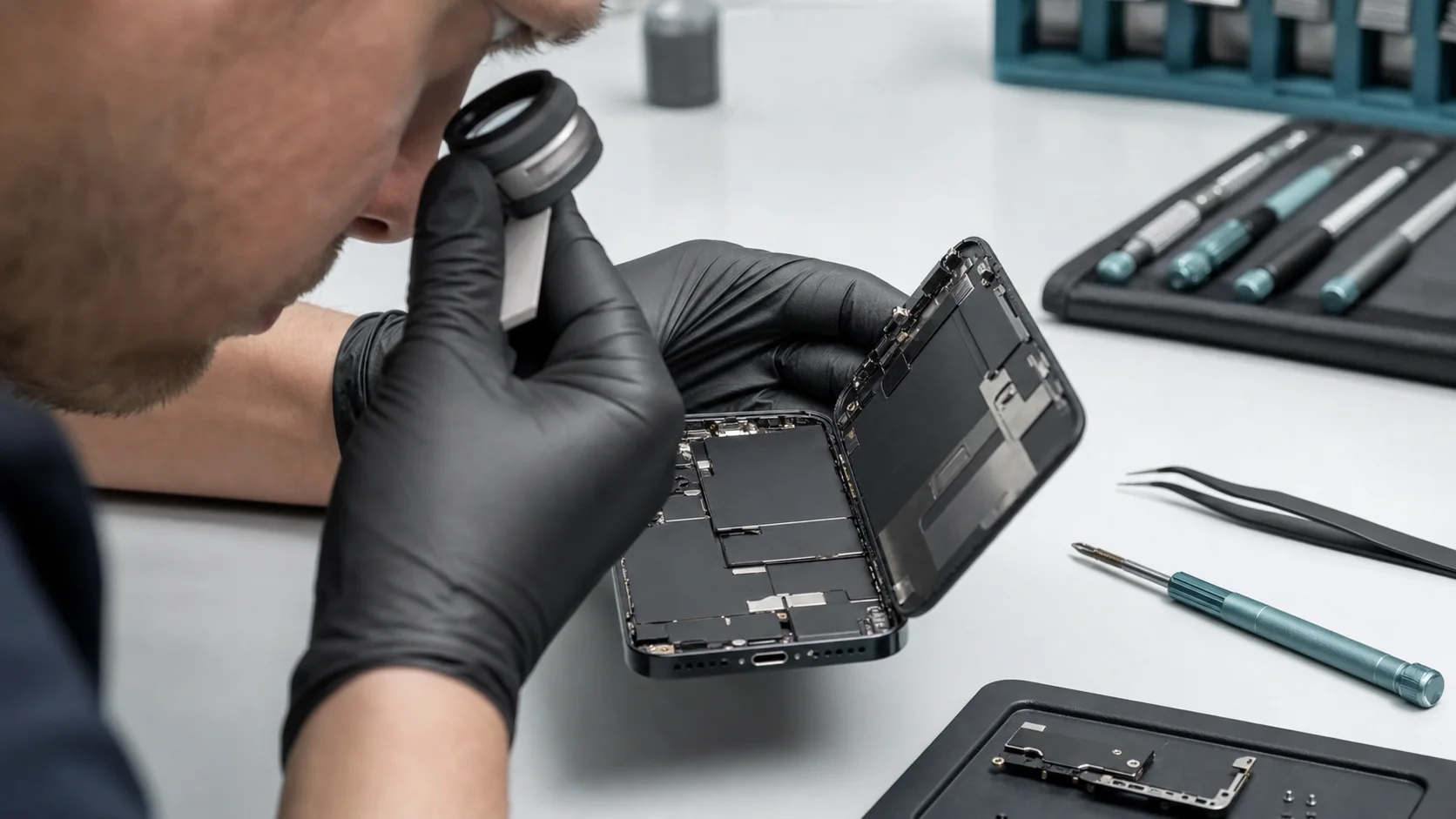
We begin with a microscopic inspection of all acoustic ports. If a blockage is detected, we use specialised solvents and precision tools to clear the mesh without damaging the sensitive membrane behind it. This is often enough to resolve an iphone microphone not working without opening the device.

Integrated Circuit Re-balling

For logic board issues, our specialists perform “re-balling.” This involves removing the Audio IC, cleaning the pads, and applying new leaded-solder spheres before reflowing the chip back onto the board. This creates a much stronger bond than the original factory solder, effectively “bulletproofing” the device against future flex-related failures.

Quality Assurance Protocols

Every audio repair undergoes a rigorous multi-point check. We test recording across all app platforms, verify noise cancellation performance in loud environments, and ensure the proximity sensor remains calibrated. We provide a comprehensive warranty on our work, reflecting our confidence in our craftsmanship.

Preventing Future Microphone Issues

Maintenance is key to extending the lifecycle of your hardware. While some failures are inevitable, many can be avoided through better device “hygiene” and protection.

  • Avoid Compressed Air: Never blast compressed air directly into microphone ports; the pressure can easily rupture the delicate internal diaphragms.
  • Case Selection: Ensure your protective case has precise cutouts. Poorly designed cases can reflect sound waves back into the noise-cancelling mics, causing echoes and muffled audio.
  • Moisture Awareness: Even “water-resistant” phones lose their seals over time. Keep your device away from steam in bathrooms, which can penetrate microphone meshes and cause gradual corrosion.

Frequently Asked Questions

Why can people only hear me when I’m on speakerphone?

This is a classic symptom of a failed bottom microphone. When you switch to speakerphone, the iPhone switches voice pick-up to the top microphone (near the earpiece). If the iphone microphone not working only during normal calls, the lower charging port ribbon typically needs replacement.

Can a software update fix my microphone?

Occasionally, yes. If the issue is caused by a driver conflict or a bug in the iOS audio stack, a “Force Restart” or a clean DFU restore may resolve it. However, if the hardware or logic board diagnostics show no signal, software will not solve a physical disconnection.

How much does it cost to fix an iPhone microphone?

Costs vary depending on the model and the nature of the failure. A simple cleaning is far less expensive than a micro-soldering intervention on the logic board. We suggest getting a quote for an accurate assessment tailored to your specific model.

Is my data safe during a microphone repair?

At Fixfactor, we prioritize data integrity. Most microphone repairs are peripheral and do not require data erasure. However, for advanced repairs involving the logic board, we always recommend a backup as a standard professional precaution.

How long does the repair take?

Component replacements like the charging port flex or earpiece microphone are usually completed within 1-2 hours. Logic board repairs requiring micro-soldering are typically 24-48 hour commitments to allow for extensive post-repair testing and stability checks.

Why is my voice recording button greyed out?

A greyed-out record button is a hallmark of a communication failure between the CPU and the Audio Codec chip. This is rarely a simple microphone failure and almost always indicates a logic board diagnostics requirement, specifically regarding the Audio IC solder joints.

Will a screen replacement fix my microphone?

Only if the top microphone (which is attached to the screen assembly on some models) was damaged. However, most iphone microphone not working issues are located on the bottom of the device or the logic board, which are independent of the display panel.

Does Fixfactor use genuine parts for audio repairs?

We use highest-quality, precision-engineered components that meet or exceed original specifications. Our goal is to restore your device to its peak operational state, ensuring the acoustic fidelity is indistinguishable from a brand-new unit.

If you are struggling with an iphone microphone not working, do not settle for subpar audio or the expense of a new device. Our master craftsmen are ready to provide the technical expertise required to restore your iPhone to perfect working order. Visit our Fixfactor London locations or use our nationwide mail-in service to begin your restoration today.

Share Copied!
Marcin Skwiercz

Written by

Marcin Skwiercz

Founder & Director

Running Fixfactor since 2014 with a hands-on background in microsoldering and board-level repair. Today focused on growing the business, tracking industry trends, and making sure every device gets the attention it deserves.