?
All articles

Iphone Face Id Not Working

Facing an iPhone Face ID not working scenario is more than a minor inconvenience; it disrupts the seamless interaction you expect from a premium device. This biometric failure often stems from a sophisticated interplay between software protocols and delicate hardware components housed within the “TrueDepth” camera array. Understanding the root cause requires a systematic approach, distinguishing between simple obstructions and complex logic board diagnostics.

At Fixfactor, we view these issues through the lens of technical precision. Whether the failure is caused by an iOS glitch, environmental damage, or a hardware misalignment, our goal is to restore full functionality while maintaining the integrity of your device’s security features. This guide provides a comprehensive technical roadmap to identifying and resolving Face ID malfunctions.

Key Takeaways

  • Hardware Sensitivity: Face ID relies on three critical components: the Flood Illuminator, Proximity Sensor, and Dot Projector, all of which are uniquely paired to your device’s logic board.
  • Software vs. Hardware: Many issues can be resolved via a “Reset Face ID” or a clean iOS installation, but persistent “Move iPhone Lower/Higher” prompts usually indicate component-level hardware failure.
  • Environmental Factors: Micro-scratches on the glass or dust ingress near the notch can diffract the infrared laser, leading to authentication failures.
  • Specialised Repair: Because of Apple’s security cryptochip, replacing the Face ID module requires advanced micro-soldering to transfer original ICs to new hardware.
  • Sustainability: Repairing Face ID is a superior alternative to device replacement, significantly extending the lifecycle of your hardware and reducing electronic waste.

Defining the Problem: What Does It Mean When Face ID Fails?

When you encounter an iPhone Face ID not working error, you are witnessing a failure in the 1:1,000,000 mathematical representation of your facial contours. The system uses a specialized TrueDepth camera system to project and analyse over 30,000 invisible dots to create a depth map of your face. If any part of this data chain is broken—be it the infrared camera, the dot projector, or the secure enclave processing the data—the “Face ID Is Not Available” message is triggered.

Failure Symptom Probable Cause Complexity Level
“Face ID Is Not Available” Logic board communication error or severed flex cable. High (Requires Advanced Repair)
Intermittent Recognition Dirty sensor or software conflict. Low (User Fixable)
“Move iPhone Higher/Lower” Dot Projector prism damage or misalignment. Medium (Calibration Required)
Disabled after Screen Swap Touch ID/Face ID serialisation mismatch. Professional (Micro-soldering)

Initial Troubleshooting: The Non-Invasive Approach

Before considering component-level repair, it is essential to rule out external factors. The TrueDepth system is remarkably sensitive to light diffraction. Even a high-quality screen protector that has shifted slightly can block the infrared transmitter, rendering the system inoperable.

Cleaning and Obstruction Checks

Start by cleaning the “notch” area with a microfibre cloth. Residue from skin oils or makeup can obscure the Proximity Sensor and Flood Illuminator. If you are using a ruggedised case, ensure the cutout for the front sensors is perfectly aligned. Remove any third-party screen protectors temporarily to see if the iPhone Face ID not working issue persists, as many non-OE (Original Equipment) protectors do not have the required infrared transparency.

Software Resets and Configuration

Software conflicts can occasionally “hang” the biometric daemon. Navigate to Settings > Face ID & Passcode and toggle “iPhone Unlock” off and back on. If this fails, select “Reset Face ID”. This clears the local mathematical model and forces the system to recalibrate. If the iPhone Repair involves a software-level lock-up, a “Force Restart” is the next logical step to clear the system’s temporary cache.

  • Press and quickly release the Volume Up button.
  • Press and quickly release the Volume Down button.
  • Press and hold the Side Button until the Apple logo appears.

The Role of iOS Updates

Apple frequently releases patches for biometric stability. If your firmware is outdated, the communication between the Logic Board and the Secure Enclave may encounter latency issues. Ensure your device is running the latest version of iOS. Conversely, if the iphone face id not working issue appeared immediately after an update, a full restore via DFU (Device Firmware Update) mode may be necessary to rule out software corruption.

Advanced Hardware Analysis: The TrueDepth Array

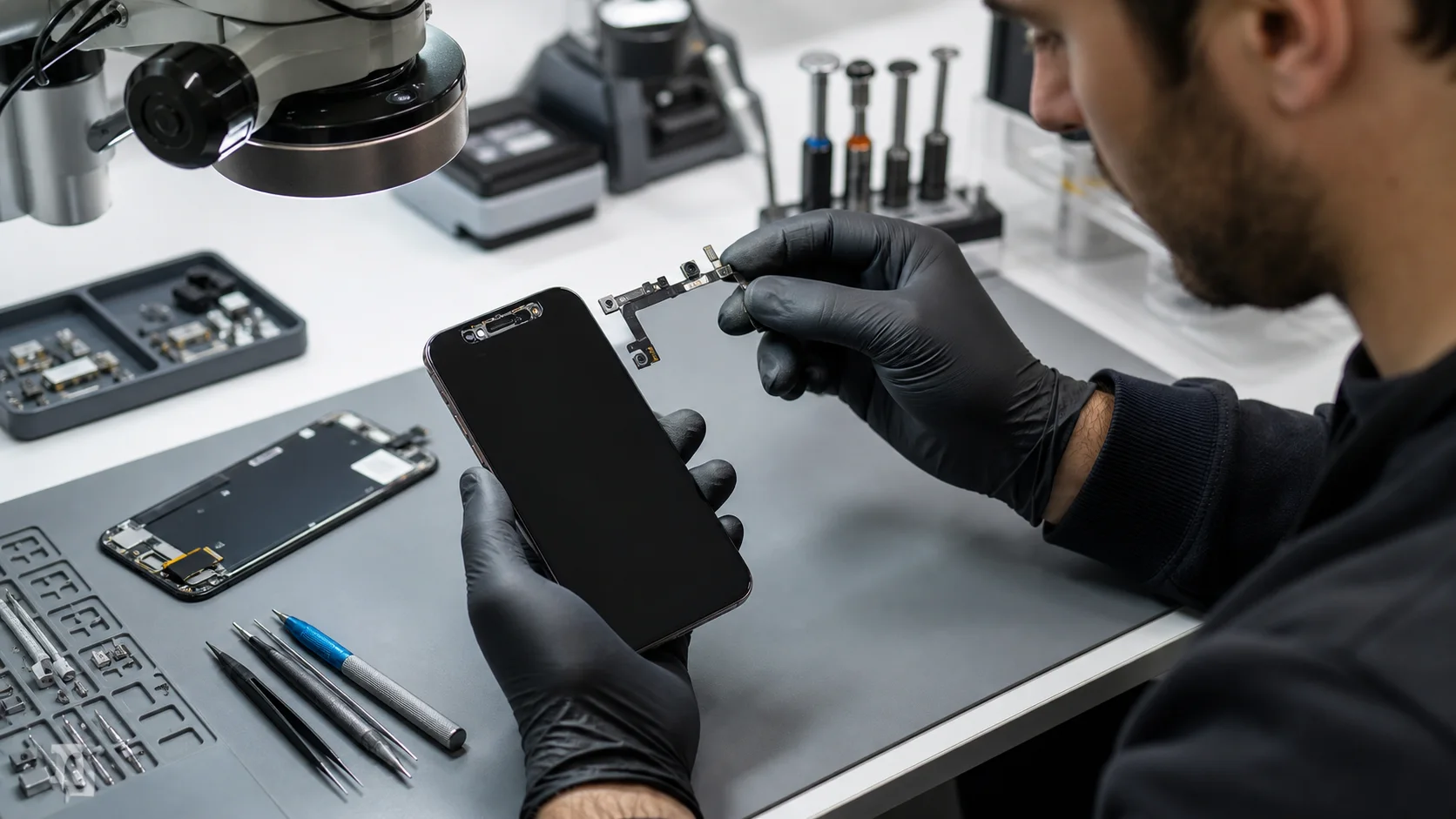
If software resets prove fruitless, the issue is likely rooted in the physical hardware. The Face ID system is not a single camera, but a sophisticated laboratory contained within a few millimetres. At Fixfactor, we perform Advanced Repairs on these modules using high-powered microscopy to identify microscopic fractures in the silicon or traces of corrosion.

The Anatomy of the Failure

The system consists of three primary modules working in tandem. If any of these are compromised, the entire chain fails to ensure security integrity:

  1. The Flood Illuminator: This casts a beam of infrared light over your face to identify presence, even in total darkness.
  2. The Infrared Camera: This captures an image of the dot pattern projected onto your face.
  3. The Dot Projector: This is the most fragile component, projecting 30,000 dots. It is often the victim of liquid damage, as it sits directly behind the earpiece mesh.

Because these parts are cryptographically “married” to the CPU, you cannot simply swap them from another iPhone. Doing so will result in a “Face ID Not Available” message because the new serial numbers will not match the unique key stored in the logic board. We specialise in preserving the original ICs (Integrated Circuits) and moving them to new, functional flex assemblies.

Liquid Damage and the Earpiece Flex

The most common cause of iphone face id not working in modern devices is liquid ingress through the earpiece. Even “water-resistant” phones can lose their seal over time. Moisture often attacks the Proximity Sensor or the Flood Illuminator, which are mounted on the same assembly as the earpiece speaker. If your phone recently had a minor splash and Face ID stopped working shortly after, Liquid Damage Repair is critical to prevent permanent corrosion of the traces.

We use ultrasonic cleaners and specialised chemical baths to neutralise oxidation before it reaches the core silicon. If caught early, we can often save the original biometric sensors without needing a micro-soldering intervention. For more information on how we handle these delicate cases, visit our Liquid Damage Repair page.

Professional Restoration at Fixfactor

Unlike standard high-street shops that may tell you Face ID is “unfixable,” our technicians treat it as a task of precision engineering. When we receive a device where iphone face id not working, we begin with a comprehensive Diagnostics Service to map the failure point. This involves checking the voltage rails for the Face ID module to ensure the logic board is delivering the correct power.

The Micro-Soldering Solution

If the Dot Projector has failed—often due to a short circuit—we perform a complex procedure. We carefully de-solder the original chip from the damaged flex cable and re-solder it onto a new, precision-engineered flex. This maintains the “trusted” relationship between the sensor and the CPU while restoring the mechanical functionality of the projector. This component-level repair is the only way to restore Face ID without replacing the entire logic board.

Our commitment to quality means we use only premium materials. From the solder paste used in the reballing process to the alignment jigs that ensure the prism is perfectly positioned, every step is calculated. This is why we are the preferred choice for iPhone Repair in London and beyond.

Comparison: High-Street vs. Specialist Repair

Service Feature Standard Shop Fixfactor Specialist
Face ID Restoration Usually impossible; “Swap device” Component-level micro-soldering
Original Biometrics Lost if module is replaced Preserved through IC transfer
Equipment Used Basic hand tools Microscopes, Infrared testers, Jiggers
Success Rate Low for internal board issues Industry-leading for complex faults

Sustainable Technology Maintenance

We advocate for a “repair-first” philosophy. Replacing a device simply because a single sensor is malfunctioning is both economically inefficient and environmentally damaging. By opting for a comprehensive solution through Fixfactor, you are directly contributing to the reduction of e-waste. We believe that professional restoration of high-end electronics is a vital part of a sustainable tech ecosystem.

Whether you visit our Victoria Repair Centre or use our nationwide mail-in service, you receive the same level of artisan care. We don’t just “fix it”; we restore it to its original factory specifications, backed by Our Warranty for your peace of mind.

The Impact of Screen Replacements

A frequent error occurs when iphone face id not working happens after a third-party screen replacement. If the technician was not careful, they might have torn the delicate ribbon cable that connects the sensors to the board. Furthermore, the Flood Illuminator is bonded to the display assembly. If this was not transferred correctly using precision tools, Face ID will be permanently disabled. At Fixfactor, we ensure all original sensors are migrated with surgical accuracy during any Phone Repair.

Addressing Common Misconceptions

There are several myths surrounding iphone face id not working issues that often lead users to make poor decisions regarding their hardware. Clearing these up is essential for a transparent repair experience.

“Face ID breaks if I drop my phone slightly”

While the Dot Projector is made of glass and can misalign, it is generally robust. However, a drop can cause a “micro-fracture” in the solder joints under the IC. This is why a phone might look perfect on the outside but have a biometric failure. These are fixable through logic board diagnostics and re-flowing the chips.

“Apple is the only one who can fix Face ID”

While Apple has traditionally restricted biometric repairs, advanced third-party specialists like us have developed the tools to perform these Advanced Repairs. We can restore the system while keeping your data intact, often at a fraction of the cost of a full unit replacement via the manufacturer.

“It’s just a software bug”

While 10% of cases are software-related, if a “Reset Face ID” fails, it is almost certainly a hardware path failure. Continuing to wait for the next iOS update rarely solves the problem if the infrared laser is physically dead or the prism is cracked.

Technical Best Practices for Prevention

To avoid finding yourself with an iphone face id not working, we recommend several preventative measures that safeguard the hardware’s longevity:

  • Avoid Steam: Taking your iPhone into a hot bathroom can lead to condensation inside the earpiece mesh, the #1 killer of Face ID sensors.
  • Use High-Quality Screen Protectors: Ensure they have a clear “window” for the infrared camera to prevent heat build-up and diffraction.
  • Regular Cleaning: Use a dry, soft-bristled brush to gently remove debris from the earpiece to prevent blockage of the Proximity Sensor.
  • Secure Enclosure: If your screen is even slightly cracked near the notch, moisture can enter easily. Replace the glass immediately to protect the sensors beneath.

Frequently Asked Questions

Why does my iPhone say “Move iPhone a little lower” repeatedly?

This is a classic symptom of a Dot Projector failure. The system is trying to “find” your face but because the infrared dot grid is either weak or misaligned, it cannot triangulate your features. This usually requires component-level repair to replace the internal prism or re-solder the projector chip.

Can Face ID be fixed if the screen is cracked?

Yes, but the process is two-fold. First, the screen must be replaced to provide a clear optical path. Second, the Face ID sensors must be checked for damage. Often, the glass shards from a crack can scratch the Infrared Camera lens, which may require specialised polishing or replacement of the lens housing.

Is my data safe during a Face ID repair?

At Fixfactor, we prioritise Data Recovery and security. We do not need to wipe your device to fix Face ID hardware. Your facial data is stored in the Secure Enclave, which remains encrypted and inaccessible even to our technicians. We only test the hardware’s ability to “see” and “map” without needing your passcode.

Will a third-party repair void my warranty?

In the UK, consumer right-to-repair is increasingly supported. While opening the device can affect your manufacturer warranty, we offer a comprehensive Our Warranty on the specific repair we perform. For many users with out-of-warranty devices, our service is the most logical path to restoration.

How long does a Face ID restoration take?

Because this is a micro-soldering task, it is more time-intensive than a standard battery swap. Typically, we aim for a 24-48 hour turnaround to allow for post-repair calibration and stress testing of the sensors. This ensures that when you receive your device, it is as reliable as the day it was bought.

What happens if I try to fix it myself?

We strongly advise against DIY attempts on Face ID modules. The components are smaller than a grain of rice and are bonded with high-temperature adhesive. A single slip with a pair of tweezers can sever a flex cable, making the system permanently unrepairable even for specialists. Professional logic board diagnostics are essential for a successful outcome.

When your iphone face id not working status persists, do not settle for a compromised experience. Contact us at Fixfactor for an expert consultation. Whether you need a quick Diagnostics Service or a complex micro-soldering intervention, we provide the technical excellence required to get your device back to peak performance. Visit our Get a Quote page to start your restoration journey today.

Share Copied!
Marcin Skwiercz

Written by

Marcin Skwiercz

Founder & Director

Running Fixfactor since 2014 with a hands-on background in microsoldering and board-level repair. Today focused on growing the business, tracking industry trends, and making sure every device gets the attention it deserves.