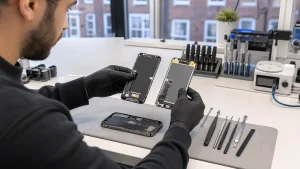
Short answer: a small surface crack may be usable for a short time, but it is a countdown, not a stable state. Stop using the phone immediately if there is loose glass, a swollen battery, unusual heat, flickering, black patches, coloured or green lines, or touch that acts on its own.
All repair guides


Is It Safe To Use a Phone With a Cracked Screen? An Honest Urgency Guide
In this article
A cracked screen is more than a cosmetic problem. The display assembly protects the layers beneath it and contributes to the phone’s sealing. Once that barrier is compromised, pressure, moisture and dust can turn a manageable repair into a larger one - and on OLED panels the damage has a habit of growing.
How urgent is your crack?
| Situation | Urgency |
|---|---|
| Hairline crack, image and touch perfect | Plan the repair; back up now, avoid pressure and moisture. |
| Crack with dead touch zones or intermittent response | Soon - touch faults tend to progress suddenly, and a phone you cannot unlock is a much harder problem. |
| Black blotches, green or pink lines, flicker | Days matter - OLED damage spreads and can take the whole panel. |
| Loose or sharp glass fragments | Stop using it; cover with a protector or film only if the surface is flat. |
| Screen lifting, back bulging, phone hot | Stop immediately - this is battery territory. Non-flammable surface, no charging, professional help. |
What waiting actually costs
Cracks spread from ordinary handling - a pocket, a bag, a table face-down. On OLED phones, panel damage often announces itself as a green or pink vertical line and then grows; what began as a glass-price repair can become a display-price repair in a week. Touch degradation is the sneakier risk: if the digitiser fails before you have backed up, you can end up locked out of a working phone, which turns a routine screen job into a recovery problem.
Water resistance: assume it is gone
IP ratings are measured on new, sealed devices. A cracked front (or a previous opening) means the rating no longer describes your phone. Rain, a steamy bathroom or a splash that would have been harmless last month can now reach the board - and liquid damage is a far more expensive fault than a screen. Treat a cracked phone as a phone with no water resistance at all.
Before the repair: fifteen minutes that protect you
- Back up now - iCloud or Google backup over Wi-Fi, or a copy to a computer. Do it while touch still works.
- Know your device passcode. A restart normally requires it before biometrics work again. A screen replacement does not normally require your Apple Account password or erasing the phone.
- A screen protector as a stopgap - a quality protector can hold a minor crack together and protect your fingers. It is a bandage, not a repair: it cannot fix touch, seal the phone or stop OLED damage spreading.
Repair, and with what part?
Repair is usually worthwhile when the phone is otherwise healthy and still meets your needs - especially now, when new-device prices have risen across the market. Two things decide whether you will be happy with the result: whether the fault is really glass-only or the display too (our glass-versus-display guide shows how to tell), and what class of panel is fitted - original, refurbished original or aftermarket. Ask the question; an honest shop answers it without flinching.
Frequently asked questions
Can a cracked screen damage the phone internally?
Yes. The crack admits moisture and dust, and continued flexing can extend damage into the display layers or, after a hard drop, the frame and board. The risk compounds with time.
Can I charge a phone with a cracked screen?
If it is cool, flat and shows no battery symptoms, generally yes. Stop immediately if it heats up, the screen lifts or the image glitches while charging.
How long can I realistically wait?
A crack alone does not establish how quickly a panel will fail. Loose glass, failing touch or spreading image damage makes the need more immediate. Back up while the phone works and avoid pressing damaged areas.
Ready to fix it? Start with our screen repair pricing guide - we check the display, frame and functions first, then confirm the price before any work begins.