

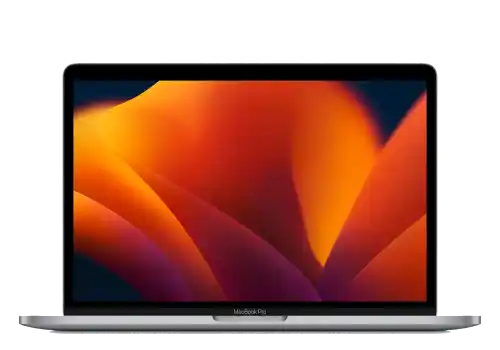
MacBook Pro 13 M1 / M2 repairs
Fixed prices, fast turnarounds – walk in, book a slot, or post it to us.
Repairs
Something is broken or worn out.
MacBook Pro 13 (2020-2022) screen replacement. Complete display assembly includes LCD panel, front glass, front camera, top lid, and hinges. Fixes cracked screens, dead pixels, backlight bleeding, and flickering. We typically receive screen assemblies next business day. For urgent repairs, please contact us first to confirm the turnaround time.
What’s included
- Replacement part – no hidden extras
- Fitting & labour by in-house technicians
- Full function test before handover
- Up to 12-month warranty
- Diagnostic fee credited towards this repair
- Your data stays untouched
Full details for MacBook Pro 13 (2020-2022) Screen Replacement
MacBook Pro 13 (2020-2022) keyboard replacement. The highest-quality replacement parts – same specification as the original – restore full functionality. Essential for sticky keys, non-responsive keys, or liquid damage. Includes backlight repair if applicable. Keyboard assemblies typically arrive next business day. Contact us to check availability for same-day service. Different keyboard layouts available (UK/US/EU).
What’s included
- Replacement part – no hidden extras
- Fitting & labour by in-house technicians
- Full function test before handover
- Up to 12-month warranty
- Diagnostic fee credited towards this repair
- Your data stays untouched
Full details for MacBook Pro 13 (2020-2022) Keyboard Replacement
MacBook Pro 13 (2020-2022) battery replacement. Highest quality available battery restores full capacity. Essential for swollen batteries, rapid drain, or "Service Battery" warnings. Battery parts usually arrive next business day. If you need immediate service, please call ahead to verify availability.
Please note: We use premium aftermarket batteries matching Apple specifications with 12-month warranty.
What’s included
- Replacement part – no hidden extras
- Fitting & labour by in-house technicians
- Full function test before handover
- Up to 12-month warranty
- Diagnostic fee credited towards this repair
- Your data stays untouched
Full details for MacBook Pro 13 (2020-2022) Battery Replacement
Professional laptop overheating cleaning as preventive service in London. Fix hot laptops, loud fans, random shutdowns, and performance throttling. Deep cooling system cleaning, thermal paste replacement, fan maintenance. Same-day service when arranged in advance.
What’s included
- Full strip-down, clean and reassembly
- Fresh thermal paste and pads where needed
- Labour by in-house technicians
- Temperatures checked under load before handover
- Up to 12-month warranty
- Your data stays untouched
Not sure what is wrong with your MacBook? Diagnostics finds the source of the problem and puts a clear quote on fixing it. We test the machine – and open it up if the fault calls for it – then tell you what is wrong, what the repair costs and what the chances of success are. You decide with the quote in hand.
Good to know: Pay when you drop it off. Fee not refundable. Go ahead with the repair and the fee comes off the price.
What the assessment fee covers
- Full assessment by an in-house technician
- An honest verdict on what is wrong
- A firm price before any repair starts
- Fee credited towards the repair – you pay the balance of the quote
- No obligation to proceed
Professional macbook water damage treatment in London. Ultrasonic cleaning of liquid residue and corrosion, then a full assessment of what the liquid reached.
Please note: The fee covers the clean and the diagnosis together – sometimes the clean alone brings it back. It is not refundable if the device can’t be saved.
What the cleaning fee covers
- Ultrasonic cleaning and corrosion treatment
- Full diagnostics once the board is clean
- An honest verdict on what is worth saving
- A firm price for any further repair before it starts
- No obligation to proceed
Software & Data
It powers on, but it will not behave.
Assessment first: we tell you what can be recovered from your MacBook, and what the recovery costs, before any recovery work starts. Dead MacBooks, liquid damage, failed or soldered storage. On Retina models the SSD is soldered to the logic board, so recovery is board-level work. The data comes first, whether or not the MacBook itself is worth repairing.
Good to know: If nothing can be recovered, there is nothing further to pay. The assessment fee is not refunded – it covers the work of finding out.
Get a quote to get your data migrated between computers. We can move and setup your environment cross-platform: Mac to Mac, Windows to Mac, Mac to Windows, including proper setup and ensuring compatibility.
What’s included
- Files, applications, settings and mail moved across
- Labour by in-house technicians
- Checked together before you take the machine away
- Your original device left as it was
Professional virus and spyware removal for Mac. Manual clean-up of adware, hijackers and malware – your files stay in place.
Professional Mac OS system installation service. Clean installation, data migration and system optimization by experienced technicians.
What’s included
- Diagnosis and software-side repair
- Labour by in-house technicians
- Full function test before handover
- Diagnostic fee credited towards this repair
- Your data stays untouched
Know the fault, but don’t see it listed? Describe it and we’ll price it from your description – free, no device needed. Not sure what’s wrong? That’s what the Diagnostics Service above is for.
Which MacBook Pro 13 M1 / M2 is yours?
The repair depends on which generation you have, and they look identical from the outside. Click the Apple menu › About This Mac – the model number is on the same line as the year. If it will not switch on, it is printed in small type on the underside.
Not sure? Send us a photo of the underside and we will read it for you – it takes us a minute and saves you ordering the wrong part.
Good to Know
The questions we are asked most about MacBook Pro 13 M1 / M2 repairs.
Not answered here? Ask us – we reply the same working day.
Do you need my password?
For a screen, a battery or a keyboard, no – we test with the machine locked. For anything on the software side, macOS repairs and data work included, we do, because the work happens inside your account. Change it to something temporary if you would rather, and change it back when you collect.
Will I lose my data?
Not on a hardware repair – the drive is not touched. Back it up anyway before you hand it over, because no repair is risk-free and a Time Machine backup costs you nothing. If the machine will not start we can usually take a copy before we begin; ask when you drop it in.
Is it worth repairing an old MacBook?
Sometimes not, and we will say so. If the repair costs more than the machine is worth we tell you what it would fetch as it stands and what a replacement would cost, and you decide. We would rather lose the job than take money for a machine that will fail again in six months.
Apple say the whole logic board needs replacing. Do you?
Often not. Apple replace boards; we repair the component on the board that actually failed – a charging circuit, a backlight fuse, a shorted rail. It needs diagnosis first, and it is not always possible, but it is frequently the difference between a repair and a new Mac.
How long will it take?
A screen or a battery is same-day when the part is already in – two to three hours on the bench, often less for a battery. A keyboard is four to six hours, because on every modern MacBook the keys are riveted into the top case: the job is a full strip-down and rebuild into a new top case, not a part swap. Diagnostics, liquid damage and board work are one to five working days – those are bench jobs and the time is real work, not a queue.